

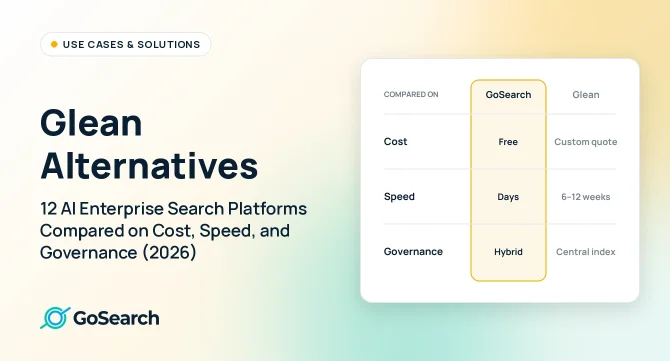

The best Glean alternatives in 2026 are GoSearch, Coveo, Onyx, Guru, Microsoft Copilot, Gemini Enterprise, Moveworks, Atlassian Rovo, ChatGPT Enterprise, Claude Enterprise, Dust, and Coworker. We compared them on deployment speed, pricing transparency, LLM flexibility, and data governance, and ordered them by how closely each one replaces Glean for enterprise search. GoSearch is listed first because it deploys in days rather than weeks, supports configurable LLMs, and uses a hybrid architecture that indexes shared knowledge for speed while querying sensitive data in real time rather than duplicating it into a central index.
- GoSearch: Best for like enterprise search solution with governed AI search across many apps; hybrid AI enterprise search, agentic workflows, flexible LLMs, and enterprise governance
- Coveo: Best for large enterprises that want a search-focused platform with deep relevance tuning
- Onyx (formerly Danswer & acquired by Zoom): Best open-source option; self-hostable, strong RAG, and developer-friendly
- Guru: Best for verified knowledge governance and curated internal wikis
- Microsoft Copilot: Best for organizations that run on Microsoft 365
- Gemini Enterprise: Best for organizations that run on Google Workspace and Google Cloud
- Moveworks: Best for tying search to IT and HR service requests, especially in ServiceNow environments
- Atlassian Rovo: Best for organizations that work mainly in Jira and Confluence
- ChatGPT Enterprise: Best for adding cited answers from Slack, Google Drive, and SharePoint to ChatGPT
- Claude Enterprise: Best for using Claude as the front end to your work apps and search layer
- Dust: Best for teams that want to build and share no-code AI agents
- Coworker: Best for automating multi-step tasks like CRM updates and ticket routing
Glean Alternatives at a Glance
The table below compares 12 Glean alternatives, plus Glean itself, on best-fit use case, deployment time, AI capabilities, and pricing model.
| Tool | Best For | Avg. Deployment Time | AI-Native | Pricing Model |
|---|---|---|---|---|
| GoSearch | Modern enterprise AI search | Days | Yes — RAG, agents, multi-LLM | Free plan; Starter ($8/user/mo),Pro ($12/user/mo), no seat minimum |
| Coveo | Search-focused enterprise platform with relevance tuning | About 4 months (G2 reviewer average) | Yes — unified index, generative answers, agentic retrieval | Custom quote; scales with queries, indexed items, and seats; see Coveo pricing |
| Onyx (acquired by Zoom) | Open-source, self-hosted RAG | 3–7 days (self-host) | Yes — configurable LLMs | Free (OSS); cloud tier available |
| Guru | Verified knowledge governance | Days | Yes — knowledge agents, 100+ connectors | Custom pricing; see Guru pricing |
| Microsoft Copilot | Microsoft 365 environments | Days to enable in existing M365 tenants; weeks for governed rollout | Partial — within MS ecosystem only | $30/user/mo (enterprise add-on); $21/user/mo Copilot Business for orgs under 300 users |
| Gemini Enterprise | Google Workspace and Google Cloud environments | About 3 weeks in one customer example | Yes — search, assistant, custom agents | From $30/user/mo; Gemini Business from $21/user/mo |
| Moveworks | Search tied to IT and HR service actions | Typically 2–4 months | Yes — AI assistant, agents, enterprise search | Custom, per employee per year; see Moveworks pricing |
| Atlassian Rovo | Jira and Confluence teams | Hours–days (connector indexing up to 24 hours; longer for large sources) | Yes — search, chat, agents | Bundled into paid Atlassian Cloud plans with monthly credits; overage metered from Dec. 2026 |
| ChatGPT Enterprise | ChatGPT-standardized teams | Not published | Partial — company knowledge via connectors | Business $20/user/mo (annual); Enterprise unpublished, reported ~$45–75/user/mo with ~150-seat minimum |
| Claude Enterprise | Claude-standardized teams | Not published | Partial — enterprise search via connectors | Team from $20/seat/mo; Enterprise $20/seat/mo plus usage at API rates, 20-seat minimum |
| Dust | Shared AI agents on company knowledge (agent-first) | Not published; self-serve, with setup per data source | Yes — agents, multiple models, 100+ data sources | Pro $30/seat/mo ($24 annual) for teams up to 100; Enterprise custom |
| Coworker | Agent-first workflows | Not published | Yes — agents on a company knowledge graph | $30/user/mo (vendor-stated) |
| Glean (benchmark) | Traditional enterprise indexing | 6–12 weeks (buyer-reported) | Yes — assistant and agents on a centralized index | Custom quote; ~100-seat minimums (buyer-reported), no published pricing |
Pricing comes from vendor pricing pages where published, and from buyer reports or customer examples where noted.
Why Companies Look for Glean Alternatives
Organizations evaluating Glean competitors often cite three structural concerns:
1. Security and Compliance Scope
Glean indexes and stores a centralized copy of enterprise data. For organizations in regulated industries, duplicating sensitive PII into a secondary index increases audit scope, expands the potential attack surface, and introduces compliance hurdles that hybrid and federated architectures avoid.
2. Total Cost of Ownership
Glean does not publish pricing, and enterprise contracts are custom-quoted. Buyers report renewal increases of 30–50% as usage scales; our Glean pricing breakdown details the figures. Buyers also report that Glean typically requires a paid proof of concept and a minimum of around 100 seats, which makes phased or incremental adoption difficult.
The index-heavy architecture also carries ongoing labor. Managing connectors, permissions, and index synchronization is commonly reported to require dedicated internal staffing — shifting enterprise search from a SaaS subscription into an operational program with infrastructure, maintenance, and personnel costs layered on top of licensing.
3. Paying Twice for Workplace AI
Microsoft Copilot, Gemini Enterprise, ChatGPT Enterprise, Claude Enterprise, Slack, and Atlassian Rovo now bundle AI assistants that search within their own ecosystems and a limited set of connected apps, but none delivers true enterprise search across the full stack. For organizations already paying for one of them, a custom-quoted Glean contract with a reported ~100-seat minimum is hard to justify as a second major AI line item. Most teams don’t need a full replacement. They need a cross-app layer that reaches the systems their bundled assistant can’t, without giving up AI capability. GoSearch fills that role with its own AI chat, agents, and workflows across 100+ apps, plus a choice of LLMs, at a price and commitment level that fits alongside existing AI spend.
The 12 Best Glean Alternatives
We ordered this list by how closely each tool replaces Glean for enterprise search, not by overall quality. Dedicated search platforms come first, then AI built into tools you may already use, and agent-first tools last. GoSearch leads because it deploys in days, supports configurable LLMs, and keeps sensitive data in place.
1. GoSearch
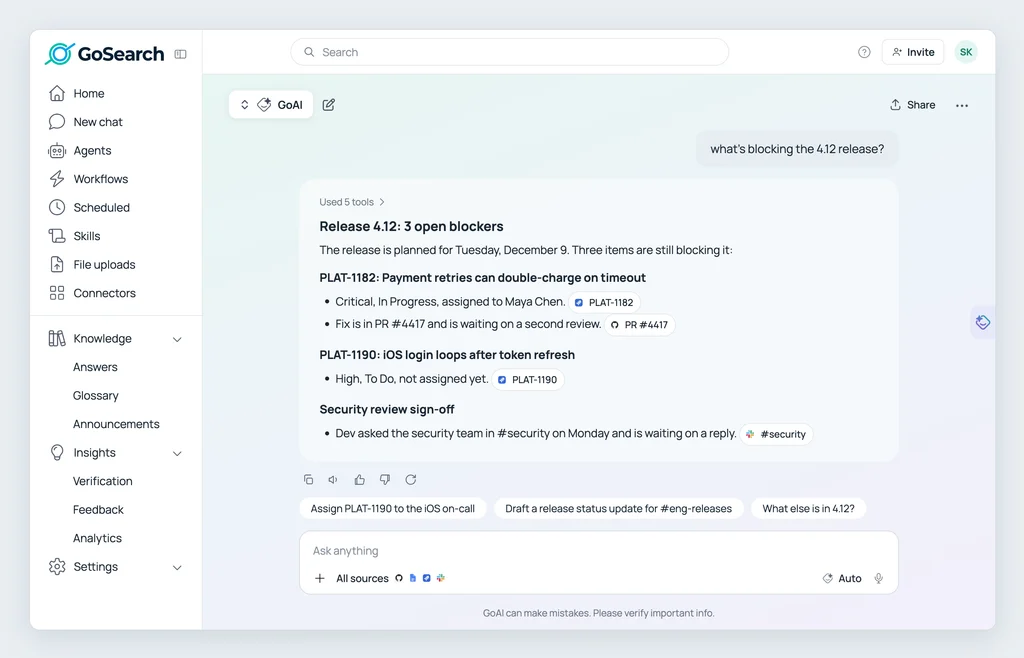
GoSearch is an AI-powered enterprise search platform built on a hybrid architecture: it indexes shared company knowledge for retrieval speed while querying personal and sensitive data in real time through live connectors, rather than duplicating everything into one high-maintenance central index.
Where it excels:
- Hybrid architecture that indexes what benefits from speed and federates what shouldn’t be copied, reducing compliance scope and avoiding the PII exposure that comes with indexing everything centrally
- Flexible LLM support across five or more model providers, including OpenAI, Anthropic, and Mistral, switchable without re-implementation
- Fast deployment, with customers typically live in 1–5 days and many in a single afternoon
- Transparent entry pricing: Free plan; Starter ($8/user/mo), Pro ($12/user/mo), with no seat minimum, and Enterprise priced per user from 35 seats, with implementation, onboarding, and training included
- Built-in agentic workflows, including natural-language chat, multi-source summarization, RAG-powered answers, automated digests, and custom workflows
- Enterprise governance: SOC 2 Type II, Bring Your Own Cloud, zero data retention, and role-based permissions enforced at the source
Where it has limits:
- As a vendor-neutral platform, it sits alongside your existing suite rather than being bundled into it, so organizations standardized on a single ecosystem may prefer that vendor’s native tooling
Best for: organizations that need governed AI search and agents across many apps.
2. Coveo
Coveo is an AI search and relevance platform used for workplace, customer service, website, and commerce search. It runs on a unified index with document-level permissions and adds generative answers and agentic retrieval. For costs, see our Coveo pricing breakdown and Coveo alternatives.
Where it excels:
- Strong search relevance and analytics when configured by search specialists
- One platform for workplace, service, and commerce search
- Coveo for Service indexes knowledge across Salesforce and ServiceNow for case deflection and agent assist
Where it has limits:
- Implementation averages about four months, per G2 reviewers, and often needs search engineers
- Quote-based pricing that scales with queries, indexed items, and seats, with generative AI features sold as add-ons
- Centers on search, so turning answers into actions often requires another tool
Best for: large organizations with dedicated search engineers that want workplace, service, and commerce search on one platform.
3. Onyx (Formerly Danswer)
Onyx is an open-source enterprise search and AI assistant platform and a common Glean alternative among technical teams. Zoom acquired Onyx in September 2026 and says the product will remain standalone, open source, and self-hostable. For a side-by-side on connectors and governance, see GoSearch vs. Onyx.
Where it excels:
- Open source, with an active community and transparent codebase
- Self-hostable for strict data residency requirements
- Configurable LLM support across OpenAI, Anthropic, and open-weight models
- Strong document Q&A and RAG, with no per-seat licensing on the OSS tier
Where it has limits:
- More engineering effort to deploy and maintain than SaaS alternatives
- Fewer pre-built enterprise connectors
- A less developed agentic workflow layer and a less mature managed cloud offering
Best for: technical teams that want open-source control and can manage self-hosting.
4. Guru
Guru has evolved into an AI Agent Center that combines enterprise search with a verified internal wiki. It suits teams that need AI answers grounded in expert-approved content rather than raw, unreviewed documents. For a feature-level breakdown, see GoSearch vs. Guru.
Where it excels:
- Verification workflows that ensure answers rely on content explicitly approved by subject-matter experts
- AI knowledge agents that research and summarize across 100+ integrated apps for support- or project-specific needs
Where it has limits:
- No public per-seat rate: Guru prices plans to each organization’s scale, knowledge needs, and AI use. See our Guru pricing breakdown
- Ongoing manual card curation, verification, and content governance overhead
- Trades scalability for content control; automated discovery platforms require far less curation labor
Best for: teams that prioritize expert-verified answers over broad search across live systems.
5. Microsoft Copilot
Microsoft Copilot integrates directly with Teams, SharePoint, OneDrive, and Outlook as an M365 add-on. See GoSearch vs. Microsoft Copilot for a direct comparison.
Where it excels:
- Deep integration with Teams, SharePoint, OneDrive, and Outlook
- Quick to enable in existing Microsoft 365 tenants
Where it has limits:
- Search quality degrades outside the Microsoft stack
- Requires Copilot licenses on top of base M365 costs
Best for: organizations that run on Microsoft 365. For M365-heavy teams that also need to search Salesforce, Jira, or custom tools, a cross-platform layer provides broader coverage without replacing Microsoft tooling.
6. Gemini Enterprise
Gemini Enterprise is Google’s AI platform for work, combining enterprise search, an AI assistant, and custom agents in one product. It replaced Agentspace in October 2025 and is priced at about $30 per user per month, in line with Microsoft Copilot. For a direct comparison, see GoSearch vs. Gemini Enterprise.
Where it excels:
- Enterprise search, an AI assistant, and custom agents in one product
- Reaches beyond Google’s own apps through connectors for SharePoint, Salesforce, ServiceNow, Confluence, Jira, and more
Where it has limits:
- Works best inside Google’s ecosystem; teams with large Microsoft or Atlassian footprints will find more value in a cross-platform layer
Best for: organizations that run on Google Workspace and Google Cloud.
7. Moveworks
Moveworks is an AI assistant that ties enterprise search to IT, HR, and other employee-service requests. ServiceNow completed its acquisition of Moveworks in December 2025, and Moveworks is still sold as a standalone product. For costs, see our Moveworks pricing breakdown and Moveworks alternatives.
Where it excels:
- Resolves IT and HR requests inside the assistant, not just answers questions
- Works best for organizations that already run on ServiceNow
- Has expanded from IT support into HR, finance, and enterprise search
Where it has limits:
- Custom pricing per employee per year, billed whether or not most employees use it
- Rollouts commonly take two to four months, with implementation quoted separately
- Packaging is shifting toward ServiceNow bundles, which makes standalone renewals harder to compare
Best for: large enterprises with heavy IT and HR ticket volume and an existing ServiceNow investment.
8. Atlassian Rovo
Rovo brings search, chat, agents, and a no-code studio to Jira, Confluence, and Jira Service Management. It is bundled into paid Atlassian Cloud plans and connects to 100+ apps, including Google Drive, SharePoint, Slack, GitHub, and Salesforce.
Where it excels:
- No separate contract for teams already on paid Atlassian Cloud plans
- Search and agents built around Jira tickets and Confluence pages
Where it has limits:
- A monthly credit allowance per user, with Atlassian metering usage beyond it
- Less value for organizations whose knowledge mostly lives outside Atlassian tools
Best for: teams that work mainly in Jira and Confluence.
9. ChatGPT Enterprise
ChatGPT Enterprise brings workplace search into the AI assistant many employees already use. Its company knowledge feature lets ChatGPT answer questions from connected work apps. For a direct comparison, see GoSearch vs. ChatGPT Enterprise.
Where it excels:
- Connects ChatGPT to apps like Slack, SharePoint, Google Drive, and GitHub
- Returns cited answers and respects existing permissions
Where it has limits:
- Users must turn on company knowledge in each new conversation
- Retrieves data at query time rather than maintaining a persistent index, which limits depth on large or less common sources
- Ties you to one model provider
Best for: adding cited answers from Slack, Google Drive, and SharePoint to ChatGPT.
10. Claude Enterprise
Claude Enterprise is Anthropic’s AI assistant for organizations, sold through Team and Enterprise plans. Claude added enterprise search features in early 2026, letting teams ask questions across connected work apps. For a direct comparison, see GoSearch vs. Claude Enterprise.
Where it excels:
- Connectors that respect the permissions users already have in each source system
- Can connect to a dedicated enterprise search platform through MCP, so teams can use Claude as the interface to their company knowledge
Where it has limits:
- Retrieves data at query time rather than maintaining a persistent index, which limits depth on large or less common sources
- Ties you to one model provider
Best for: using Claude as the front end to your work apps and search layer.
11. Dust
Dust is an enterprise AI platform where teams build, deploy, and share AI agents connected to company knowledge. For a side-by-side, see GoSearch vs. Dust.
Dust is an agent-first alternative, not a like-for-like replacement for enterprise search.
Where it excels:
- Shared workspaces where people and agents work on tasks together
- Connections to more than 100 data sources and support for multiple AI models
- A no-code agent builder for non-technical teams
Where it has limits:
- Agent-first, so day-to-day search across every app is not the core experience
- Value depends on teams designing and maintaining agents
- Custom Enterprise pricing
Best for: teams where people and AI agents work together, with enterprise search handled by a separate tool.
12. Coworker
Coworker is an agent-first platform built on a permission-aware company knowledge graph. Rather than stopping at answers, its agents update CRM records, create tickets, and route action items across connected tools.
Coworker is an agent-first alternative, not a like-for-like replacement for enterprise search.
Where it excels:
- Agents that write to Salesforce, HubSpot, Jira, Notion, and Slack
- Scheduled and event-triggered automation
- Published per-user pricing
Where it has limits:
- Centers on automation rather than search, so it works best alongside an enterprise search platform rather than as a replacement for one
Best for: teams whose primary need is to automate repeatable work across tools.
Use the AI Already in Your Workspace
Notion AI and Slack (Slackbot) add AI search inside their own tools, which works well for teams whose knowledge mostly lives there. As our GoSearch vs. Notion and GoSearch vs. Slack comparisons show, neither covers the rest of your stack, so neither is a full Glean replacement.
Also Considered
These tools have a narrower focus than the 12 platforms above, but they often appear in Glean evaluations.
- Slite: a self-maintaining knowledge base with AI search. Slite Agent checks documents against connected tools and proposes fixes for a person to approve, and every answer cites its sources. Published pricing: Basic $10 and Pro $20 per user per month, billed annually. Best for teams of 50 to 1,000 people whose search problems come from outdated documentation.
- Lucidworks: an AI search platform for commerce and customer support teams.
Glean Alternatives by Use Case
The right Glean alternative depends on your team size, budget, security requirements, and the tools your organization already uses. Use the picks below to match a platform to your situation.
Best Glean Alternative for Small Teams
GoSearch and Onyx are our picks for small teams. GoSearch offers a free plan and no seat minimum on Pro, making it accessible without a large procurement process. Onyx works well for small technical teams wanting full control and zero licensing costs, though it requires self-hosting. Both avoid the ~100-seat minimums and paid proofs of concept that buyers report for Glean.
Best Free Glean Alternative
Onyx is our pick for a free alternative — fully open-source, self-hostable, with no per-seat cost on the OSS tier. GoSearch also offers a free plan for teams that prefer managed SaaS without infrastructure overhead. Neither requires the paid proof-of-concept engagement that buyers report Glean typically mandates before production access.
Best Glean Alternative for Microsoft 365
Microsoft Copilot is the natural choice for organizations fully committed to the Microsoft ecosystem. Its limitation is search quality outside the Microsoft stack.
Best Glean Alternative for Google Workspace
Gemini Enterprise is the Google counterpart to Copilot, with connectors that reach beyond Google’s own apps. Like Copilot, it works best when most work already runs on one vendor’s suite.
Best Glean Alternative for Atlassian Teams
Atlassian Rovo is included in paid Jira and Confluence Cloud plans, so teams can start without a new contract. Plan for credit usage as agents scale.
Best Glean Alternative for IT and Employee Service
Moveworks serves organizations that want search tied to IT and HR requests, especially those already on ServiceNow. Expect custom, per-employee pricing and a rollout of two to four months.
Best Glean Alternative for Teams Already Using ChatGPT or Claude
Company knowledge in ChatGPT and connectors in Claude add workplace search to an assistant your teams already use. For deep, permission-aware search across many systems, pair the assistant with a dedicated search layer or choose one instead.
Best Glean Alternative for Agent-Driven Workflows
GoSearch pairs enterprise search with built-in agents and custom workflows, so teams can automate work on the same permission-aware company knowledge they search. Dust and Coworker focus on agents that complete work rather than return answers, and both can run alongside an enterprise search platform that supplies the underlying company knowledge.
Best Glean Alternative for Regulated Industries
GoSearch helps finance, healthcare, and legal teams meet strict data governance requirements. Its hybrid architecture lets you federate sensitive data — querying it in place rather than copying it into a central index — while still indexing shared knowledge for speed, avoiding the PII exposure and expanded audit scope that indexing everything introduces. GoSearch is SOC 2 Type II certified and supports Bring Your Own Cloud deployment.
Best Open-Source Glean Alternative
Onyx supports configurable LLMs, self-hosting for full data residency control, and RAG-powered answers across connected sources. The tradeoff is engineering overhead.
GoSearch vs. Glean: Cost, Security, and LLM Flexibility Compared
Buyers comparing Glean alternatives usually weigh three factors: total cost, data governance, and LLM flexibility. Here is how GoSearch and Glean compare on each.
How Does Total Cost of Ownership Compare?
GoSearch publishes its pricing and typically deploys in days. Glean is custom-quoted, and buyers report longer rollouts, seat minimums, and paid proofs of concept.
| Factor | GoSearch | Glean |
|---|---|---|
| Implementation time | Days | 6–12 weeks |
| Entry pricing | Free plan; Starter ($8/user/mo),Pro ($12/user/mo), Enterprise custom | Custom quote, no published pricing |
| Seat minimum | None on Pro; 35 seats on Enterprise | ~100 seats |
| Proof of concept | Free plan; no paid proof of concept required | Typically paid |
| Renewal behavior | Priced to scale without renegotiation | Buyer-reported increases of 30–50% at scale |
| Maintenance | Hybrid model minimizes ongoing overhead | Connector, permission, and index sync management |
| Onboarding | Included in standard plans | Professional services often required |
For the detailed cost analysis, see our breakdowns of Glean’s total cost of ownership and Glean pricing, or the full GoSearch vs. Glean comparison.
How Do Governance and Security Compare?
Glean stores a centralized copy of enterprise data, while GoSearch queries sensitive data in place and indexes only shared knowledge, which keeps compliance scope smaller. See GoSearch’s enterprise search security controls for certifications and deployment options.
How Does LLM Flexibility Compare?
Both platforms support multiple model providers, and Glean advertises multi-model orchestration across 35+ LLMs. GoSearch supports five or more configurable providers, including OpenAI, Anthropic, Grok, Muse, and Google Gemini, and lets teams switch between them without re-implementing the platform.
If you’re still evaluating what Glean Search is and how it works architecturally, that context is useful before comparing it against alternatives.
6 Mistakes to Avoid When Evaluating Glean Alternatives
These issues often go unnoticed during evaluation and surface only after deployment:
- Connector coverage: a platform may look capable in a demo but fall short on homegrown tools, less common SaaS apps, or searching documents and database or CRM records in the same query. Verify actual connector depth, not the marketing count.
- Governance and permissions: search must respect source-native access controls. Platforms that don’t enforce permissions at the data source create exposure, especially when AI summarization is involved.
- Adoption, not just features: the best-ranked platform means nothing if employees don’t use it. Evaluate UI clarity, time-to-first-result, and onboarding burden for non-technical users.
- Total cost of ownership: license pricing is one line item. Factor in infrastructure, maintenance staffing, professional services, usage credits, and renewal pricing at scale.
- The AI and relevance layer: understand whether the platform uses RAG, how it handles multi-source summarization, and whether the LLM is fixed or configurable.
- Deployment timeline: some platforms quote low entry costs but need 8–16 weeks and professional services to reach production. Confirm realistic time-to-value before committing.
Choosing the Right Glean Alternative
Feature checklists and headline pricing tell only part of the story. Before you choose, compare security architecture, operational overhead, scalability, and long-term cost.
Ultimately, the best Glean alternative is the one that aligns with your security posture, AI maturity, and knowledge activation strategy – which usually comes down to how much you’re willing to index versus query in place. Architecture is the foundation, and it determines how effectively your organization can activate trusted knowledge at scale.
For the full vendor landscape beyond Glean replacements – including architecture, deployment speed, and pricing transparency across the market – see our guide to the top enterprise search software. For a direct head-to-head, see GoSearch vs. Glean, or read why enterprises switch from Glean.
See how GoSearch handles your own apps and permissions before you commit. Start free with no seat minimum or paid proof of concept, or book a demo for a walkthrough built around your stack.
Personal access to agentic enterprise search, free with GoSearch.
Sign up
Frequently Asked Questions About Glean Alternatives
What Is the Most Cost-Effective Alternative to Glean?
GoSearch is generally the most cost-effective AI enterprise search platform for organization-wide deployment. Its hybrid architecture avoids the infrastructure and maintenance staffing associated with index-everything models, including: Free plan; Starter ($8/user/mo), Pro ($12/user/mo), no seat minimum, compared with the ~100-seat minimums buyers report for Glean and custom-quoted contracts. Onyx is the lowest-cost option outright for teams that can self-host.
Can ChatGPT Enterprise or Microsoft Copilot Replace Glean?
For some teams, yes. Microsoft Copilot fits organizations that run on Microsoft 365, and ChatGPT Enterprise adds answers from connected work apps to an assistant employees may already use. Both are general AI assistants first, so search quality drops outside their own ecosystems and on less common sources. Teams that need permission-aware search across many systems often pair them with a dedicated enterprise search platform.
How Long Does It Take to Migrate From Glean to Another Platform?
Migration timelines depend more on connector re-authentication and permission mapping than on the platform itself. Reconnecting data sources and validating that access controls carry over correctly is typically the longest step; user retraining is usually short, since search interfaces are familiar by design. Platforms that deploy in days rather than weeks compress the overlap period during which you’re paying for both systems, which is worth factoring into total switching cost.
When Should an Enterprise Index Data Versus Use Federated Queries?
Index when retrieval speed is the priority and data changes infrequently, such as static documents, knowledge bases, and finalized policies. Federate when data must stay in place for regulatory or residency reasons, changes frequently, or contains sensitive PII that shouldn’t be duplicated. Many enterprises use a hybrid approach: index where performance matters, and federate where freshness or data sovereignty requires it.
Is Glean Good for Enterprise Search?
Yes, for the right buyer. Glean offers broad connector coverage and a central index. It works well for large enterprises that want one index across many apps, can negotiate a custom contract, and can support a multi-week deployment. Buyers report a minimum of around 100 seats and a paid proof of concept, so smaller teams and teams that need sensitive data kept in place often compare the alternatives above.
Which Glean Alternative Is Best for Developer or Engineering Teams?
Onyx suits engineering teams that want to self-host and customize an open-source tool. Atlassian Rovo serves teams that work mainly in Jira and Confluence.