
If your team is evaluating Guru alternatives, you are likely running into one of a few familiar friction points: knowledge cards that require constant curation, AI answers that are only as good as what someone remembered to verify, or a tool that works well for your wiki but leaves the rest of your tech stack out of reach.
The top Guru alternatives in 2026 are GoSearch, Notion AI, and Slack AI. GoSearch is the strongest choice for teams that want AI search across their entire tool stack without the manual curation overhead; Notion AI works best for teams whose knowledge lives primarily in Notion; and Slack AI suits organizations already on Slack Enterprise, where AI features are often bundled into their existing contract.
This guide compares Guru’s top competitors on knowledge retrieval, AI capabilities, integration depth, and total cost of ownership — so you can find the right fit for how your team actually works.
Quick Answer: The best Guru alternatives in 2026 are GoSearch, Notion AI, and Slack AI. GoSearch is the strongest choice for enterprise teams. It delivers real-time AI search across 100+ tools and is natively embedded in Slack, with no manual curation required. Notion AI suits teams already working in Notion; Slack AI is worth considering if it’s bundled in your Enterprise contract.
Key Takeaways
- GoSearch delivers AI-powered search across 100+ integrations without requiring teams to pre-curate content into cards or wikis — and is natively embedded in Slack for conversational AI chat, search, agents, and workflows.
- Notion AI brings AI assistants and custom agents into the Notion workspace, making it a strong fit for teams whose documentation is already centralized in Notion.
- Slack AI enables conversational search and AI summaries across channels and connected apps, and is often included in Slack Enterprise Grid contracts.
- The core limitation of Guru — and what drives most teams to look for alternatives — is that its knowledge base is only as useful as the manual curation process behind it.
Why Teams Look for Guru Alternatives
Guru has built a strong reputation as an AI-powered knowledge base. Its card-based approach to capturing institutional knowledge integrates with tools like Slack, Teams, and Salesforce, and its verification workflows help ensure answers are based on approved content rather than stale documentation.
But there are three common reasons teams start evaluating alternatives.
1. Curation Overhead
Guru’s knowledge base requires someone to create, maintain, and verify cards. That’s a deliberate feature — it ensures AI answers are grounded in trusted content — but it also means that anything not in a card is invisible to Guru’s AI. For fast-moving teams with knowledge spread across Jira, Confluence, Google Drive, Salesforce, Slack, and GitHub, keeping Guru’s cards current becomes a part-time job.
2. Scope Limited to Curated Content
Because Guru searches its internal knowledge base rather than your live connected tools, it can miss context that exists in real time — an open support ticket, a recent Slack thread, a pull request comment. For teams that need AI answers grounded in the full state of their work, not just what was documented last month, that’s a meaningful gap.
3. Pricing That Scales Quickly
Guru’s Team plan starts at $25 per seat per month. For cross-functional teams where only some members are active knowledge contributors, paying full seat costs for every user adds up. AI Knowledge Agents — Guru’s more advanced capability — are reserved for Enterprise, where pricing is custom.
GoSearch: The Strongest Guru Alternative for Enterprise Teams
GoSearch is an AI-powered enterprise search and agents platform that searches across your entire tool stack in real time — without requiring teams to pre-populate a separate knowledge base.
Where Guru asks you to bring your knowledge into Guru, GoSearch goes to where your knowledge already lives.
What Makes GoSearch Different
No curation required. GoSearch connects to 100+ integrations — including Google Drive, Confluence, Jira, Salesforce, Slack, GitHub, Notion, and more — and surfaces answers from live data using a hybrid federated-first architecture. There are no cards to create and no content governance program to maintain.
Natively embedded in Slack. GoSearch is built directly into Slack — not just accessible via a bot mention, but a full Slack-native experience with conversational AI chat, search, custom agents, and agent workflows. Teams can invoke named agents and run multi-app workflows without leaving the tool where they already work. For Slack-heavy organizations, this means getting the full power of enterprise search and AI agents without any context switching.
AI agents built for work workflows. GoSearch’s no-code agent builder lets teams create custom AI agents scoped to specific use cases — IT support, sales enablement, HR onboarding, engineering documentation. Agents are accessible in Slack, in the browser, and across connected tools.
Real-time, cross-stack search. Because GoSearch queries connected apps in real time rather than relying on indexed snapshots, results reflect the current state of your tools — not what was synced last week. This matters for teams where a stale answer is worse than no answer at all.
Enterprise security without the overhead. GoSearch is SOC 2 Type II, GDPR, HIPAA, and CCPA compliant, with zero LLM data retention and BYOC (Bring Your Own Cloud) deployment available. It respects source-level permissions, so users only see results they’re already authorized to access.
Transparent entry and lower TCO. GoSearch offers a free plan with no seat minimums and no paid proof-of-concept requirements, making it easier to validate ROI before committing to an enterprise contract.
Where GoSearch Fits Best
GoSearch is the right choice for teams that:
- Have knowledge spread across many tools and can’t afford to duplicate it into a curated wiki
- Want a full Slack-native AI experience — search, chat, agents, workflows — without relying solely on Slack’s own AI layer
- Need AI agents that act across systems, not just answer questions from a knowledge base
- Are evaluating enterprise search alongside or instead of a traditional knowledge management tool
- Need enterprise compliance without building a dedicated maintenance program around it
Notion AI: Good for Teams Already Living in Notion
Notion AI extends Notion’s workspace with AI search, content generation, and custom agents — making it a natural consideration for teams whose knowledge is already centralized in Notion pages and databases.
Core Strengths
Notion’s AI search now supports external connectors on Business and Enterprise tiers, pulling results from Slack, Google Drive, GitHub, and Salesforce directly into the Notion interface. Custom AI Agents can turn meeting transcripts, notes, and documents into structured plans, summaries, and deliverables automatically.
For teams that have invested in Notion as their primary workspace, this is the lowest-friction path to AI-augmented knowledge access — no new tool to onboard, no migration, and no change in where work happens.
Tradeoffs
Notion AI is optimized for knowledge stored within Notion. Cross-platform search requires Business or Enterprise tiers, and coverage across tools like Jira, Salesforce, HRIS systems, or DevOps platforms is limited compared to purpose-built enterprise search platforms. For organizations with complex, multi-system knowledge environments, Notion AI functions more as an intelligent workspace assistant than a full enterprise search layer.
Slack AI: Good for Teams on Slack Enterprise Grid
Slack AI embeds conversational search and AI summaries directly into the Slack experience — allowing teams to search across channels, connected apps, and files without leaving the tool where most work happens.
Core Strengths
If your organization is already on Slack Enterprise Grid, Slack AI is often included in the enterprise bundle rather than priced as a separate add-on. For teams in that position, it’s a low-friction starting point — no new procurement, no behavior change, and AI summaries and search built into the tool where most communication already happens.
Slack AI supports organization-wide search across conversations and integrated third-party apps, respects existing permission structures, and enables the Slackbot to answer questions, summarize threads, prepare meeting briefs, and analyze reports — all within Slack.
Tradeoffs
Slack AI’s value is real, but it’s bounded by the Slack ecosystem. It searches conversations, channels, and a set of connected apps — but it doesn’t give you a unified AI layer across Jira, Confluence, Salesforce, Google Drive, HRIS platforms, and the rest of your tool stack. For teams that need cross-system AI search and agents, Slack AI covers one important layer but leaves the rest unaddressed.
It’s also worth noting: GoSearch is natively embedded in Slack as well. Teams get conversational AI chat, search, custom agents, and full agent workflows directly inside Slack — meaning GoSearch doesn’t require users to leave the tool where they already work. For organizations that want Slack-native AI and coverage across their entire tech stack, GoSearch covers both.
Guru vs. GoSearch vs. Notion AI vs. Slack AI: How They Compare
| GoSearch | Guru | Notion AI | Slack AI | |
| Search Model | Hybrid federated-first | Curated knowledge base | Workspace-native | Conversation-native |
| Curation Required | None | Yes (cards + verification) | Minimal | None |
| Cross-Stack Search | 100+ integrations, real-time | 100+ integrations (card-based) | Limited (Business+) | Limited (Enterprise Grid) |
| Native Slack Experience | Full — chat, search, agents, workflows | Slack integration | Slack integration | Yes — core platform |
| AI Agents | Custom, no-code builder, accessible in Slack | Limited knowledge agents (Enterprise only) | Limited agents (Business+) | Via Agentforce (Salesforce license required) |
| Pricing Model | Per user (free and Pro tiers available) | $250/mo minimum (10-seat floor); Enterprise custom | Per user (AI add-on) | Often bundled w/ Enterprise Grid |
| Best For | Enterprise-wide AI search + agents | Curated internal wiki | Notion-centric teams | Existing Slack Enterprise contracts |
Which Guru Alternative Is Right for Your Team?
The right choice depends on where your team’s knowledge actually lives and how you want AI to interact with it.
If your knowledge is scattered across many tools and you can’t afford the overhead of curating a separate wiki, GoSearch is the most practical upgrade. It surfaces answers from your live connected tools, delivers a full Slack-native AI experience — chat, search, agents, and workflows — and does it without requiring a content governance program to keep it accurate.
If your team is on Slack Enterprise Grid and Slack AI is bundled into your contract, it’s a reasonable place to start for in-Slack search and summaries. But if you’re actively evaluating tools, GoSearch delivers the same Slack-native experience plus real-time search across 100+ connected tools that Slack AI doesn’t reach.
If your team has already centralized documentation in Notion and wants AI to work within that existing structure, Notion AI is the lowest-friction next step — especially on Business or Enterprise tiers where external connectors extend its reach.
The gap that Guru doesn’t close — and that drives most teams to evaluate alternatives — is the distance between your curated knowledge base and the full, live state of your work. GoSearch is built specifically to close that gap, including right inside the Slack environment where your team already operates.
Ready to see how GoSearch surfaces knowledge across your entire tool stack — including natively inside Slack — without the curation overhead? Try GoSearch free and validate the ROI before committing.
Personal access to agentic enterprise search, free with GoSearch.
Sign up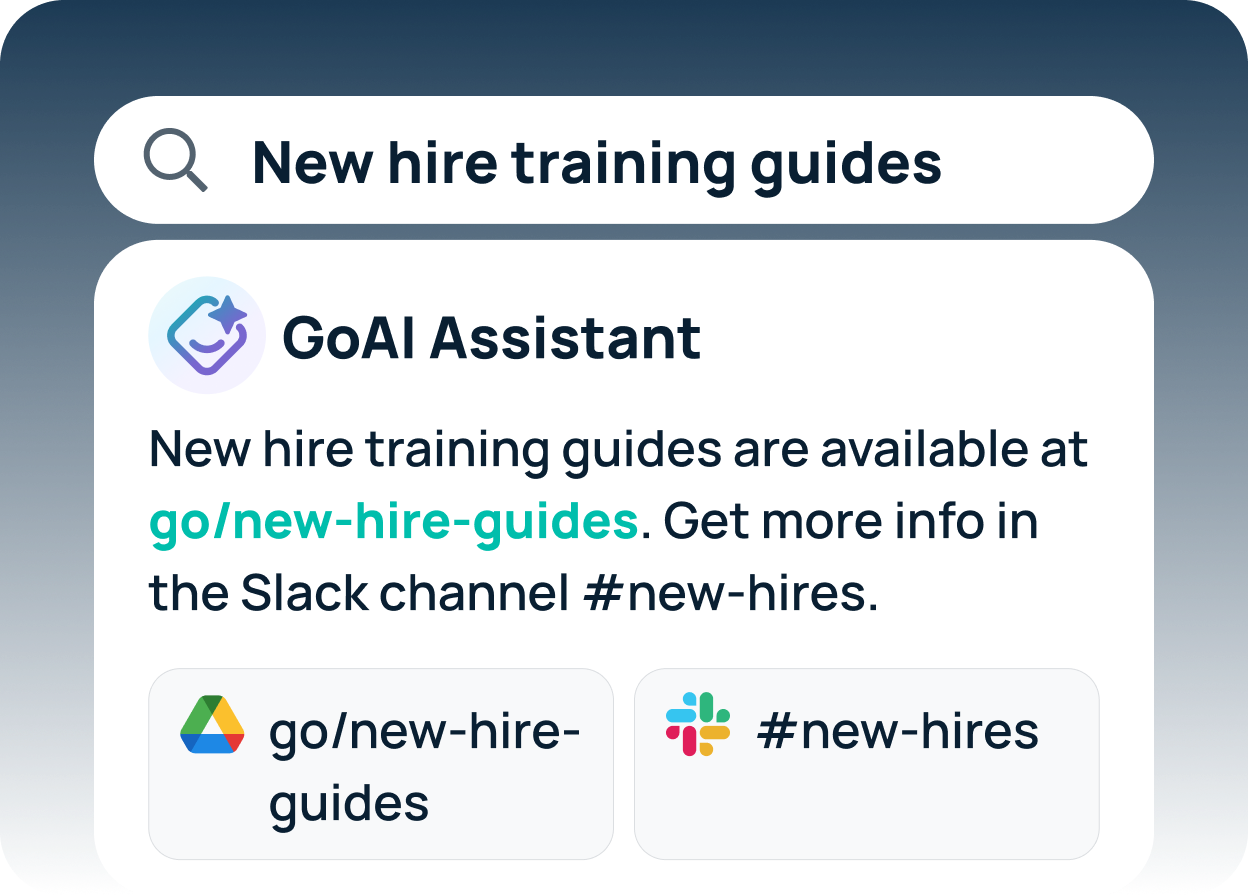
Frequently Asked Questions
GoSearch is the strongest Guru alternative for enterprise teams that need AI search across their full tool stack. Unlike Guru, which requires manual card curation to populate its knowledge base, GoSearch connects to 100+ tools and surfaces answers from live data in real time — with no curation overhead and enterprise-grade compliance built in. It also provides a full Slack-native experience with conversational AI, agents, and workflows.
Guru is a curated knowledge base: its AI answers are only as good as what your team has manually documented and verified in cards. GoSearch uses a hybrid federated-first architecture to search across your connected tools in real time, without requiring pre-populated content. GoSearch also includes a no-code AI agent builder, a native Slack app for conversational AI chat and agent workflows, and broader cross-stack integration coverage.
For teams whose knowledge is primarily stored in Notion, Notion AI can handle many of the same use cases — AI search, summaries, and structured content generation. However, Notion AI is optimized for content within Notion pages, and cross-platform enterprise search requires Business or Enterprise tiers with additional connector setup.
Slack AI is a reasonable option if your organization is already on Slack Enterprise Grid, where it’s often included in the enterprise bundle. It enables conversational search across channels and connected apps with no additional procurement. However, it doesn’t cover your full tool stack, and it doesn’t replace a structured knowledge layer. GoSearch is also natively embedded in Slack — offering the same conversational AI experience plus real-time search across 100+ integrations — so teams don’t have to choose between Slack-native access and enterprise-wide coverage.
Guru’s primary limitation is its dependence on manual curation. Its AI is grounded in knowledge cards that teams must create, maintain, and verify — meaning it can miss real-time context from live tools, and its value degrades if curation lapses. It also uses per-seat pricing that scales quickly for large teams, with advanced AI features like Knowledge Agents reserved for Enterprise tiers.