
Your employees aren’t struggling to find information because they’re disorganized. They’re struggling because the information lives in dozens of tools that aren’t connected.
Knowledge workers move between Slack, Confluence, Jira, Google Drive, Salesforce, ServiceNow, and more, each with its own search bar. When someone needs to find a decision made six months ago, a policy buried in an HR tool, or a customer record in the CRM, they often skip search entirely. They ask a colleague, or they give up.
That friction has a price. A 2012 McKinsey study found that employees spent nearly 20% of their working week looking for internal information or tracking down colleagues who could help. The problem hasn’t gone away: Atlassian’s State of Teams 2025 survey of 12,000 knowledge workers found teams spend 25% of their time searching for answers.For a 1,000-person organization, that adds up to millions of dollars in lost time each year, before counting the decisions made on incomplete information.
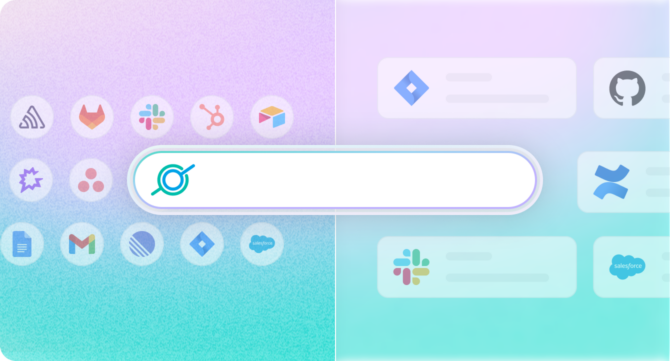
AI enterprise search takes a different approach: one interface, plain-language questions, and direct answers drawn from the tools your company already uses.
This guide is for IT leaders, CIOs, and knowledge managers evaluating enterprise search platforms, building the business case, or trying to understand how fast this category has moved. It covers what the technology does, how to evaluate vendors, and how to plan implementation.
What Is AI Enterprise Search?
Quick Answer: AI enterprise search uses large language models and semantic retrieval to understand the intent behind a query and surface direct answers — not just links — from across an organization’s connected data sources. Unlike traditional keyword search, it interprets meaning, enforces permissions continuously, and synthesizes responses grounded in your company’s actual content.
AI enterprise search is software that lets employees find information — across every tool and data source in an organization — using natural language questions, and returns direct, context-aware answers rather than a ranked list of documents.
It helps to understand this by contrast.
Traditional enterprise search works like a library catalog. It indexes documents, matches keywords, and returns a list of files containing the words you typed. Search for “parental leave policy” and you might get 40 results: the current policy, three previous versions, a Slack thread where someone asked about it, an HR town hall deck, a Confluence page that mentions it in passing. You still have to open each one to find the actual answer.
AI enterprise search reads the policy for you. Ask “how many weeks of parental leave do we get?” and the system reads across your connected sources, finds the most authoritative answer, and responds: “14 weeks for primary caregivers, as documented in [HR Policy v4.2, updated March 2026].” It cites the source. And it respects your permissions — if you can’t access a document, its contents won’t appear in your results.
This is what’s often called an internal search assistant — an AI-powered tool that behaves less like a search engine and more like a well-informed colleague: it knows where your company’s knowledge lives, understands the question you’re actually asking, and gives you the answer rather than a pile of documents to sort through. The underlying technology is AI enterprise search; “internal search assistant” is simply how it feels to use it.
The core technologies making this possible
Several technologies have converged to make this possible:
Large language models (LLMs) — the same technology behind ChatGPT — give search systems the ability to understand natural language, not just match keywords. Ask “what did we decide about the vendor contract?” and the system understands that “we” means your organization, “decide” implies a documented past action, and “vendor contract” is a business document — even if those exact words don’t appear together anywhere.
Semantic search and vector embeddings allow the system to find conceptually related content, not just exact matches. A document about “paid time off for new parents” is relevant to a question about “parental leave,” even though the words don’t overlap. Vector embeddings represent meaning as mathematical coordinates, so relevance becomes a calculation rather than a string match.
Retrieval-Augmented Generation (RAG) is the architecture that keeps answers grounded.Rather than generating answers from training data — which would mean hallucinating company-specific facts — RAG first retrieves relevant documents from your internal sources, then uses the LLM to synthesize an answer from that content. The LLM is the reader and writer; your company’s data is the source of truth. Constraining the model to retrieved content is the primary architectural safeguard against hallucination, though not a guarantee.
Permission-aware indexing ensures the system respects the access controls already configured in your tools. If an employee can’t access a file in Google Drive, they won’t see its contents in search results. This is a requirement for any enterprise deployment.
Agentic capabilities are the newest layer. Beyond finding and answering, agentic AI can take action — resetting a password, creating a ticket, summarizing a meeting, triggering a workflow — directly from the search interface. This is where enterprise search is heading: from a tool you query to an assistant that helps you act. The agentic AI platform buyer’s guide breaks down how to evaluate that layer on its own.
What AI enterprise search is not
It’s not a chatbot bolted onto your intranet. Answer quality depends entirely on the underlying data connections — how many sources are indexed, how current the data is, how well permissions are enforced.
It’s not a replacement for your existing tools. Slack, Confluence, and Salesforce don’t go away. AI enterprise search sits on top of them as a unified retrieval layer — what’s increasingly described as an enterprise context layer — that makes everything you’ve already built more accessible.
AI enterprise search has limits. If your organization’s knowledge is undocumented, outdated, or scattered across sources that can’t be indexed, no search platform will surface it. AI enterprise search amplifies the knowledge you have — it doesn’t create knowledge you don’t.
Why Traditional Enterprise Search Falls Short
Quick Answer: Traditional enterprise search matches keywords within one tool at a time, so it misses synonyms and can’t answer questions whose answers span multiple systems. AI enterprise search interprets intent and retrieves across all connected tools.
Most organizations have tried to solve the information-finding problem at least once, with a SharePoint deployment, a Confluence wiki, or a shared Google Drive structure. These tools organize content well, but they leave three problems unsolved.
Keyword search misses the question being asked
Keyword search returns documents that contain your search terms, which isn’t the same as answering your question. Type “offboarding checklist” and you’ll get every document that includes those words, including ones where the checklist is buried in paragraph six of a ten-page process guide. You still have to read to find what you need.
The problem grows when terminology differs. If your documentation says “employee exit process” instead of “offboarding checklist,” keyword search may return nothing. Semantic search recognizes that the two phrases mean the same thing.
Knowledge is fragmented across too many tools
According to Okta’s Businesses at Work 2026 report, the average organization deploys 98 apps, while organizations with 2,000 or more employees average 259. Each app has its own search bar, and few are connected. Engineering knowledge lives in Jira comments and GitHub discussions, HR policy in Confluence, customer history in Salesforce, and recent decisions in Slack. To answer a nuanced question, an employee first has to know which tool holds the answer, and often they don’t.
Maintenance falls on IT
Traditional search systems need constant upkeep: tagging documents, building taxonomies, retiring outdated content, and updating permissions as teams change. This work often gets deprioritized, and indexes go stale. When results keep surfacing old information, employees stop trusting search and go back to asking colleagues, which is expensive and doesn’t scale.
The cost is higher than it appears
When employees can’t find what they need, they interrupt a colleague, search manually, or make a decision without the full picture. Each outcome costs time, and the last one can cost far more. The business case section below shows how to calculate that cost for your organization.
How AI Enterprise Search Works
Quick Answer: AI enterprise search works in seven steps: ingest content from connected tools, build keyword and vector indexes, sync permissions, interpret the natural language query, retrieve relevant content, generate a grounded answer with citations, and (for agentic platforms) execute any follow-on actions. Each step is continuous and automated — not a one-time setup.
Understanding the mechanics helps IT leaders evaluate platforms more clearly and set realistic expectations for deployment.
Step by Step
- Ingestion. The system connects to your existing tools via native connectors or APIs and reads content from each source: documents, messages, tickets, records, wikis, emails, and more. The breadth of your connector library determines the breadth of your search — a platform with deep, maintained connectors for the tools your organization actually uses will outperform one with a longer but shallower list.
- Indexing. Content is processed into two parallel indexes. A keyword index enables fast exact-match retrieval. A vector index stores semantic embeddings of each piece of content, capturing meaning rather than just terms. Most modern platforms build both and use a hybrid approach at query time.
- Permission sync. Alongside content, the system ingests access permissions from each connected source. Who can see which documents, channels, and records is continuously synced, so search results respect the access controls already in place.
- Query interpretation. When an employee submits a query, the system interprets intent rather than matching keywords — determining what type of answer is needed (a fact, a document, a process, a person) and which sources are most likely to contain it.
- Retrieval. The system searches both indexes, combines results using a relevance ranking model, and filters out any content the querying user isn’t permitted to access.
- Answer generation. RAG synthesizes a direct answer from the retrieved content, with citations back to source documents. The LLM is constrained to that retrieved content — keeping answers grounded in actual company data and reducing hallucination risk.
- Action. On platforms with agentic capabilities, the answer can trigger follow-on actions — submitting a request, creating a ticket, triggering a workflow — without the employee leaving the search interface.
Connector Types, Freshness, and MCP
Not all connectors work the same way, and the differences determine how current your answers are and who can see them. Three types are worth understanding. For examples of how each type handles re-index timing, permissions, and actions in specific apps, see this field guide to indexed, federated, and MCP connectors.
Indexed connectors copy content into the search index on a schedule. Re-index intervals vary by vendor and often by connector, and many platforms separate frequent partial syncs, which update content already in the index, from less frequent full syncs, which add new content. Ask vendors how quickly edits, new content, and permission changes each appear in search, since the answers are often different.
Real-time federated connectors query the source system at the moment of the search and return current results, running on the individual user’s credentials rather than a shared service account. This matters for fast-changing or sensitive data — and increasingly for compliance.
MCP connectors use the Model Context Protocol, an open standard that lets AI systems reach into source tools directly. Vendors differ in where they apply it: some use MCP to power AI assistants and agents, while others use it within search retrieval. Ask which parts of the platform use MCP connectors and which sources they currently support.
Why permission enforcement matters
Before returning any result, the system checks whether the requesting user has access to that content in the source system. The bar to hold vendors to is propagation speed: permissions change constantly as people join teams, change roles, and get promoted, and a system that only reads permissions at initial index time will surface results people shouldn’t see. Ask how quickly a permission change in the source system takes effect in search. The answer should be minutes. Anything measured in days is a security problem.
Where AI Enterprise Search Makes the Biggest Difference
Quick Answer: The highest ROI comes from deploying AI enterprise search where information-finding friction is most expensive — typically IT, HR, engineering, sales, and marketing. IT and HR often show the fastest measurable return.
IT: Ticket deflection and faster resolution
IT help desks handle a high volume of repetitive questions: password resets, access requests, software installation guidance, VPN troubleshooting. Most have documented answers. AI enterprise search lets employees self-serve before submitting a ticket — and when a ticket does come in, it helps the analyst find the relevant runbook or precedent case in seconds rather than minutes.
Organizations that deploy AI enterprise search across their IT function can reduce Tier 1 ticket volume and free analysts for complex infrastructure problems, security incidents, and root-cause analysis. The business case section shows how to estimate that savings for your own ticket volume.
HR: Policy lookup and onboarding acceleration
HR teams field the same questions on repeat: how much vacation do I have, what’s the reimbursement limit for home office equipment, how do I update my direct deposit. AI enterprise search handles these directly — surfacing the right policy with the right answer, and freeing HR to focus on work that requires a human.
For new hire onboarding, the impact compounds. A new employee can ask “what do I need to set up in my first week?” and get a synthesized, personalized checklist drawn from the onboarding documentation, IT provisioning guides, and team-specific resources.
Engineering: Codebase context and documentation access
Engineering teams spend significant time searching for context: understanding how a component was built, finding the relevant Jira ticket, locating documentation for an internal API, figuring out who wrote a piece of code and why. This is especially acute in large codebases or when engineers are new to a project.
AI enterprise search connected to GitHub, Jira, Confluence, and Slack gives engineers a single interface to ask questions like “why was the payment service refactored in Q3?” and get an answer synthesized from the PR description, the Jira ticket, and the Slack thread where the decision was made. The hardest engineering questions aren’t about where code lives — they’re about why it exists, and that reasoning is usually scattered across tools and people’s memories.
Applied to code, semantic retrieval surfaces the relevant module by meaning rather than string match. A query about “the retry logic in the payments flow” finds the right code even if the word “retry” never appears in it, and ranks the definition above the forty places the function is called. Because engineering data goes stale fast — build status, open tickets, deployment state — real-time federated connectors especially matter here.
Sales: Competitive intelligence and deal support
Sales teams need fast access to competitive intelligence, case studies, pricing guidance, and product documentation — often mid-call. AI enterprise search lets reps ask “what do customers say about our competitor’s pricing?” or “find me a financial services case study for a deal where cost was the deciding factor” and get an immediate answer from the latest sales enablement content, without breaking their flow to hunt across Salesforce, a shared Drive folder, and three different Slack channels.
Marketing: Content retrieval and brand consistency
Marketing teams manage a high volume of assets — briefs, campaign decks, brand guidelines, approved messaging, research reports. AI enterprise search makes it possible to find the right asset quickly and keeps teams working from current, approved materials rather than old versions surfaced through a manual Drive search. For distributed or high-velocity teams, that consistency compounds.
What to Look for in an AI Enterprise Search Platform
Quick Answer: The most important evaluation criteria for AI enterprise search are integration depth, dynamic permission enforcement speed, content freshness, answer quality with source citations, security and compliance posture, deployment and data location, pricing transparency, and realistic time-to-value. Vendors often look similar on marketing pages — the differences reveal themselves when you test with your actual tools and data.
Evaluation criteria vary by organization, but these are the factors that most often differ between platforms:
- Integration depth, not integration count. Every vendor shows a logo wall of integrations. The relevant question is how deep they are. Does the Confluence connector index page comments, or just titles? Does Salesforce surface opportunity notes, or only account records? Before signing anything, ask vendors to demonstrate search across your specific tools with your specific types of content.
- Permission enforcement speed. Ask directly: if I remove someone from a Confluence space today, when does that change take effect in search results? The answer should be minutes. Ask which connectors run on shared service accounts versus individual user credentials — the distinction determines how sensitive data is handled.
- Content freshness. Ask which of your sources are indexed, which are queried live, and which use MCP, then ask how quickly edits and new content each appear in search. Many platforms pick up edits within minutes but add net-new content only on a slower full re-index, so get both answers.
- Answer quality and citation grounding. Test with questions where you know the right answer. Then test with questions where the answer is ambiguous or doesn’t exist, and watch whether the system acknowledges uncertainty or confidently fabricates. Look for answers that cite sources and flag uncertainty. In an enterprise context, a confident wrong answer is worse than no answer at all.
- Security and compliance posture. Non-negotiable minimums for enterprise deployment: SOC 2 Type II certification, SSO (SAML/OIDC), role-based access controls, data encryption in transit and at rest, and audit logging. For regulated industries, verify GDPR compliance, data residency options, and HIPAA readiness. Also ask: does your LLM provider use our queries to train their models? The answer matters for data governance.
- Deployment and data location. Ask where the index, logs, and conversation history live, and which model providers process your prompts. Options range from multi-tenant SaaS to single-tenant instances, bring-your-own-cloud deployments in your own AWS, GCP, or Azure account, and self-managed software. If data can’t leave your environment, confirm which of these the vendor supports and who operates it.
- Agentic capabilities and workflow automation. If your roadmap includes automating workflows — not just answering questions — evaluate agent capabilities now, even if you won’t use them immediately. Ask what agents can do in connected tools today, what requires engineering, and how agent actions are permissioned and logged.
- Model flexibility. Ask which LLMs the platform can run and how quickly retired models are replaced. Single-provider platforms tie your roadmap to one vendor’s model lifecycle.
- Time to value and deployment complexity. Ask for a realistic timeline from contract signing to first useful query, and ask what requires engineering involvement versus what works out of the box. For customer-hosted or bring-your-own-cloud deployments, ask what cloud infrastructure costs to expect in addition to licensing. For an example of how those costs add up, see this breakdown of Glean’s infrastructure costs.
- Pricing transparency and cost structure. Three questions matter more than the headline number. Is pricing published, or does it require a discovery cycle? What’s included versus billed separately — implementation, onboarding, training, and support are line items at some vendors and bundled at others. And is any part of the platform metered by consumption or credits, which makes cost scale with usage in ways a seat count won’t predict? Get a fully-loaded estimate before entering procurement.
- Adoption and interface flexibility. The highest-adoption platforms embed into tools employees already use — Slack, Teams, browser extensions — rather than requiring a new destination. If employees have to remember to open a new tab, most won’t. Adoption is the metric that determines whether your investment delivers ROI or sits underused.
AI Enterprise Search vs. Traditional Search: Side-by-Side
| Keyword Search | Semantic Search | AI Enterprise Search | |
| Query type | Exact terms | Natural language | Natural language + intent |
| Result format | Document links | Document links | Direct answers with citations |
| Cross-tool search | Single source | Single source | Multiple sources unified |
| Permission enforcement | Varies | Varies | Continuous |
| Context awareness | None | Limited | User role, team, history |
| Agentic capabilities | None | None | Yes (varies by platform) |
Most modern enterprise search platforms don’t force a choice between these approaches — they combine all three. Keyword search for precision, semantic search for relevance, LLMs for answer synthesis. Strong platforms apply the right approach for each query.
AI Enterprise Search Platforms Compared
Quick Answer: AI enterprise search platforms take six main approaches. Choose the approach first, because it determines where knowledge is retrieved from, who can build on the platform, and how it’s priced.
- Standalone AI search and agents: cross-tool search plus agents
- IT and HR service automation: search that extends the service desk
- Suite-native assistants: AI built into one productivity suite
- General-purpose AI with connectors: AI chat that adds company data
- Embedded search: search inside existing applications
- Developer-built infrastructure: components for building your own search
This section compares approaches, not vendors, and uses one or two representative platforms for each. For vendor-by-vendor features, pricing, and rankings across platforms, see Top Enterprise Search Software in 2026.
Platform Comparison at a Glance
Last verified October 2026, against vendor documentation linked below.
| Approach | Example | Connector behavior | Permission handling | Deployment | Pricing model | Agents and actions |
|---|---|---|---|---|---|---|
| Standalone AI search and agents | GoSearch | Hybrid: indexes shared company knowledge and queries personal and sensitive data through real-time federated connectors; MCP for the assistant and agents | Federated and MCP connectors run on each user’s credentials; a partial re-index every five minutes picks up permission changes | AWS-hosted; BYO cloud and BYO LLM on Enterprise | Published: Free; Pro from $20/user/mo; Enterprise by quote | No-code agents and workflows |
| Standalone AI search and agents | Glean | Primarily indexed, with real-time retrieval for some sources such as Slack and Salesforce | Crawls source permissions into the index | Single-tenant: Glean Hosted, or Customer Hosted in your GCP or AWS account | Quote-based | Agent builder |
| IT and HR service automation | Moveworks | Indexed (ServiceNow, Confluence, SharePoint, Google Drive, Zendesk) and live (Slack, Jira, Outlook, Box) | Mirrors source permissions continuously | Vendor-hosted; standalone or through ServiceNow EmployeeWorks | Quote-based | Agents for IT and HR requests |
| Suite-native assistant | Microsoft Copilot / Microsoft Search | Synced connectors index into Microsoft Graph; federated connectors query sources live through MCP | Each indexed item carries an access control list from the source | Microsoft cloud; Graph connector agent for on-premises sources | Search included with Microsoft 365; Copilot add-on $23.50–$30/user/mo, paid yearly | Copilot agents; federated connectors are read-only, with write actions rolling out from October 2026 |
| General-purpose AI with connectors | ChatGPT Enterprise | App connectors that admins enable by workspace role | Admins can limit connectors to read-only or approved actions | OpenAI-hosted SaaS | Quote-based per seat; usage beyond included limits billed in credits | Workspace agents, billed in credits |
| Embedded search | Coveo | Indexed through native and generic connectors; Crawling Module for on-premises content | Replicates source item permissions where the connector supports it; otherwise restricted to specified users and groups | Coveo-hosted | Quote-based; usage-influenced | Generative answering; retrieval APIs and MCP server for agents built elsewhere |
| Developer-built infrastructure | Elastic | Content connectors, self-managed or Elastic-managed | Document-level security on 17 of 32 listed connectors | Self-managed or Elastic Cloud | Resource-based; open-source core | Agent Builder for chat and custom agents over Elasticsearch data; requires an eligible subscription tier |
Pricing models vary the most across the field. Some vendors publish their plans and rates, while others share pricing only after a discovery call.
Which approach fits which requirement
Some requirements cut across approaches. These are the ones buyers raise most often, and the platforms that support each one.
| If you need… | Platforms to evaluate | What to verify |
|---|---|---|
| Search plus agents and workflows that act on what employees find | GoSearch, Glean, Moveworks, Microsoft Copilot, ChatGPT Enterprise | Which actions write back to source tools, who can build them without engineering, and whether agent usage is metered |
| Current answers from fast-changing or sensitive sources without copying them into an index | GoSearch, Moveworks, Microsoft Copilot (federated connectors), Glean (some sources) | Which sources are live and which are indexed, and whose credentials each connector uses |
| Data kept in your own cloud account | Glean (Customer Hosted), GoSearch (Enterprise BYO cloud), Elastic (self-managed) | Who operates the deployment, and what cloud costs you pay on top of licensing |
| Search across on-premises sources | Microsoft Copilot (Graph connector agent), Coveo (Crawling Module), Glean (private connectivity), Elastic | Which on-premises systems are supported, and how permissions carry over |
Standalone AI search and agent platforms
Standalone platforms are built to search across every connected tool, not just one vendor’s suite, and more of them now pair that search with agents that act on what employees find. They suit organizations whose knowledge is spread across SaaS tools from many vendors. The main differences between them are architecture (indexed, federated, or hybrid), how agents are built and permissioned, and whether pricing is published.
- GoSearch uses a hybrid architecture: it indexes shared company knowledge and queries personal and sensitive data through real-time federated connectors that run on each user’s own credentials. It also offers no-code workflows and agents, Enterprise options for bring-your-own cloud and LLM, and published pricing with a free tier, so teams can try it on their own connected data before engaging sales.
- Glean builds a knowledge graph of people, content, and activity to personalize results, and its agent builder grounds agents in that index. It offers two single-tenant deployment models, one of which, Customer Hosted, runs in the buyer’s own GCP or AWS account. Glean doesn’t publish pricing, and buyer reports put annual contracts in the tens to hundreds of thousands of dollars. For a side-by-side comparison, see GoSearch vs. Glean.
Trade-off: A standalone platform adds another vendor relationship. In exchange, your search coverage isn’t tied to one suite or one model provider.
IT and HR service automation
These platforms grew out of the service desk. They resolve requests such as password resets, access provisioning, and policy questions, and they treat search as the way to find either the answer or the next step. They suit organizations whose main goal is ticket deflection and employee self-service rather than company-wide knowledge retrieval.
- Moveworks combines indexed and live connectors with agents that resolve IT and HR requests. ServiceNow completed its acquisition of Moveworks in December 2025 and now sells it both standalone and through EmployeeWorks.
Trade-off: Coverage and workflows center on IT and HR. Ask how the product’s roadmap fits within its parent company’s service management portfolio.
Assistants built into productivity suites
Suite-native assistants extend search and AI across one vendor’s productivity tools, then reach outside sources through connectors. They’re a natural fit for organizations where most knowledge already lives in that suite.
- Microsoft Copilot (formerly Microsoft 365 Copilot) is built on Microsoft Graph. It reaches outside systems through more than 100 prebuilt Copilot connectors. Synced connectors index content and attach an access control list to each item. Federated connectors fetch data live through MCP; they’re read-only today, with write actions rolling out from early October 2026. Microsoft Search comes with Microsoft 365. Copilot costs extra, at $23.50/user/mo for Business plans or $30/user/mo for enterprise plans, paid yearly, and requires a qualifying Microsoft 365 base license. For a side-by-side comparison, see GoSearch vs. Microsoft Copilot.
Trade-off: Coverage is deepest inside the suite. Test answer quality and cost for the non-Microsoft sources you depend on.
General-purpose AI with data connectors
General-purpose assistants start as AI chat and add company data through connectors. They suit organizations that are standardizing on one model provider and want general-purpose AI first, with connected enterprise data second.
- ChatGPT Enterprise connects to company data through app connectors, including Atlassian Rovo for Jira and Confluence. Admins turn on each connector by workspace role. It runs only on OpenAI models. Usage beyond seat limits, for features such as workspace agents, is billed in credits at rates OpenAI publishes on its credit rate card. For a side-by-side comparison, see GoSearch vs. ChatGPT Enterprise.
Trade-off: Credit-based usage makes cost harder to forecast than seat pricing alone, and your model roadmap follows one provider’s release and retirement schedule.
Search embedded in existing applications
Embedded search platforms put AI-powered search inside applications people already use, often customer-facing ones such as support portals, instead of offering a standalone search interface for employees. They suit organizations whose priority is search inside a specific application.
- Coveo embeds search in Salesforce, ServiceNow, and commerce platforms. When a connector supports it, Coveo replicates each item’s source permissions, and its retrieval APIs and MCP server supply grounding data to agents built on other platforms, including Salesforce Agentforce.
Trade-off: These platforms are strong inside the host application, but they don’t offer a native agent builder or a company-wide search experience for employees.
Developer-built search infrastructure
Search infrastructure gives engineering teams the components to build their own search: indexing, retrieval, and connectors. It suits organizations with dedicated search engineers, especially those building search into their own products.
- Elastic is built on open-source Elasticsearch and discontinued its standalone Enterprise Search products in Elastic 9.0. Teams connect data through content connectors, 17 of which support document-level security. Agent Builder, generally available since Elastic 9.3, adds chat and custom agents over Elasticsearch data. Teams still own connectors, permissions, and retrieval quality.
Trade-off: You get full control, but you take on the connectors, permissions, retrieval quality, and maintenance. This build vs. buy analysis compares the five-year cost and time to launch of building on a platform like Elasticsearch with buying a finished product.
How to Build the Business Case for AI Enterprise Search
Quick Answer: A strong business case for AI enterprise search quantifies the cost of information friction in hours and dollars, applies a conservative productivity recovery rate, and adds secondary savings like ticket deflection and faster onboarding. The total is then compared to platform cost.
Getting budget approved means translating a productivity problem into financial terms. This framework is designed for conversations with CFOs, CIOs, and executive leadership, and serves as a starting point for building the internal business case.
The ROI calculation
- Establish the baseline. McKinsey’s 2012 research put the figure at nearly 20% of the working week, and Atlassian’s 2025 survey at 25%. Survey your own employees to confirm the number for your organization.
- Calculate the cost. At a $75,000 average salary, a 1,000-person organization losing 20% of each employee’s week to search friction is losing roughly $15 million a year, before accounting for the cost of decisions made on incomplete information.
- Apply a conservative recovery rate. Published deployment results suggest how much of that time is recoverable, though they come from vendors and reflect successful rollouts. GoSearch customer data shows deployments recovering 30–50% of the time previously spent searching for information, and in a GoSearch-published case study, Model N reported a 47% increase in customer support productivity. To stay conservative, model 25–30%. At 30%, that’s about $4.5 million a year in recovered productivity.
- Add secondary savings. IT ticket deflection adds up quickly: 30% fewer Tier 1 requests on a team handling 500 tickets per month at $20 per ticket is $36,000 a year in direct savings, plus analyst time freed for higher-value work. For high-growth organizations, faster onboarding is another material line item. Use your own ramp-time and fully loaded salary figures rather than an industry average.
- Compare to platform cost. Take your conservative productivity recovery figure, add secondary savings from ticket deflection and onboarding, and compare the total to the annual platform cost.
Metrics to commit to before deployment
Agree on targets before go-live, not after. The metrics that matter most:
- Mean time to answer for common HR and IT questions — establish a baseline before deployment
- Tier 1 IT ticket volume — target 20–40% reduction within 90 days
- Search abandonment rate — how often employees start a search and give up without finding an answer
- New hire time-to-productivity — days until new employees are self-sufficient
- Weekly active users as a percentage of licensed seats — target 60%+ within 60 days
Addressing common objections
Data security and permissions. AI enterprise search doesn’t change what people can see — it makes it faster to find what they’re already allowed to access. The permission model is the same; the retrieval is just faster and smarter. When evaluating platforms, verify SOC 2 Type II certification, data residency options, and whether your LLM provider uses query data for model training.
Adoption. The platforms with the highest adoption rates embed into tools employees already use — Slack, Teams, browser extensions — rather than requiring a separate destination. Where you deploy the interface is as important as which platform you choose.
“We already have SharePoint / Confluence.” These tools solve document storage, not knowledge retrieval. AI enterprise search doesn’t replace your wikis — it makes them accessible to the people who don’t know where to look.
Documentation quality. A baseline is needed, but it doesn’t need to be perfect before deployment. Deploying search tends to surface where knowledge gaps exist, which often becomes the forcing function for a documentation improvement program — not a reason to delay.
From Contract to First Query: What a Successful Deployment Looks Like
Quick Answer: Most deployments run in three phases: connect three to five core tools, pilot with the team where ROI is clearest, then expand. Timelines vary by vendor, integration count, and change management. Initial deployment can take one to two weeks, and full rollout can take four to twelve weeks.
Phase 1: Core connections
Start with the three to five tools where the most knowledge lives and search friction is highest. For most organizations that means Google Drive or SharePoint, Slack or Teams, Confluence or Notion, and Jira or ServiceNow. Most modern platforms have prebuilt connectors for these tools that can be authorized and configured by an admin — no engineering required. Get permission syncing in place and run test queries to validate answer quality before any users see it.
Phase 2: Pilot with a target team
Pick the team where ROI is clearest — typically IT, HR, or engineering — and deploy there first. Collect feedback on answer quality, missing connectors, and user experience. Identify the highest-value workflows to automate. Measure the metrics you committed to at the start of the pilot. Even early data showing ticket deflection or time savings builds the case for broader rollout and keeps executive sponsors engaged.
Phase 3: Broader rollout
Expand to additional teams, connect additional data sources, and begin deploying AI agents for the automation use cases identified in the pilot. The focus shifts from configuration to adoption — promote the tool in Slack or Teams, share concrete wins from the pilot team, and make the interface available wherever employees already work.
Change management matters more than technology
The most common reason deployments underperform isn’t the technology — it’s adoption. The tactics that work: showing real example queries rather than feature descriptions, internal champions who can demonstrate the tool in team meetings, and a feedback channel where employees can flag wrong or missing answers. Wrong answers should be treated as signal, not failure — they reveal gaps in underlying knowledge that are worth fixing regardless of the platform.
From Productivity Tool to AI Infrastructure: What Comes Next
Quick Answer: Four shifts are reshaping the category: from retrieval to action, toward a growing mix of indexed and live data, from productivity tool to AI infrastructure, and from text-only to multimodal search.
The shift from retrieval to action
The clearest direction in the market is the move from answering questions to completing tasks. Answering “what’s the process for requesting a software license?” is useful. Handling the request — submitting the form, routing for approval, notifying the requestor — changes what the tool is for. Agentic AI is making this possible, and platforms building credible agent capabilities now will be harder to displace than those that remain retrieval-only.
A growing mix of indexed and live data
Real-time federated and MCP connectors let AI systems read source tools at the moment of the query, alongside the indexed content that keeps search fast and rankable across sources. For enterprise search, live access matters most wherever data moves fast: support tickets, financial records, pipeline status, project state. As more platforms combine both approaches, the line between “search” and “live system access” will keep blurring.
What analysts are saying
Gartner’s September 2025 Market Guide for Enterprise AI Search recommends repositioning enterprise search as the foundational platform… For a closer look at the report’s findings, see this breakdown of Gartner’s Market Guide.
Multimodal search
Today’s AI enterprise search is primarily text-based. The next wave handles images, diagrams, audio transcripts, and video as first-class search objects. For organizations with significant non-text knowledge — engineering diagrams, recorded customer calls, training videos, scanned documents — multimodal search will expand the share of organizational knowledge that’s actually findable.
Where to Go From Here
AI enterprise search is already solving a real, quantifiable problem for organizations that have deployed it.
The organizations seeing the strongest results share a few things in common. They started with a specific, high-value use case rather than trying to solve everything at once. They chose a platform with deep integrations into the tools their employees already use. They treated adoption as an active project, not an outcome. And they measured what matters — time saved, tickets deflected, answers found — rather than vanity metrics.
A practical path forward:
- Identify your highest-cost knowledge friction. Where does your team lose the most time searching, waiting, or re-answering the same questions?
- Evaluate platforms against your actual tools and data. A real-environment test will tell you more than any scripted demo.
- Build the business case in time and dollars. Use the framework above to estimate recoverable productivity and compare it to platform cost.
- Start small, measure early, and expand. A proof-of-concept or small-team rollout will surface the real gaps, integrations, and edge cases that no sales presentation will.
GoSearch is an AI-powered enterprise search and agents platform that connects to 100+ workplace tools — giving your team one intelligent interface to find answers and get work done. Get started free, or talk to our team about an enterprise deployment.
Personal access to agentic enterprise search, free with GoSearch.
Sign up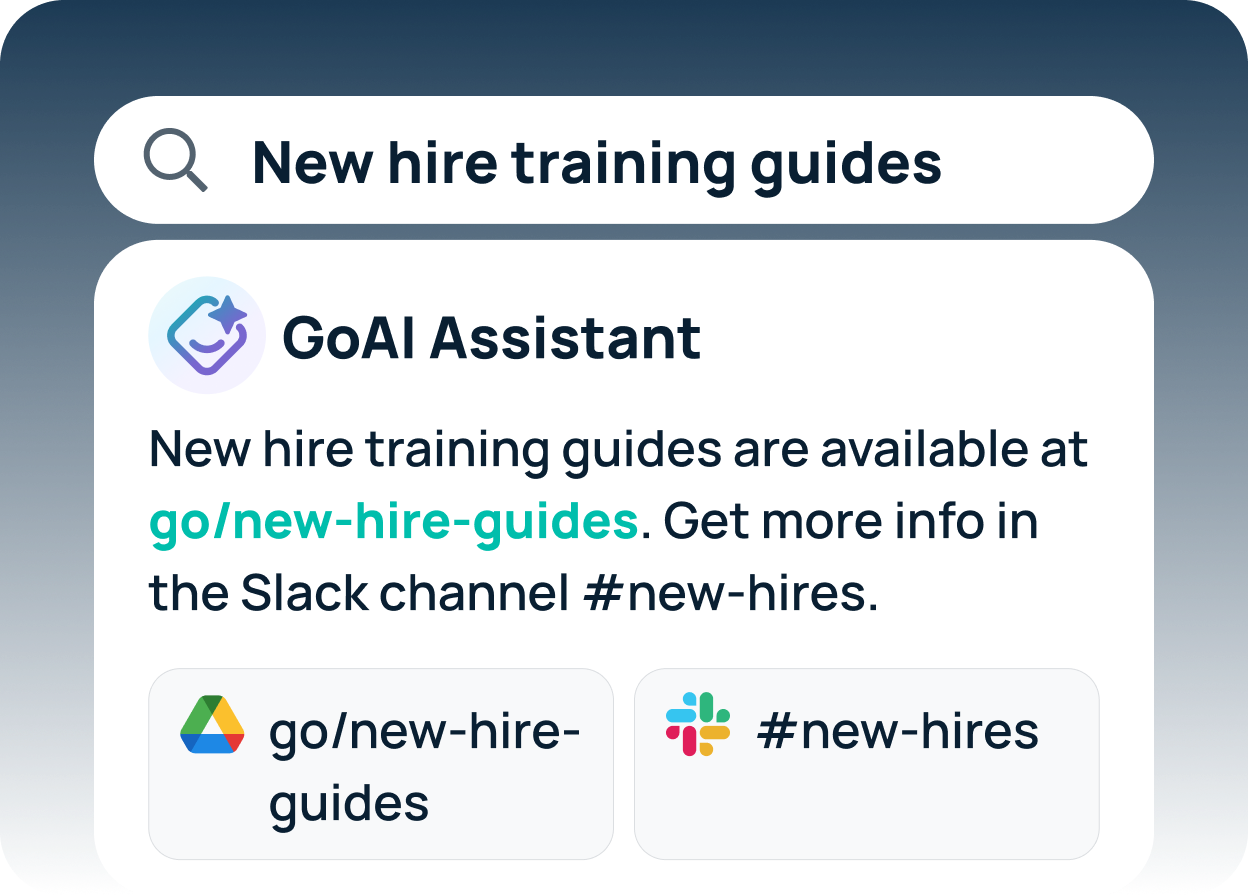
Frequently Asked Questions: AI Enterprise Search
What is the difference between AI enterprise search and traditional enterprise search?
Traditional enterprise search matches keywords within individual tools and returns a list of document links. AI enterprise search uses large language models and semantic retrieval to interpret the intent behind a query and return direct, cited answers from across connected data sources. Traditional search tells you where to look; AI enterprise search tells you the answer.
Does AI enterprise search replace tools like Confluence, SharePoint, or Slack?
No. It sits on top of them as a unified retrieval layer. Your existing tools remain the systems of record where content is created and stored, and AI enterprise search makes their contents findable through one natural-language interface, including for employees who don’t know which tool holds the answer.
How long does it take to implement an AI enterprise search platform?
Timelines vary by vendor. Initial deployment, connecting core tools and running useful queries, can take one to two weeks. Start with wherever your most important knowledge lives: typically a document storage system (Google Drive or SharePoint), a messaging platform (Slack or Teams), a wiki (Confluence or Notion), and a ticketing system (Jira or ServiceNow). A full rollout can take four to twelve weeks, depending on the number of integrations, permission complexity, and change management involved. Platforms that require custom connector development or professional services engagements take longer.
Is AI enterprise search secure for sensitive data?
Yes, when deployed correctly. The key mechanism is permission-aware retrieval: the system only surfaces content to users already authorized to access it in the source system. Because AI search makes content far easier to find, it can also expose files that were shared too broadly, so audit permissions in your core tools before rollout. When evaluating vendors, look for SOC 2 Type II certification, SSO, role-based access controls, encryption in transit and at rest, and audit logging, and ask how quickly permission changes propagate and whether query data is used to train LLMs.
If we already use ChatGPT Enterprise or Copilot, do we still need enterprise search?
It depends on where your knowledge lives and what you need the platform to do. Both have added ways to reach company data. ChatGPT Enterprise connects through app connectors, including Atlassian Rovo for Jira and Confluence, which admins enable by workspace role. Microsoft Copilot (formerly Microsoft 365 Copilot) is built on Microsoft Graph and brings in content from tools like ServiceNow, Jira, and Salesforce through Copilot connectors. The trade-offs are in cost structure and scope: ChatGPT Enterprise bills usage beyond included limits in credits and runs only OpenAI models, and Copilot requires a qualifying Microsoft 365 license and works best when most knowledge lives in Microsoft tools. A dedicated enterprise search platform is built specifically for permission-aware retrieval across your full tool stack. Compare the options in GoSearch vs. ChatGPT Enterprise and GoSearch vs. Microsoft Copilot.
What’s the difference between indexed, real-time federated, and MCP connectors?
MCP (Model Context Protocol) is an open standard that lets AI systems connect directly to source tools to read data or take actions. Indexed connectors copy content into a search index on a schedule, and real-time federated connectors query the source at search time using each user’s credentials. MCP connectors give AI assistants and agents direct access to tools, and vendors differ in where they use them: some within search retrieval, others to power assistants and agents.
How is AI enterprise search priced?
Common models include per-seat, per-query, per-document, and consumption or credit-based pricing. The structure affects total cost as much as the headline number: consumption pricing makes spend scale with adoption, and implementation, onboarding, training, and support are separate line items at some vendors. Ask whether pricing is published or quote-only, what’s included, and what’s metered, and get a fully loaded estimate before procurement.
Which AI enterprise search platforms can take action on search results?
Several platforms pair search with agents that act in connected tools. GoSearch offers no-code agents and workflows, Glean offers an agent builder, Moveworks resolves IT and HR requests, ChatGPT Enterprise runs workspace agents billed in credits, and Microsoft Copilot supports Copilot agents. The differences are in which actions write back to source tools, whether non-technical employees can build them, how actions are permissioned and logged, and whether usage is metered. Test a real workflow, such as finding a policy and opening a ticket, during a proof of concept.
Which AI enterprise search platforms can run in our own cloud account?
Glean’s Customer Hosted model runs a Glean-managed, single-tenant deployment inside your GCP or AWS account. GoSearch Enterprise supports bring-your-own cloud on AWS, Google Cloud, Azure, or another environment. Elastic can run fully self-managed on your own infrastructure. Microsoft Copilot, Coveo, Moveworks, and ChatGPT Enterprise run as vendor-hosted cloud services, though Microsoft and Coveo can index on-premises sources. Ask who operates the deployment and what cloud infrastructure costs you’ll pay on top of licensing.