


Claude is now used for more than everyday AI conversations. Teams can connect it to their work apps and use it to find information across company systems. But as teams expand their use of AI, they may need capabilities that Claude Enterprise doesn’t cover on its own.
But Claude isn’t the right fit for every organization’s needs. Some teams want a dedicated enterprise search platform. Others need more control over how company data is accessed, which AI models employees can use, or how agents interact with business systems.
The best Claude Enterprise alternative depends on what you’re trying to accomplish. Here are six options worth comparing, from enterprise knowledge platforms to AI workspaces with connected apps.
Quick answer: What are the best Claude Enterprise alternatives?
The best Claude Enterprise alternatives in 2026 are GoSearch, Glean, ChatGPT Enterprise, Microsoft Copilot, Notion AI, and Gemini Enterprise.
- GoSearch is best for teams that want an enterprise knowledge layer spanning indexed, federated, and MCP-connected sources, accessible via GoSearch, ChatGPT, and Claude.
- Glean is best for large organizations investing in a dedicated enterprise search platform built around broad data indexing and a company knowledge graph.
- ChatGPT Enterprise is best for organizations standardizing on OpenAI’s AI workspace, with connected business apps and enterprise administration.
- Microsoft Copilot is best for companies built around Microsoft 365 that want AI integrated into their existing apps and workflows.
- Notion AI is best for teams that already manage company knowledge in Notion and want AI search and agents across their workspace and connected tools.
- Gemini Enterprise is best for organizations that want Google’s AI models, enterprise search, and agent-building tools connected to business data.
If your main goal is to give AI reliable access to company knowledge, compare how each platform integrates with business applications, manages permissions, and accesses information. The AI model is only one part of the decision.
What are the best Claude Enterprise alternatives in 2026?
1. GoSearch: Best for using company data across AI tools
GoSearch gives employees one place to search their work apps. They can ask questions about internal information, build agents for specific tasks, and set up workflows using company data.
Rather than relying on one approach to data access, GoSearch combines indexed connectors, federated retrieval, and MCP integrations. Organizations can choose how information is accessed based on the application, data sensitivity, and freshness requirements.
GoSearch also works with the AI tools employees already use. Its MCP integrations bring company knowledge into both ChatGPT and Claude, so employees can use internal information without leaving those conversations.
Key features:
- Find documents and information from different work apps in one search.
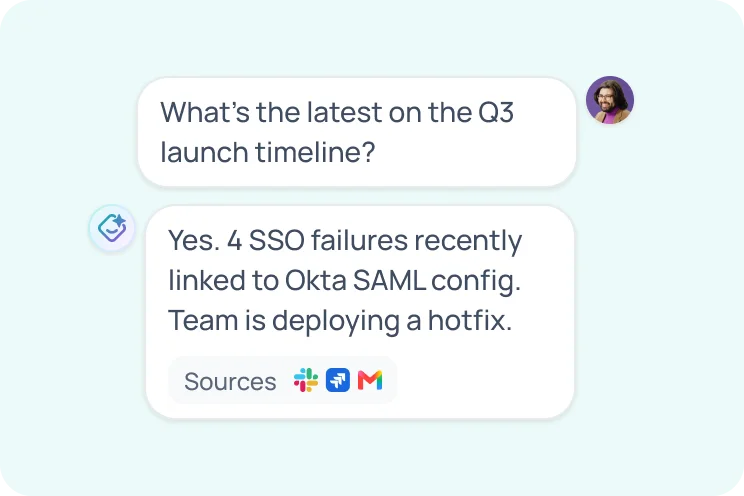
- Ask GoSearch a question and see the sources behind its answer.
- Connect apps through indexing, live search, or MCP, depending on how the data needs to be accessed.
- Bring company knowledge into ChatGPT and Claude through MCP.
- Build no-code AI agents and workflows that can retrieve information and interact with supported tools.
- Choose from supported AI models, with BYO LLM and BYO Cloud options for Enterprise customers.
Pricing: GoSearch has a free plan. Pro costs $20 per user per month. Enterprise plans are priced based on the organization’s needs.
Best for: Companies that want employees to search internal information from one place and use it in tools like ChatGPT and Claude.
Learn more about GoSearch pricing, or see how GoSearch works with Claude and ChatGPT.
2. Glean: Best for large enterprises investing in indexed enterprise search
Glean is a dedicated enterprise search and AI platform built to make company information accessible across a large organization’s applications.
Glean indexes data from connected apps and maps the relationships between documents, people, and activity across the company. It uses that information to tailor search results and answer questions with relevant company context.
Glean is a strong option for companies that want a substantial, centrally managed enterprise search platform and have the budget and resources to support it. Its broad indexing approach can be valuable when an organization wants a searchable foundation across a large application environment.
The tradeoff is the investment involved. Pricing isn’t publicly listed, and buyers should account for more than the per-seat quote when evaluating implementation, AI usage, infrastructure, and ongoing administration.
Key features:
- Enterprise search across connected business applications.
- Broad data indexing and a company knowledge graph.
- Personalized, permission-aware search results.
- AI answers and summaries grounded in company information.
- Agents and workflows for acting on business knowledge.
Pricing: Custom pricing. Current buyer intelligence estimates approximately $75 per user per month, with enterprise deployments commonly starting around 100 seats. This is an estimate, not an official published rate. Additional costs may apply.
Best for: Large organizations with a dedicated enterprise search budget and a preference for broad, centrally managed data indexing.
For a closer look at pricing and total cost of ownership, see How Much Does Glean Cost in 2026?.
3. ChatGPT Enterprise: Best for organizations standardizing on OpenAI
ChatGPT Enterprise lets employees use OpenAI’s models for work, while giving IT teams control over how the company uses ChatGPT.
Employees can use it to write, analyze information, research topics, and work with code. It also connects to business apps, so users can bring information from tools like Slack and Google Drive into their chats. Workspace agents let teams build AI-powered workflows for recurring tasks.
For organizations already using ChatGPT, Enterprise offers a way to extend that experience company-wide with centralized administration and enterprise controls.
One thing to consider is the distinction between ChatGPT Business and Enterprise. Business offers connected apps and workspace agents at published per-seat prices, while Enterprise pricing is custom and includes additional controls and support.
Key features:
- Access to OpenAI models for workplace tasks.
- Connected apps for sources such as Google Workspace, Slack, GitHub, and Microsoft 365.
- Workspace agents for customized workflows.
- Centralized administration and enterprise security controls.
- Enterprise options for identity management, data residency, and compliance.
Pricing: Enterprise pricing is custom. ChatGPT Business starts at $20 per user per month on an annual plan, but it is a separate plan. Read more about ChatGPT pricing tiers here.
Best for: Organizations that want to make ChatGPT their primary AI workspace and provide employees with connected business apps and centrally managed access.
4. Microsoft Copilot: Best for Microsoft 365 organizations
Microsoft 365 Copilot brings AI into the Microsoft applications many organizations already use, including Teams, Outlook, Word, Excel, and PowerPoint.
It can use information from Microsoft 365 to help employees summarize meetings, draft documents, analyze information, and complete work. Organizations can also use Copilot Studio to build agents and connect additional systems.
Copilot makes the most sense for companies that already run on Microsoft 365. One thing to keep in mind: the $30 Copilot subscription is separate from the Microsoft 365 license the company also needs.
Key features:
- AI assistance inside Microsoft 365 applications.
- Access to work context across Microsoft 365.
- Meeting summaries and collaboration features in Teams.
- Agent creation through Agent Builder and Copilot Studio.
- Enterprise security, administration, and compliance controls.
Pricing: Microsoft 365 Copilot is listed at $30 per user per month with annual billing, in addition to a qualifying Microsoft 365 license. Some agent usage and external data connections could result in additional fees. Learn more about Copilot pricing and plans here.
Best for: Organizations that already run their business on Microsoft 365 and want AI built into their ongoing workflows.
5. Notion AI: Best for teams that manage knowledge in Notion
Notion AI adds AI search, writing, and agent capabilities to the Notion workspace. Employees can ask questions about their Notion content and search connected applications such as Slack, GitHub, and Google Drive.
Notion’s Enterprise Search feature goes beyond Notion pages, enabling you to find information across connected tools. The feature is available on Business and Enterprise plans, with some connected-app capabilities still in beta.
Notion also offers AI agents that can handle multi-step tasks using workspace information and connected apps. For teams that already use Notion as their central knowledge hub, these features can make existing content more useful.
Key features:
- AI search across Notion and connected applications.
- Answers grounded in workspace content with source citations.
- Notion Agent for multi-step work.
- AI meeting notes and summaries.
- Custom agents for repetitive tasks.
Pricing: Notion Business starts at $20 per member per month. Enterprise pricing is custom. Custom Agents use Notion credits after the free trial. Read about Notion AI pricing here.
Best for: Teams that already rely on Notion for documentation and project knowledge and want AI search and agents built into that workspace.
6. Gemini Enterprise: Best for organizations using Google’s AI ecosystem
Gemini Enterprise brings Google’s AI into the workplace and connects it to company apps. Employees can use it to find information, work with documents, create content, and build agents to handle business tasks.
The platform includes connectors for tools such as Google Workspace, Microsoft 365, HubSpot, and Jira. Its no-code Workflow Builder lets teams create custom agents without having to build everything from scratch.
Gemini Enterprise may be a good fit for companies that want to use Google’s models with their internal data. The available connectors, storage and indexing limits, and admin features depend on which edition a company chooses.
Key features:
- AI search and answers grounded in business data.
- Connectors for Google Workspace, Microsoft 365, and third-party applications.
- No-code agent and workflow building.
- Centralized agent management.
- Enterprise security and governance options.
Pricing: Business edition starts at $21 per user per month. Standard and Plus editions start at $30 per user per month and offer additional enterprise capabilities. Learn more about Gemini Enterprise pricing here.
Best for: Organizations that want Google’s AI models, business data connections, and agent-building capabilities in one platform.
Claude Enterprise alternatives compared
| Starting price | AI usage | Model choice | Best for | |
| GoSearch | Free; Pro $20/user/month; Enterprise custom | Search, AI answers, agents, workflows | Multi-model; BYO LLM | Flexible enterprise knowledge access |
| Glean | Custom; estimated ~$75/user/month | Search, AI answers, agents, workflows | Verify options with vendor | Large-scale indexed enterprise search |
| ChatGPT Enterprise | Custom | Chat, connected apps, workspace agents | OpenAI models | OpenAI-centered AI workspace |
| Microsoft 365 Copilot | $30/user/month plus qualifying license | Microsoft 365 assistance and agents | Microsoft-managed model options | Microsoft 365 organizations |
| Notion AI | Business $20/member/month | Workspace search, AI agents, meeting notes | Multiple models in Enterprise Search | Notion-centered knowledge work |
| Gemini Enterprise | Business $21/user/month | Search, analysis, agents, workflows | Gemini models | Google AI and enterprise workflows |
Prices reflect publicly listed starting prices or estimates where noted. Enterprise quotes, usage charges, required licenses, and add-ons can change the total cost.
Where does Claude Enterprise search fall short?
Claude has developed beyond a standalone AI assistant. Team and Enterprise users can set up an organization-wide search project called Ask Your Org, connect business applications, and ask questions across those sources. Claude respects source permissions, and its enterprise search uses MCP calls rather than indexing data from connected services within Anthropic’s systems.
That approach can work well. If an employee mainly uses two or three applications and asks straightforward questions, connecting those sources directly to Claude may be all they need.
The differences become more important when a company needs to manage knowledge access across a larger application environment or support more advanced workflows.
1. Search results depend on the apps Claude connects to
When someone searches in Claude, it asks the connected apps for information. Some apps may return more useful results than others, depending on what their integrations support. Claude can only retrieve information the user has permission to access.
This isn’t a problem specific to Claude. Any tool that searches across company apps has to work with the data and access that those apps provide.
GoSearch gives organizations another way to approach that problem. It combines indexed connectors, federated retrieval, and MCP integrations, allowing teams to choose the access method that best fits each source. For example, information that needs to be broadly searchable can be indexed, while other sources can be queried in real time without copying their data.
The benefit isn’t that one method is always better. It’s having options when different systems have different requirements.
2. Live retrieval can create tradeoffs at scale
Claude Enterprise Search makes MCP calls to connected systems when it searches. That avoids maintaining an external index of connected service data, but it also means search performance can depend on the response time and availability of those systems.
Anthropic points out that searches can take longer when Claude has to check many large data sources. For companies using it across many apps, it’s worth looking at how many calls each search makes, how much information comes back, and what that adds to usage costs.
GoSearch takes a different approach. It indexes some information in advance and retrieves other data when someone searches. That can mean less content needs to be pulled from source apps for certain questions. Whether it makes a noticeable difference in speed or cost depends on the apps being searched and the questions employees ask.
3. Companies may want a knowledge layer beyond one AI workspace
Claude is one place employees can use company information. But many organizations also use ChatGPT, other AI tools, and internal applications.
GoSearch can make company knowledge available through its own search and AI experience, as well as through its MCP integrations for ChatGPT and Claude. That gives teams another way to keep access to company context consistent when employees move between AI tools.
This doesn’t mean Claude can’t connect to other systems. It means GoSearch can serve as a shared knowledge layer across multiple AI experiences.
4. Search is only one part of the workflow
Claude can use connected tools and MCP servers as part of larger tasks. But organizations may also want a dedicated place to build and manage agents that retrieve company information and take action across business systems.
GoSearch lets teams build agents without writing code. They can give each agent specific instructions, connect the information and tools it needs, and use workflows to carry out tasks across their apps.
For teams that want to build repeatable business processes around company knowledge, that can be a reason to evaluate a dedicated platform alongside Claude.
How does GoSearch compare to Claude Enterprise (Claude for Work)?
GoSearch and Claude can work together. GoSearch provides a knowledge layer across business applications, while Claude gives employees an AI workspace for reasoning, coding, writing, and creating.
Connecting GoSearch to Claude through MCP lets employees bring company information into Claude conversations. The same GoSearch knowledge can also be accessed via ChatGPT and the GoSearch platform.
Here’s how the two compare:
| GoSearch | Claude Enterprise | |
| Search architecture | Combines indexed, federated, and MCP-based retrieval | Queries connected sources through MCP; connected data isn’t externally indexed for search |
| Enterprise context | Shared knowledge layer across connected business applications | Organization-wide search project across enabled and authenticated sources |
| Slack and Teams access | Search and AI access through supported integrations and connectors | Enterprise Search supports connected sources such as Slack and Microsoft 365 |
| Model flexibility | Supports multiple model options including Claude and BYO LLM | Uses Anthropic’s Claude models |
| Agent and workflow builder | No-code agents and workflows with supported tools and actions | Supports connected tools and MCP-based workflows; it doesn’t provide the same GoSearch knowledge and workflow platform |
| Governance and access | Workspace controls, role-based access, SCIM, SSO, advanced permissions, and audit logs | Enterprise admin controls, audit logs, SCIM, and permission-aware connected-source search |
| Deployment | BYO LLM and BYO Cloud options for Enterprise | Anthropic-hosted Claude Enterprise |
| Pricing | Free plan; Pro starts at $20/user/month; Enterprise custom | Starts at $20/seat/month billed annually, plus usage at API rates |
The right choice depends on how your team wants to manage company knowledge and AI access. Claude can be a good fit for teams that want to search connected sources directly within Anthropic’s workspace. GoSearch is worth evaluating when you want a separate knowledge layer that supports different retrieval methods, AI tools, and workflows.
For more details, see the GoSearch Claude Enterprise alternative page.
How to evaluate Claude Enterprise against an alternative
Product demos can make every enterprise AI platform look similar. A more useful comparison is to test the systems with questions your employees actually ask.
Start with 10 to 15 questions from different teams. Include at least five that require information from three or more applications. For example:
- What changed in the product roadmap after the latest customer feedback?
- Which customer issues are still open, and what has the team done about them?
- What decisions did engineering make about the latest architecture change?
- What are the latest updates on a customer account across Slack, CRM, and project management?
- Which launch requirements are documented, and which are still unresolved?
Run the same questions through Claude with its direct connectors and through Claude with GoSearch connected. Compare the results on:
- Answer quality: Did the system find the right information and provide enough information?
- Source coverage: Did it retrieve relevant information from all required applications?
- Permissions: Did users only see information they were authorized to access?
- Response time: How long did the complete answer take?
- Usage: How many retrieval calls and how much model usage did the task require?
- Administration: How much effort did it take to configure and maintain access?
Direct connectors may perform better for some questions, especially when the work is limited to one source. The point is to find out where a shared knowledge layer improves the experience and where it doesn’t.
Bring company knowledge into the AI tools your team uses
Claude offers a lot for businesses, including the ability to search connected company apps. But choosing an enterprise AI platform involves more than picking a model. It’s also worth looking at how employees access company information and what they can do with it.
GoSearch lets teams search across their work apps, create agents, and automate tasks using company data. Employees can also access that information through ChatGPT and Claude. See how GoSearch could fit into your team’s existing tools and workflows.
Learn more about GoSearch by requesting a demo.
Search across all your apps for instant AI answers with GoSearch
Schedule a demo
Frequently Asked Questions
The leading Claude Enterprise alternatives include GoSearch, Glean, ChatGPT Enterprise, Microsoft Copilot, Notion AI, and Gemini Enterprise. Each has a different focus. GoSearch provides a flexible enterprise knowledge layer, Glean focuses on indexed enterprise search, and the others bring AI into their respective ecosystems.
GoSearch connects to business applications including Slack, Google Drive, and Microsoft Teams. Its MCP integrations also make company knowledge available inside ChatGPT and Claude.
Claude can search connected apps like Slack and Microsoft 365. ChatGPT also connects to workplace apps, and Copilot works directly within Microsoft 365. Notion AI and Gemini Enterprise also connect to other business tools.
The apps you can connect depend on the product and plan, so check each vendor’s current list before making a decision.
Claude Enterprise is an AI workspace with enterprise administration, connected tools, and organization-wide search. Enterprise search platforms focus on making information across business applications discoverable and useful.
The lines between these products are getting harder to draw. Claude can search company apps, and enterprise search tools now offer their own AI chat and agents. What sets them apart is how they get information from different systems and what teams can do with it once they have it.
Yes. Claude’s Ask Your Org project supports search across connected business sources, including Slack and Microsoft 365. It uses MCP calls to retrieve information and respects the permissions of the connected systems.
If your team only needs to search a handful of apps, Claude may do the job. If employees need information from systems across the company, a dedicated platform can make that easier to manage.
Yes. GoSearch has MCP integrations for both Claude and ChatGPT. These connections let users access company knowledge available through GoSearch while working in either AI tool.
GoSearch can also be used independently for enterprise search, AI answers, agents, and workflows.
Several options have published starting prices below $30 per user per month:
– GoSearch Pro: $20 per user per month.
– ChatGPT Business: $20 per user per month, billed annually. This is a separate plan from ChatGPT Enterprise.
– Notion Business: $20 per member per month.
– Gemini Enterprise Business edition: $21 per seat per month.
– Claude Enterprise starts at $20 per seat per month with annual billing, but usage is charged separately at API rates.
– Microsoft 365 Copilot is $30 per user per month with annual billing, and requires a qualifying Microsoft 365 license.
– Glean doesn’t list its prices publicly. Based on reported quotes, it can cost around $75 per user per month, though pricing varies by deal.
The monthly seat price isn’t the whole picture. Ask about extra charges for AI usage, setup, infrastructure, and ongoing support before comparing quotes.
GoSearch and Claude do different things, so one doesn’t have to replace the other. GoSearch helps employees find company information, build agents, and automate work. Claude is where they can use AI for things like writing, coding, and research.
The two can also work together. GoSearch connects to Claude via MCP, allowing employees to pull information from their company apps into Claude conversations.