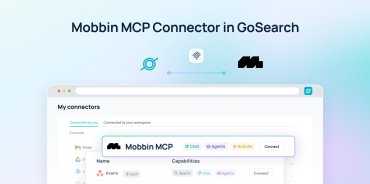

GoSearch is now available in the Claude app directory. The GoSearch MCP connection brings your company knowledge into Claude.
GoSearch already gives teams AI-powered search, answers, analysis, agents, and workflows across their business knowledge. Connecting GoSearch to Claude extends that knowledge into Claude workflows, including coding, prototyping, and artifact creation.
Quick answer: What does GoSearch do in Claude?
GoSearch connects Claude to the enterprise knowledge available through your GoSearch account.
Claude can access information from the business applications connected to GoSearch. You can then use that information while coding, building prototypes, creating artifacts, or working through other tasks in Claude.
GoSearch remains a complete AI platform for working with company knowledge. The Claude connection gives teams another way to use that knowledge.
Why connect GoSearch to Claude?
Companies already have valuable knowledge across documents, communication tools, code repositories, CRM systems, project tools, and other applications.
GoSearch brings that information together for AI-powered search and work. Teams can ask questions, analyze information, build agents, and automate workflows without leaving GoSearch.
Some teams also use Claude for coding, prototyping, and other creative workflows.
The GoSearch MCP connection lets them bring their company knowledge into those Claude workflows.
That means Claude can work with the same business context teams already access through GoSearch.
How do GoSearch and Claude work together?
GoSearch gives teams a way to find, understand, and act on company knowledge.
It supports enterprise search, AI conversations, analysis, agents, and workflows across connected business information.
Claude offers another environment for working with that knowledge. The GoSearch MCP connection lets Claude access relevant enterprise information when users are coding, building, researching, or creating.
The two products can therefore support different parts of the same workflow.
For example, a developer might use GoSearch to explore existing engineering documentation and then use Claude to build a prototype based on that knowledge.
A product manager might use GoSearch to understand customer feedback and product history, then bring that context into Claude while creating a prototype or artifact.
The goal is not to replace what GoSearch can already do. It is to make company knowledge available in more of the workflows teams already use.
What can you do with GoSearch in Claude?
The best use cases combine GoSearch’s enterprise knowledge with workflows that users already run in Claude.
Build code using your company’s technical knowledge
Claude can write and modify code. GoSearch can give it access to your company’s existing technical knowledge.
That knowledge might include API documentation, engineering guidelines, architecture decisions, code examples, or previous implementations.
For example:
“Review our internal API documentation and existing TypeScript patterns. Build a client for [API] that follows our authentication and error-handling conventions.”
GoSearch can find the relevant company information. Claude can then use it while building the code.
You can also ask Claude to look at existing implementations before creating something new:
“Find how we’ve implemented similar integrations. Use those patterns to build a new integration for [System].”
This helps developers bring company-specific requirements and conventions into their Claude coding workflows.
Build prototypes based on your company’s processes
Claude can create interactive prototypes and artifacts. GoSearch can give those prototypes the company context they need.
For example:
“Build a prototype for an employee onboarding dashboard. Use our onboarding process, required systems, and HR documentation to determine what the dashboard should include.”
GoSearch can surface the relevant processes and documentation. Claude can use them while building the prototype.
The same approach can work for internal tools, dashboards, calculators, workflow interfaces, and other prototypes.
Turn company knowledge into new artifacts
GoSearch can help teams find and understand the information behind a project. Claude can provide another environment for turning that information into a new artifact.
For example:
“Find our previous launch plans, customer feedback, and lessons from similar launches. Use them to create a launch planning template for this product.”
You could also ask Claude to create a technical specification, presentation, customer guide, or other structured output based on information from your company.
GoSearch makes the underlying knowledge accessible. Claude lets users incorporate it into Claude-based creation workflows.
Combine internal knowledge with broader research
Some workflows require both company knowledge and information from outside the organization.
For example:
“Research how competitors are approaching AI agents. Then compare those trends with our product roadmap, customer feedback, and current positioning. Recommend three opportunities.”
GoSearch can provide the internal information. Claude can incorporate that context into a broader research workflow.
This gives teams a way to connect external research with what they already know about their customers, products, and business.
Check work against company knowledge
You can also use GoSearch to give Claude access to the internal standards behind a piece of work.
For example:
“Review this customer response. Check our support policies and previous guidance, then flag anything that conflicts with our current approach.”
Or:
“Review this technical design against our existing architecture documentation. Identify anything that does not follow our current patterns.”
GoSearch can surface the relevant company knowledge. Claude can use it to review the work in context.
GoSearch and Claude: Different strengths, broader workflows
The two tools can complement each other without replacing one another.
| GoSearch | Claude + GoSearch |
|---|---|
| Search across enterprise knowledge | Bring enterprise knowledge into Claude |
| Ask AI questions and generate content | Use company knowledge in advanced coding |
| Analyze information across connected sources | Build prototypes with company context |
| Create AI agents and workflows | Create Claude artifacts grounded in internal knowledge |
| Automate work across business systems | Extend company knowledge into Claude workflows |
GoSearch remains the place to search, understand, and act on company knowledge. The Claude connection adds another way to use that knowledge.
Use GoSearch with Claude for coding and prototyping
Coding and prototyping offer some of the clearest examples of the integration.
Developers can ask Claude to build something based on internal documentation and existing technical patterns. Product teams can create prototypes based on company processes, requirements, and customer knowledge.
Without access to that internal context, users may need to find the relevant information themselves and paste it into Claude.
With GoSearch connected, Claude can retrieve relevant company knowledge as part of the workflow.
For example:
“Find our existing authentication patterns and API documentation. Use them to build a prototype integration for [System].”
GoSearch handles the enterprise knowledge search. Claude can use that information as it builds.
This lets teams bring the knowledge they already use in GoSearch into Claude’s coding and prototyping workflows.
How to connect GoSearch to Claude
GoSearch is available in the Claude app directory.
After opening the GoSearch listing, follow Claude’s connection and authorization steps. Once connected, Claude can search the GoSearch sources available to you.

Start with a specific task and tell Claude what you want it to create or accomplish.
For example:
“Find our existing implementation patterns for [Project]. Use them to build [Feature]. Explain which internal sources you used and any assumptions you made.”
For high-impact work, verify important information against the original source. This matters especially for legal, financial, security, HR, and customer commitments.
GoSearch helps teams bring company knowledge into the Claude workflows they already use, from coding and prototyping to research, analysis, and artifact creation. By connecting Claude to the information available through GoSearch, teams can create with more relevant context and spend less time searching across disconnected systems.
Want to see how it works? Book a demo of GoSearch to see how your team can use enterprise knowledge in Claude workflows.
Search across all your apps for instant AI answers with GoSearch
Schedule a demo
Frequently asked questions
GoSearch in Claude is an MCP connection that gives Claude access to enterprise knowledge available through GoSearch. Users can bring company information into Claude workflows for coding, prototyping, research, analysis, and artifact creation.
GoSearch gives teams AI-powered search, answers, analysis, agents, and workflows across their company knowledge. Connecting GoSearch to Claude extends that knowledge into Claude workflows, such as coding, prototyping, and artifact creation.
GoSearch connects Claude to more than 100 business applications, including documents, communication tools, code repositories, CRM systems, project management platforms, meeting records, and other enterprise sources. This gives Claude broader access to the company knowledge teams use every day, so they can bring that context into coding, prototyping, research, and artifact creation workflows.
MCP stands for Model Context Protocol. It is an open standard that allows AI applications such as Claude to connect with external tools, business systems, and data sources. GoSearch uses MCP to make permission-aware enterprise knowledge available in Claude, so users can apply company information while coding, researching, prototyping, and creating artifacts.
Yes. GoSearch can give Claude access to internal API documentation, engineering guidelines, architecture decisions, code examples, and existing implementations. Claude can use that information while generating or modifying code, helping developers work from their company’s existing technical patterns.
Yes. Claude can use information retrieved through GoSearch while creating prototypes, internal tools, dashboards, calculators, workflow interfaces, and other artifacts. For example, a team could ask Claude to build an onboarding dashboard based on internal HR processes, product requirements, and customer feedback found through GoSearch. This helps teams create prototypes that reflect their company’s actual workflows and standards.
GoSearch and Claude can support workflows that combine enterprise knowledge with Claude’s coding, prototyping, and artifact capabilities. Examples include building code from internal documentation, creating prototypes from company processes, reviewing work against internal standards, and combining external research with internal knowledge.