

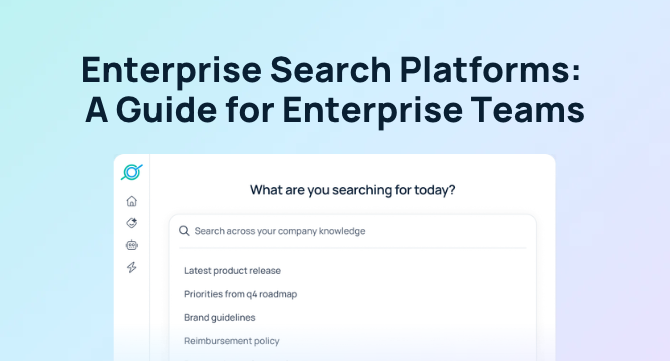

Every enterprise search platform promises one search bar for every app your company uses, but platforms differ in how well they deliver it at scale. For enterprise teams, picking the right platform means comparing platforms on key criteria: permission-aware retrieval, connector coverage, content freshness, cited answers, auditability, deployment effort, and three-year total cost of ownership.
Those criteria carry more weight at enterprise scale. With thousands of employees, dozens of departments, and permissions that change daily, a platform that works in a demo can still fail in production. Spec sheets won’t reveal that gap, since most list the same features: SSO, a Confluence connector, and AI answers. The differences show up only when you test with your own data.
This guide covers what to test, how to run a proof of concept, and what to confirm on pricing, security, and support before you sign. New to the category? Start with the AI enterprise search guide. Building a shortlist? Compare vendors in the enterprise search software roundup.
What Enterprise Teams Need From Enterprise Search
At enterprise scale, confirming that a feature exists isn’t enough. Buyers need to see how it handles unstructured, changing, access-controlled data across thousands of users. A vendor can check “supports SSO,” “integrates with Confluence,” and “AI answers” and still fail in production in three common ways:
- Permission drift: When a platform indexes a document, it copies that document’s access permissions too. If someone’s access changes in the source app and the copy isn’t updated, they may still see a document they lost access to, or miss one they were just granted.
- Index staleness: Indexed content is only as current as the last sync. Between syncs, results can surface an outdated version of a policy instead of the latest edit.
- Proven governance. Features like SSO, SCIM provisioning, detailed audit logs, flexible data residency, and industry certifications are essential for compliance.
- Comprehensive coverage. Enterprise teams run a mix of Microsoft, Google, legacy, and niche tools—often side by side. An effective enterprise search must reach them all.
- Untraceable answers: An AI answer may draw on several documents without citing any of them. When employees can’t trace a claim to its source, they can’t verify it, and they stop using the tool.
- Easy adoption. A true enterprise search solution must be quick to deploy and simple for teams to use—otherwise, it risks becoming expensive shelfware.
Each of these problems gets worse as an organization adds people, apps, and layers of access rules. Here’s how to test for each one with your own data before you commit.
What Separates Enterprise Search Platforms at Scale
The table below shows what to look for across the criteria that matter at enterprise scale. Use it to compare vendor responses side by side and to decide which claims to test during demos. Of these, permissions should carry the most weight: a missing connector can be added later, but a restricted document shown to the wrong employee can’t be taken back.
| Criterion | What to Look For | What to Avoid |
|---|---|---|
| Permission-aware retrieval | Results and AI answers follow the access permissions set in each source app; revocations apply within minutes; demonstrated in the pilot | Permissions checked only at index time, or answers bypass document-level access |
| Connector breadth and depth | Built-in connectors for each app your teams rely on, covering not just documents but also comments, attachments, and details like owner and last-edited date | Key apps covered only through custom API work or a partner |
| Content freshness | Documented update intervals per connector; edits appear in results within the stated window | No stated interval, or full re-crawls only |
| Answer quality and citations | Every claim in an AI answer links to its source; answers decline when sources conflict or are missing | Answers with no citations, or citations to the whole app instead of the document |
| Audit logs and admin controls | Query logs, admin analytics, sensitive-content controls, and exportable audit trails | No admin visibility into what was searched or surfaced |
| Deployment effort | First useful results in days with existing permissions and no professional services | Multi-quarter rollout with required services engagement |
| Three-year TCO | All-in price disclosed for years one to three, including connectors, usage, and support | Pricing depends on undisclosed usage, connector, or services fees |
Vendor Questions That Reveal How a Platform Works
Bring these questions to demos and evaluation calls. A useful answer explains how the platform works, includes a specific number, or comes with a live example. If you hear only general claims, keep asking.
Permission-aware retrieval
- When someone loses access to a document in the source app, how quickly does your platform remove it from their search results and AI answers?
- When your platform generates an AI answer, does it check permissions on every source chunk it draws from, or just on the documents in the result list? And does it re-check answers it already generated after someone’s access changes?
Connector breadth and depth
- For each of our 10 most-used apps, how does your platform connect (indexed, real-time, or MCP), and what does it pick up beyond the documents themselves, like comments, attachments, or threads?
- Which of your connectors rely on APIs a source vendor could restrict, and how would search keep working if that happened?
Content freshness
- For each connector, how quickly do edits, new documents, and permission changes show up in search results?
- When two versions of the same policy exist and the older one has been opened more often by employees, which one does your platform rank first?
Answer quality and citations
- Does every claim in your AI answers link to a specific source document employees can open in one click?
- How does your assistant respond when sources disagree, or when no source answers the question?
Audit logs and admin controls
- What does your platform log about searches, access, and admin changes, how long are those logs kept, and can we export them? Does the log show when someone opens a restricted result or an admin changes an access rule?
- Can admins flag or restrict sensitive content in your platform without changing permissions in the source apps?
Indexed vs. Federated Search: When Each Approach Makes Sense
Indexed search copies content into a central index ahead of time. Federated search sends each query to the source apps live and merges the results. Each approach suits some sources better than others, so many platforms now use a hybrid of both.
| Factor | Indexed | Federated (real-time) | Hybrid |
|---|---|---|---|
| Query speed | Fast, because results come from one index | Depends on the slowest source API | Fast for indexed sources; live sources depend on their APIs |
| Freshness | As current as the last sync | Current at query time | Live sources are current at query time; indexed sources are as current as the last sync |
| Relevance ranking | Strong, since the platform sees all content and signals together | Harder, since each source ranks its own results | Strong for indexed content; live results must be merged in |
| Permission enforcement | Copies source permissions and must keep them in sync | Runs on each user’s credentials in the source app | Synced permissions for indexed sources; user credentials for live ones |
| Data footprint | A copy of your content lives in the vendor’s index | Content stays in the source app | Only the sources you choose to index are copied |
| Source-vendor API risk | Exposed if a vendor restricts bulk export or indexing | Lower, if the source offers a real-time search API | Can shift a source from indexed to live if terms change |
| Setup decisions | Fewer, since everything is indexed the same way | Fewer, since nothing is stored | More, since you decide how to connect each source |
Ask vendors which sources they index, which they query live, and whether you can choose per source. A blanket answer of “we index everything” or “we never store data” means you can’t tune the tradeoff for sensitive systems. For a closer look at how each approach affects results, see indexed, federated, and MCP connectors compared.
How to Verify Permission-Aware Search at Enterprise Scale
Permission-aware search means every result and every AI answer reflects what the individual user can open in the source app, at the moment they search. In a large organization, that covers thousands of users, nested groups, shared drives, private channels, and access that changes daily. It is also where enterprise search deployments tend to break, so see how it works with your own accounts and data before you commit.
What Permission-Aware Must Mean Operationally
- Source permission sync: The platform reads access permissions from each source app and keeps them current, or checks access live on the user’s own credentials.
- Group and role inheritance: Access granted through a Google group, a Confluence space, or a Slack private channel works the same way in search, even when that group sits inside another group.
- Revocation handling: When someone loses access, results and cached AI answers stop exposing that content within a defined window.
- AI-layer enforcement: Permissions apply to every passage an AI answer draws from, not just to the documents listed in results.
- Admin overlays: Admins can add rules by team, department, or role on top of source permissions, without editing the source apps.
Put Your Shortlist Through an Enterprise Search Pilot
A pilot shows how each platform handles your data, your permissions, and your employees’ real questions. Slack, Google Drive, and Confluence make a strong test set: together they cover chat, files, and wiki content, three different permission models, and the content your teams update most often. For setup details and what a pilot can and can’t prove, see these enterprise search proof of concept best practices.
How to Set Up a Pilot That Reflects Real Use
Before you start, agree on what success looks like: relevant results, faster answers, steady use by pilot participants, and accurate permissions. Connect only the systems your test users rely on, recruit a cross-section of employees, and add a few test items, such as a restricted folder and an outdated copy of a current policy. Then run 25 to 40 real employee questions with known answers over two weeks.
What to Test During the Pilot
| Test | How to run it | Strong Result | Weak Result |
|---|---|---|---|
| Role-based access | From a test account without access, search for content in the restricted folder, private channel, and limited wiki space | Content never appears in results, snippets, previews, or AI answers | Any exposure, including titles or partial snippets |
| Access revocation | Remove a test user from a group mid-pilot, then repeat their searches | Content drops out within the vendor’s stated window | Content still surfaces after the stated window |
| Fresh and new content | Edit the current policy, add a new page and chat thread, then ask questions they answer | Answers cite the latest versions within the stated window | Answers cite the outdated version, blend both, or miss the new content |
| Answer quality | Run the 25 to 40 real employee questions | Correct, cited answers on most questions; a clear “no answer found” on the rest | Answers with no source links, or wrong answers stated with confidence |
| Deployment effort | Track setup hours for your IT team and the vendor | Matches the timeline the vendor quoted, with no unplanned services | Setup needs undisclosed paid services or runs past the quoted timeline |
Compare each platform’s results side by side when the pilot ends. If a platform shows restricted content to the wrong test account, rule it out, however well it performs elsewhere.
What to Confirm on Pricing, Security, and Support
Run these checks alongside technical testing. A platform can pass every technical test and still be the wrong choice if it fails your security review, takes too long to roll out, or has a total cost of ownership far above its sticker price.
Onboarding Timeline and Implementation Challenges
Ask each vendor for a detailed onboarding plan from contract to company-wide rollout, with an owner for each step on both teams. Then ask how they handle the steps that tend to slow large rollouts:
- Connector approvals: Admin consent and OAuth approvals for each connector, which often wait on separate app owners.
- Initial indexing: How long the first index takes for large workspaces, and whether search is usable before it finishes.
- Group and role mapping: Bringing in groups and roles from your identity provider, especially nested or legacy groups.
- Security and procurement review: Approval cycles that can run longer than the technical setup.
- Change management: Rollout in Slack or Teams, browser extensions, and training for non-technical teams.
Security and Data Handling Checks
Check each answer against the vendor’s published security documentation, not its sales materials. For an example of what that documentation should cover, see the GoSearch security and data governance overview.
- Compliance reports and certifications: Current certifications, such as SOC 2 Type II, and access to the full reports under NDA.
- Data protection: Encryption in transit (TLS) and at rest (AES-256); zero data retention; data never used to train AI models
- Data storage and retention: Where indexed content is stored, in which regions, and how long it stays after a connector is removed or the contract ends.
- Model training: Whether the vendor or its model providers ever train on your content or query data, and whether the contract rules that out.
- Subprocessors: Which subprocessors and LLM providers handle your data, and how you’ll be notified of changes.
- Identity and encryption: Support for SSO, SCIM provisioning, encryption at rest and in transit, and customer-managed keys, plus which plans include each.
How to Calculate Three-Year Total Cost of Ownership
Your costs will likely change after year one. Introductory discounts expire, renewals can bring price increases, and seat and usage costs grow as more employees adopt the tool. Use these costs to compare vendors side by side:
- Licenses: Per-seat or platform price, seat minimums, and any cap on price increases in years two and three.
- Connectors: Whether any connector, premium app, or custom connector is billed separately.
- AI usage: Whether AI answers, agents, or workflows draw on credits, tokens, or usage tiers beyond the license.
- Implementation and onboarding: Whether setup, onboarding, and training are included or billed as services.
- Support: Which support tier and SLA are included, and what a higher tier costs.
- Internal staff time: How many admin hours per month your team should plan for, based on comparable customers.
- Infrastructure: Any self-hosted components, cloud costs, or vector database fees you carry.
Calculate the total estimated cost for each vendor across three years. Since seat and usage fees grow with adoption, base your estimate on the headcount and usage you expect in year three, not today. Some teams also weigh building search in-house against buying a platform. If your team is considering that option, compare five-year costs for both paths using the build vs. buy enterprise search cost breakdown.
Enterprise Search Evaluation Checklist
Ask these questions of any enterprise search vendor—GoSearch is built to deliver a resounding yes for each.
- Does it enforce source-system permissions on every query, and can admins restrict sources by group?
- Can it search sources in real time without copying all of our data into its index?
- Does it cover our full stack, including Microsoft and Google tools, and can we add custom sources through MCP?
- Is it SOC 2 Type II certified and compliant with GDPR, HIPAA, and CCPA?
- Can we deploy in our own cloud and use our own LLM keys?
- Does it detect sensitive data automatically and log every user interaction?
- Do AI answers cite their sources, and can we choose between models?
- Can non-technical teams build agents and workflows free of engineering help?
- Will people use it where they already work, like Slack, Teams, and the browser?
- Can we be live and seeing value in weeks, not quarters?
How GoSearch Supports Enterprise Teams
GoSearch is an AI enterprise search platform built for enterprise teams that need strong permission controls and fast deployment. Most teams see first useful results within days, with no professional services required. Here is how it maps to the criteria above.
- Connector breadth: GoSearch connects to 100+ apps, including Slack, Google Drive, Confluence, and Jira, all searchable from one place.
- Architecture and freshness: GoSearch uses hybrid retrieval, so admins can index shared content for speed and query sensitive sources live. Indexed content picks up edits every five minutes; live sources are always current.
- Permission-aware retrieval: GoSearch respects existing source permissions. Federated and MCP connectors run on each user’s own credentials, and admins can layer access rules by team, department, or role.
- Citations and auditability: AI answers include inline citations on every claim. Admins get search analytics and sensitive-data controls to flag, restrict, and audit content. GoSearch’s security and compliance certifications are documented for your security review, and customer data is never used to train AI models.
- Three-year TCO: Pricing is published, starting with a free plan, and implementation, onboarding, and training are included at no extra cost.
GoSearch also goes beyond search. The same enterprise context layer that finds answers also powers AI agents and multi-step workflows, so employees can act on what they find, such as filing a ticket or drafting a summary, without switching tools.
Choosing the Right Enterprise Search Platform
Enterprise search platforms can look similar on paper. For enterprise teams, the differences show up in how each one enforces permissions, keeps content current, cites its answers, and adds up in cost over three years. Evaluate every vendor against those criteria using your own data and users, and choose the platform that meets them at scale.
Add GoSearch to your shortlist. Book a demo to see it working on your own data.
Search across all your apps for instant AI answers with GoSearch
Schedule a demo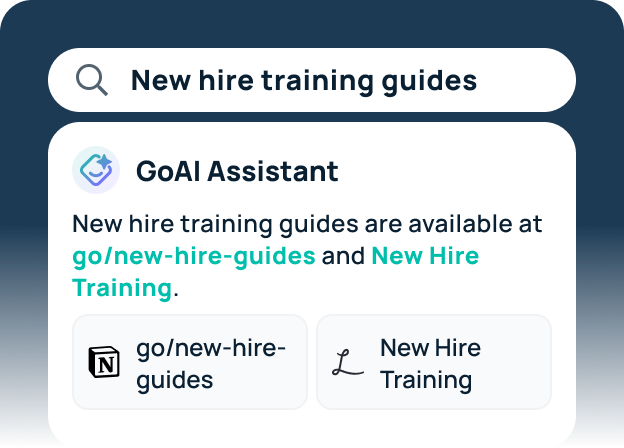
Frequently Asked Questions
Compare every response on the same criteria: permission-aware retrieval, connector coverage, content freshness, cited answers, auditability, deployment effort, and three-year total cost of ownership. Give weight only to answers that explain how something works, include a specific number, or offer a live demonstration. Then confirm your top choices with a pilot on your own data.
Ask each vendor for its update interval per connector, then test it by editing a document during the pilot and timing when the change appears. Measure accuracy by running 25 to 40 real employee questions with known answers and checking citations. For integration breadth, compare connector coverage for your top apps at the object level (pages, comments, attachments), not by logo count, and confirm that each listed integration is a full connector that brings in content and permissions, not just a link-out or chat app.
Start with a broad list: this enterprise search software roundup compares 12 platforms on search approach, integrations, security, and pricing. Narrow it to vendors that enforce source permissions on both results and AI answers, state their permission refresh intervals, and let you choose which sources to index or query live. Prioritize those that publish a days-to-first-results timeline without required professional services. Then run the role-based access and deployment-effort tests from the pilot before signing.
Permission-aware search shows each user only the content they can access in the source app. It works by syncing access control lists from each app, or by checking access live on the user’s own credentials, and applying group and role inheritance. In large organizations, the hard parts are nested groups, fast revocation, and enforcing permissions inside AI-generated answers.
A central index copies content ahead of time, which gives fast queries and strong relevance ranking but depends on sync for freshness and permissions. Federated search queries each source live, which keeps data in place and returns current results but can be slower and harder to rank. Hybrid platforms combine both, so you can index shared knowledge and query sensitive sources in real time.
Timelines range from days for platforms that reuse existing permissions and standard connectors to several months for those that need custom connectors or services engagements. Common delays include connector consent approvals, initial indexing of large workspaces, identity group mapping, and security review. Ask each vendor for a rollout plan with dates before you commit.
Three-year TCO is the sum of licenses, connector fees, AI usage charges, implementation and onboarding, support tiers, infrastructure, and your internal admin time. It varies widely by vendor and seat count, so ask each vendor for an all-in, three-year quote that breaks out the same cost categories. Model year-three headcount and usage, since seat and usage fees grow with adoption.
When looking for an enterprise solution, you should first identify your use cases, but large enterprises typically evaluate Glean and GoSearch as true enterprise AI search solutions. Some also look at using Claude Enterprise or ChatGPT Enterprise to build their own, but that comes with its own headaches, costs, and maintenance.