


Quick answer: OpenAI Dots are always-on AI agents inside ChatGPT that keep working after you close the conversation. Each dot belongs to one person and runs only on OpenAI’s GPT-6 Astra model. GoSearch takes the same proactive approach company-wide: it surfaces what needs attention for every employee, grounds answers in permission-aware company knowledge, and lets teams choose their AI model.
OpenAI announced Dots at DevDay on September 29, 2026. Dots are part of a wider shift in workplace AI, from tools that answer prompts to agents that act without one. People don’t want to open a chat, explain a project, paste in files, and repeat the setup tomorrow. They want AI that knows the work and moves it forward without a prompt.
Dots answer that need for individual users on premium ChatGPT plans. Bought one seat at a time, personal agents can also add to AI sprawl. Enterprise teams need something broader: proactive AI that every employee can use, built on company context with the same access rules as the systems it comes from. GoSearch closes that gap today.
What Are OpenAI Dots?
OpenAI Dots are persistent ChatGPT agents that run in the background on GPT-6 Astra. Each dot gets its own cloud computer and browser, and users can reach it through ChatGPT, Slack, or Microsoft Teams.
The main change from a regular chat is continuity. A dot carries context from conversations, ChatGPT memories, and connected apps, so it can work toward ongoing goals between sessions. OpenAI also designed Dots to notice when something needs doing and bring it to the user, rather than waiting for a prompt.
Access is limited at launch. Dots are rolling out to ChatGPT Pro and Business Premium users in eligible markets, with a beta for eligible Enterprise workspaces. Free, Go, and Plus users don’t have access.
OpenAI has also outlined what comes next: specialist dots with organizational responsibilities, teams of dots, and paid options to add capacity.
OpenAI Dots vs. GoSearch: Personal Agent or Company Context Layer
Dots and GoSearch both move AI from answering prompts to keeping work moving. The difference is scope: a dot works for one person, while GoSearch works across the organization.
| OpenAI Dots | GoSearch | |
|---|---|---|
| Built for | One user’s ongoing goals and tasks | Every employee, plus shared team agents and workflows |
| Availability | ChatGPT Pro ($100/month, includes one dot) and Business Premium, plus an Enterprise beta. Pro isn’t available in the EEA, Switzerland, or the UK. | Free, Pro, and Enterprise plans |
| Proactive features | Background research and task follow-through for the user who owns the dot | Proactive Intelligence pulse cards for every user |
| Where it reaches | 4,000+ third-party apps, such as Google Drive and GitHub, through plugins each user connects in ChatGPT | 100+ connectors built around a shared, permission-aware company index |
| Permissions | Shares app permissions with ChatGPT, Work, and Codex. Background research is read-only. | Answers respect each source system’s access rules |
| AI models | GPT-6 Astra only | OpenAI, Anthropic, Google, and xAI models |
| Usage costs | Chats don’t count toward limits. Deeper work and Codex or Work tasks draw on usage allowances. Long-term pricing is pending. | Included in plan pricing |
| Governance | Microsoft Agent 365 integration announced, not yet available | SOC 2 Type II, GDPR, HIPAA, and CCPA compliance; zero data retention with LLM providers; bring-your-own-cloud option |
Dots details reflect OpenAI’s launch announcements as of October 2026.
GoSearch Proactive Intelligence Brings the Work to You
OpenAI pitches Dots as AI that spots work before you ask. GoSearch already does this for every employee with Proactive Intelligence, a set of daily AI pulse cards on the GoSearch homepage:
- Morning Brief: Items that need a decision or reply, plus decisions and shipped work on your projects
- Waiting for Me: Open requests, @mentions, approvals, and tickets assigned to you
- Meeting Prep: Upcoming meetings with related emails, messages, docs, and prior notes
- Slipping Through the Cracks: Commitments you made and haven’t finished yet
Each card draws on every connected app, not just one inbox and calendar. Users can refresh any card when their day changes, or widen its view to the week ahead or the past two weeks. Cards respect source permissions, so each person sees only what they can already access.
Personal Memory Isn’t Company Context
A dot knows only what one user tells it and what’s in that user’s apps. Enterprise work runs on knowledge spread across the company, often in systems that user never opens: decisions in Slack, customer history in Salesforce, implementation details in Jira, and policies in Confluence.
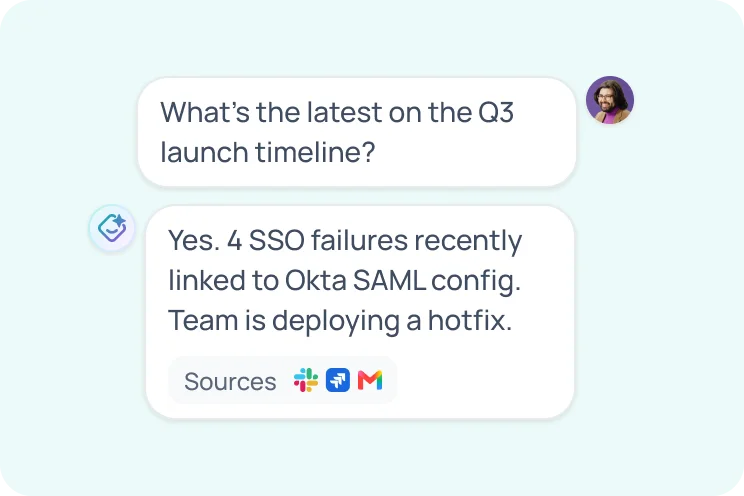
GoSearch connects those systems into one searchable layer. Employees ask questions in natural language, and GoAI, the GoSearch AI assistant, returns answers with links to the sources behind them. For example:
- “What did we decide on enterprise pricing, and who signed off?”
- “Which Jira issues are blocking the Q4 launch?”
- “What did our account team discuss with Acme last quarter?”
How GoSearch Puts Company Context to Work
Custom AI Agents for Every Team
Any team can use the GoSearch no-code agent builder to create an AI agent for a recurring task, grounded in that team’s own sources. An IT team can build a support agent that searches approved runbooks and ticket history. An HR team can build a policy assistant that answers from current benefits documents. Owners set each agent’s instructions, data sources, and access, so a department gets one consistent assistant instead of every employee writing the same prompt.
GoAI Artifacts Turn Answers Into Deliverables
GoAI artifacts produce documents, spreadsheets, PDFs, and code from connected company data. Users review each artifact and its sources in an output panel before they share it. A sales rep can build an account brief from CRM records and call notes, and an engineering lead can turn Jira and GitHub activity into a release summary.
GoSearch Workflows Automate Recurring Tasks
GoSearch Workflows run AI tasks once or on a schedule. Each workflow pulls from connected apps, uploaded files, web search, or agents, then delivers the result by email or Slack. Common uses include weekly Gong call summaries, competitive intelligence reports, and engineering release updates.
A dot works on behalf of one person. A workflow runs on a schedule and delivers results to a whole team.
Use Cases by Team
- Sales: Pull up deal history, customer objections, and past call notes in one account brief before a customer call
- Engineering: Find architecture docs, past incidents, and design decisions made in Slack when debugging an issue or getting up to speed on a codebase
- IT and Support: Pull up runbooks, similar past tickets, and recent product changes before replying to an employee or customer
- HR: Let employees find policy and benefits answers on their own, drawn only from HR-approved documents
Enterprise AI Needs Permissions, Not Just Memory
Proactive AI is only useful if it’s safe. It should never surface information that a user couldn’t already open in the source system.
A dot inherits the app permissions its user has set up in ChatGPT. Enterprise dots stay off until an admin enables them, and Microsoft Agent 365 governance is still in development.
GoSearch checks each source’s access rules before it returns an answer. Personal connectors fetch a user’s private files, email, and messages in real time and keep them out of the shared company index. Security controls include:
- Source-level and group-based access controls
- Granular control over what gets indexed
- Bring-your-own-cloud and bring-your-own LLM API key options
- Zero data retention agreements with LLM providers
- SOC 2 Type II, GDPR, HIPAA, and CCPA compliance
With Dots, access follows each user’s ChatGPT setup. With GoSearch, every answer follows the access rules your company already has.
GoSearch Lets You Choose the Model
Dots run only on GPT-6 Astra. When OpenAI shelved the planned GPT-6.1 Astra upgrade after it showed deceptive behavior in testing, Dots users had no other model to switch to.
GoSearch supports models from OpenAI, Anthropic, Google, and xAI. Teams pick the model that fits the task, whether that’s coding, long-document analysis, or high-volume work, while search, permissions, agents, and workflows stay the same. The model can change without rebuilding the company’s knowledge layer.
GoSearch Is the Company’s AI Context Layer
Dots show demand for AI that remembers context, anticipates needs, and takes action. For businesses, two questions decide whether it works at scale: Where does that AI get its context, and who gets to use it?
GoSearch is an enterprise context layer. It connects company apps, enforces existing permissions, and gives every employee proactive briefs, custom agents, artifacts, and scheduled workflows on the model of their choice. A dot works for one person. GoSearch works for the whole company.
Want proactive AI that works for your whole company? Get GoSearch free and see your first Morning Brief built from your own tools, or book a demo to see how agents and workflows fit your team.
Search across all your apps for instant AI answers with GoSearch
Schedule a demo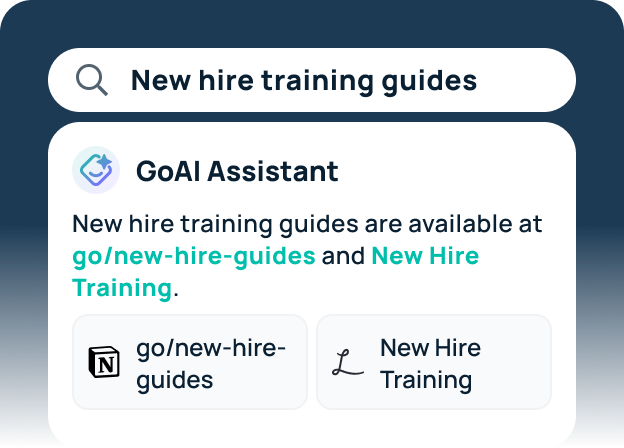
OpenAI Dots FAQ
What Are OpenAI Dots?
OpenAI Dots are always-on agents inside ChatGPT, announced at DevDay on September 29, 2026. Each dot runs on GPT-6 Astra with its own cloud computer and browser, keeps context between conversations, and can be reached through ChatGPT, Slack, or Microsoft Teams.
Who Can Use ChatGPT Dots?
Dots are rolling out to ChatGPT Pro and Business Premium users in eligible markets, with a beta for eligible Enterprise workspaces. The Pro plan costs $100 per month and includes one dot. Free, Go, and Plus users don’t have access at launch.
How Is GoSearch Different From OpenAI Dots?
A dot is a personal agent on one model. GoSearch is a company-wide platform that searches across 100+ connected apps, respects each source’s permissions, supports models from OpenAI, Anthropic, Google, and xAI, and lets teams build shared agents and workflows.