
Atlassian Rovo works well inside Jira and Confluence. Outside of them, it still asks a lot of your team: approving connectors one by one, working within Atlassian’s credit system, and accepting a model roster that Atlassian controls. If your team’s knowledge lives across Slack, Google Workspace, Salesforce, and dozens of other tools, those limitations add up.
This guide covers the top Atlassian Rovo alternatives for enterprise teams evaluating AI-powered search, agents, and workflow automation, with a close look at what each one actually costs. We compare GoSearch, Glean, and Microsoft 365 Copilot across the dimensions that matter most: connector breadth, agent capability, LLM flexibility, and total cost.
Quick Answer: Best Atlassian Rovo Alternative
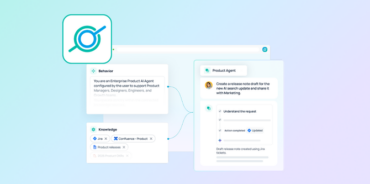
GoSearch is the strongest Rovo alternative for teams that need AI agents and search beyond the Atlassian ecosystem. Rovo can read from roughly 20 to 30 admin-approved third-party connectors, but its agents still can’t orchestrate actions across multiple non-Atlassian apps in one workflow, and customers still can’t choose which LLM answers their queries. GoSearch agents can be grounded in any combination of 100+ connected data sources and automate multi-app workflows across Slack, Salesforce, Jira, Google Workspace, and more, with no code and no developer involvement. It also lets teams choose and switch between LLMs from OpenAI, Anthropic, Google Gemini, and xAI, and connects new apps through self-serve MCP connectors instead of a one-by-one admin approval process like Rovo.
What Is Atlassian Rovo?
Atlassian Rovo is an AI layer built into Jira, Confluence, and Jira Service Management. It provides conversational search, AI-generated summaries, and agents for Atlassian and Atlassian-connected workflows. Atlassian began bundling Rovo into Premium and Enterprise cloud plans at no added per-user fee starting April 2025, with a phased rollout that reached Standard plan customers later that year. As of September 2026, Atlassian also offers Rovo Standard, a standalone paid role for people who want Rovo without a paid Jira, Confluence, or Jira Service Management seat. Rovo Standard is in open beta and free for now, with a published post-beta rate of $5 per user per month per organization.
Rovo is built on Atlassian’s Teamwork Graph, which connects Jira issues, Confluence pages, and user activity, and which Atlassian has been gradually opening up to approved third-party apps and external AI clients through Rovo connectors and its own MCP server.
Why Teams Look for Rovo Alternatives
Teams outgrow Rovo for a consistent set of reasons:
Agents still can’t orchestrate across your full stack. Rovo can read from Jira, Confluence, and a growing list of admin-approved third-party connectors, including Google Drive, SharePoint, Slack, GitHub, GitLab, Box, Dropbox, Figma, and Zendesk. It can also take some actions directly in Google Drive and SharePoint now, not just Atlassian tools. What it still can’t do is chain a single request into a multi-step action across several of those apps at once, for example searching Confluence for context, checking a Jira backlog, drafting a Slack message, and updating a Notion board in one workflow. Rovo’s connectors expand what it can see; they don’t give it GoSearch’s level of cross-app orchestration.
No LLM choice. Rovo dynamically routes queries across a mix of models, including OpenAI, Anthropic, Gemini, and Atlassian-hosted open-source models like Llama and Mistral, but customers can’t select or switch which model answers a given query. Teams that want to optimize for cost, performance, or data handling by choosing between providers have no mechanism to do so inside Rovo.
Every connector needs admin approval, one at a time. Rovo’s third-party connectors (Google Drive, SharePoint, Slack, GitHub, and the rest) are admin-managed: each one requires setup, a security review, and often sign-off from the app owner before it’s live. That approval process is a common source of rollout delay for teams trying to get Rovo working across their stack.
Top Atlassian Rovo Alternatives Compared
1. GoSearch – Best Overall Rovo Alternative
GoSearch is an AI-powered enterprise search and agentic workflow platform that connects to 100+ business applications, including the full Atlassian suite, Google Workspace, Slack, Salesforce, GitHub, Confluence, Jira, and more.
Unlike Rovo, GoSearch isn’t tied to a single vendor’s graph. It works as the AI layer across your entire tech stack, not just the tools Atlassian and its approved connector list support.
Key differentiators over Rovo:
LLM choice. GoSearch supports OpenAI, Anthropic, Google Gemini, and xAI, and lets teams choose which model powers their agents and search. Different teams can use different models, and as new models are released, GoSearch can adopt them without waiting on a vendor roadmap. Rovo dynamically routes every query across its own model mix, OpenAI, Anthropic, Google, and Atlassian-hosted open-source models, with no customer control over which provider answers a given query.
Agents that act across more apps. GoSearch agents can be grounded in any combination of connected sources at once, including Confluence, Salesforce, Jira, Slack, Google Drive, and GitHub, and can execute actions across all of them in a single workflow: search Confluence for context, check a Jira backlog, draft a Slack message, and update a Salesforce record, all from one prompt. Rovo’s agents can read from a growing list of approved connectors, but they still can’t chain a single request into actions across several non-Atlassian apps at once.
Self-serve MCP connectors. GoSearch’s connectors, including its MCP integrations, are self-serve: a team can connect a new app itself, without waiting on a security review or an admin approving it one at a time. Rovo’s third-party connectors are admin-managed, and each one needs its own setup and sign-off before it’s usable, which slows rollout across anything beyond Atlassian’s core apps.
When to choose GoSearch over Rovo: Your team uses more than Atlassian tools. You need agents grounded in multiple data sources or that execute actions across platforms in a single workflow. You want to add new connectors yourself instead of routing each one through an admin approval process. You want control over which LLM powers your search and agents.
2. Glean – Best for Teams That Can Absorb Enterprise Pricing for a Mature Search Platform
Glean is an enterprise search platform with connectors for 100+ SaaS applications, permission-aware indexing, and an agent orchestration layer. It’s a strong fit for organizations that want broad connector coverage and are prepared for enterprise pricing and implementation. For a broader look at how Glean stacks up against the rest of the market, see our full breakdown of Glean alternatives.
Strengths vs. Rovo: Glean isn’t Atlassian-specific. It indexes across your entire app ecosystem, surfaces results that respect source-level permissions, and supports multi-step agent orchestration, including an agent builder, an agent library, and an orchestration layer that can chain actions across systems like Salesforce, Jira, and GitHub.
Limitations to know:
Glean’s architecture centers on indexing: content from every connected source is copied into Glean’s own data store before it’s searchable or usable by an agent. That creates two real tradeoffs. First, staleness: results and agent actions reflect the last index cycle, not the current state of your source systems, so a ticket updated five minutes ago or a message posted mid-meeting can lag behind. GoSearch’s real-time federated search queries source systems directly at the moment of the request, so nothing waits on a re-index.
Second, security exposure: centralizing a copy of data from dozens of connected systems into one index also centralizes risk. A misconfigured permission sync, or a breach of that index, can expose data from connected apps, rather than staying scoped to whatever was actually queried. GoSearch’s federated approach means sensitive data stays in its source system instead of being duplicated into a separate repository.
Glean’s pricing is enterprise-only and quote-based. Based on reported buyer and procurement data, base licensing typically starts around $50 to $75 per user per month, with a minimum annual contract around $60,000 and a seat minimum of roughly 100 users. A mandatory support fee of about 10% of ARR generally applies on top of the license and cannot be waived. Buyers also report a paid proof-of-concept process, reportedly costing up to $70,000, rather than a free trial. Large deployments (500+ seats) can run $250,000 to $400,000 or more annually once support fees and infrastructure overhead are factored in. For a deeper pricing walkthrough, see our Glean pricing comparison.
When to choose Glean over Rovo: You need a mature, indexed search platform with broad connector coverage, and your budget can absorb Glean’s enterprise pricing and minimum commitment.
When to choose GoSearch over Glean: You want real-time results without indexing lag or the security exposure of a centralized data copy, self-serve connector setup without a lengthy implementation process, or transparent per-seat pricing without a six-figure minimum contract or a paid proof-of-concept.
3. Microsoft 365 Copilot – Best for Microsoft-First Organizations
Microsoft 365 Copilot brings AI assistance into Word, Excel, Outlook, Teams, and SharePoint. It synthesizes information from the Microsoft Graph and generates content, summaries, and responses natively within Office applications. If you’re weighing Copilot against the rest of the market more broadly, we cover that in our guide to Microsoft Copilot alternatives.
Strengths vs. Rovo: For teams whose daily work runs inside Microsoft 365, Copilot requires no context-switching. It operates directly in the applications employees already use. Custom agent building is available through Copilot Studio.
Limitations to know:
Copilot doesn’t extend beyond the Microsoft ecosystem in any meaningful way. If your team uses Salesforce, Jira, Confluence, Notion, or tools outside Microsoft 365, Copilot can’t reach them without custom connector development.
The published Copilot price is $30 per user per month, but this is an add-on that requires an existing Microsoft 365 Business Standard ($12.50/user/month) or higher subscription. Total cost per user typically lands between $42.50 and $65 or more per month depending on your M365 plan. Copilot Studio, for building custom agents, doesn’t carry a flat per-tenant fee: it bills on a consumption-based Copilot Credit system, at $0.01 per credit pay-as-you-go or roughly $200 per month for a prepaid 25,000-credit capacity pack, with premium actions consuming credits faster than basic ones.
When to choose Copilot over Rovo: Your organization is deeply embedded in Microsoft 365, and your AI use case centers on document drafting, email summarization, and Teams meeting intelligence within that environment.
When to choose GoSearch over Copilot: You use non-Microsoft tools, need agents that act across platforms, or want flexibility to choose and switch between LLM providers rather than being locked into Microsoft’s model decisions.
Pricing Comparison at a Glance
| GoSearch | Atlassian Rovo | Glean | Microsoft Copilot | |
|---|---|---|---|---|
| Starting price | Free plan; transparent per-seat Pro/Enterprise | Bundled into paid Atlassian plans; Rovo Standard $5/user/mo standalone (beta, currently free) | ~$50-75/user/month, quote-only | $30/user/month add-on (requires M365 Business Standard+) |
| Support/hidden fees | None | None | ~10% of ARR, not waivable; one FTE for ongoing maintenance | Copilot Studio add-on, premium connectors |
Pricing and terms change quickly across this category. Treat these as directional and confirm current numbers with each vendor before budgeting.
Feature Comparison
| GoSearch | Atlassian Rovo | Glean | Microsoft Copilot | |
|---|---|---|---|---|
| Connector breadth | 100+ | Atlassian suite + ~20-30 admin-approved connectors | 100+ | Microsoft 365 primarily |
| Data architecture | Real-time federated | Real-time within Atlassian; periodic sync for third-party | Indexed | Microsoft Graph only |
| Connector setup | Self-serve | Admin-approved ,one at a time | Admin-configured | Admin-configured |
| Native Slack integration | Yes, spans all connected apps | Yes, scoped to Atlassian actions and connectors | Yes | No |
| Native Teams integration | Yes, spans all connected apps | Yes, scoped to Atlassian actions and connectors | Yes | Yes |
| No-code agent builder | Yes | Limited (Atlassian actions + approved connector skills) | Yes | Copilot Studio |
| Multi-step workflows | Yes | No | Yes | No |
| Agent accessibility | All employees | Atlassian and connected Slack/Teams users | All employees | Microsoft users |
| LLM flexibility | OpenAI, Anthropic, Gemini, xAI | Atlassian-routed , not user-selectable | OpenAI, Anthropic, Gemini | Microsoft models only |
How to Choose the Right Rovo Alternative
Choose GoSearch if your team works across multiple platforms, needs agents that can draw from multiple data sources simultaneously and execute multi-app workflows without developer involvement, wants to add connectors yourself instead of routing them through admin approval, or wants control over which LLM, OpenAI, Anthropic, Gemini, or xAI, powers their search and agents.
Choose Glean if you need a mature, indexed search platform with broad connector coverage, and your budget can absorb Glean’s enterprise pricing, minimum contract, and support fees.
Choose Microsoft 365 Copilot if your organization runs almost entirely on Microsoft 365 and your AI needs center on productivity within Office applications.
The Best Atlassian Rovo Alternative for Enterprise Teams
Atlassian Rovo is a capable AI layer inside Jira and Confluence, and it has grown past its early Atlassian-only footprint: native Slack and Teams apps, dozens of approved third-party connectors, and a broader model mix. The problem most enterprise teams run into is that Rovo still can’t act across all their apps in a single workflow, still routes every query through a model Atlassian picks, and still requires an admin to approve each new connector one at a time.
The alternatives in this guide each solve a version of that problem. Glean matches GoSearch on agent orchestration and connector breadth, but it centralizes your data into its own index, at enterprise pricing with a six-figure floor. Microsoft 365 Copilot is compelling if you’re all-in on Microsoft, and limiting everywhere else.
GoSearch is the only platform in this comparison that combines real-time cross-app search without duplicating your data into a separate index, multi-step agent orchestration across any combination of data sources, self-serve connector setup, and transparent per-seat pricing. If your team has outgrown what Rovo can do inside Atlassian, GoSearch is the natural next step.
Get a personalized demo to see how GoSearch compares to Atlassian Rovo.
Search across all your apps for instant AI answers with GoSearch
Schedule a demo
Frequently Asked Questions
GoSearch is the strongest Rovo alternative for teams that need AI search and agents beyond the Atlassian ecosystem. It connects to 100+ enterprise apps through self-serve connectors, supports no-code custom agents grounded in multiple data sources simultaneously, and lets teams choose and switch between LLMs from OpenAI, Anthropic, Google Gemini, and xAI. Rovo now reads from a growing list of approved third-party connectors, but each one needs admin approval, and its agents can’t orchestrate actions across multiple non-Atlassian apps in a single workflow.
Rovo can connect to around 20 to 30 admin-approved third-party apps, including Google Drive, SharePoint, Slack, GitHub, and Zendesk, and can take some actions directly in a few of them, like drafting documents in Google Drive or SharePoint. Each connector has to be set up and approved individually by an admin, and Rovo can’t chain a single agent request into actions across several non-Atlassian apps at once. Teams with knowledge spread across a wide, varied stack cite that orchestration gap as the main reason for seeking alternatives.
Rovo’s core experience is included at no additional per-user cost in Atlassian Premium and Enterprise cloud plans, and in Standard plans since Atlassian’s phased 2025 rollout. Usage is governed by pooled monthly credits: 25 per user on Standard, 70 on Premium, and 150 on Enterprise. Atlassian also now offers Rovo Standard, a standalone role for people without a paid Jira, Confluence, or JSM seat; it’s free during an open beta, with a published post-beta rate of $5 per user per month. The bundling ties AI usage to the underlying Atlassian plan and its usage allowances.
GoSearch and Glean both connect to 100+ enterprise applications and offer no-code agent builders that can orchestrate multi-step work across connected systems. The key difference is architecture and pricing. GoSearch uses real-time federated search, querying source systems directly at the moment of the request, so sensitive data never leaves its source system and results never lag behind a re-index. Glean’s model is index-based: content is copied into Glean’s own store before it’s searchable, which introduces crawl lag and concentrates data from every connected system into a single index. On pricing, Glean requires enterprise negotiation with a minimum annual commitment around $60,000, plus a support fee of roughly 10% of ARR.
Yes. GoSearch connects directly to Jira, Confluence, and Jira Service Management as part of its 100+ connector library. Teams get everything Rovo provides within Atlassian, plus what Rovo can’t do: agents grounded in data from multiple non-Atlassian sources simultaneously, multi-app workflow automation that spans Slack, Notion, Google Workspace, and more in a single run, and self-serve connector setup that doesn’t route through an admin approval queue.
Yes. GoSearch supports OpenAI, Anthropic, Google Gemini, and xAI, and teams can choose which model powers their agents and search experience. Different teams within the same organization can use different models. As new models are released, GoSearch can adopt them without waiting on a vendor roadmap. This is a direct contrast to Rovo, which dynamically routes queries across its own model mix, OpenAI, Anthropic, Google, and Atlassian-hosted open-source models, with no customer control over which provider or model answers a given query.