
Enterprise search buyers have grown more discerning as the technology matures. They’ve seen the demos. They’ve heard the pitch about “your knowledge, unified.” And when they show up to evaluate an AI search tool today, they’re not asking whether AI search works — they’re asking whether this product will actually work for them:
- Can it search across all of our systems — not just one or two?
- Will employees actually use it?
- How deep are the integrations into the tools that matter most?
- Is the pricing justified when we already pay for bundled AI from Microsoft, Salesforce, or Slack?
- Do we actually need a dedicated search tool, or will our Claude Enterprise or Gemini subscription cover this?
These aren’t abstract evaluation criteria. They’re the questions surfacing on nearly every enterprise AI search call right now. According to Gartner’s 2025 Market Guide for Enterprise AI Search, 36% of employees who already use AI tools like Microsoft 365 Copilot and Google Gemini to find information still struggle to access what they need. The gap isn’t the AI. It’s the fragmented knowledge underneath it.
Analyst reports tell you what the market is doing. These insights come directly from conversations with customers and prospects — what enterprise buyers are actually saying when the demo ends and the hard questions start.
Why Fragmentation Is the First Thing Enterprise Buyers Evaluate
The most consistent insight from recent conversations: buyers are not shopping for a smarter AI. They are shopping for a unified knowledge layer.
When a prospect describes their internal search problem, it rarely sounds like a technology gap. It sounds like an organizational one. “People never know where to find anything.” That’s the complaint — not “our AI model isn’t good enough.” The pain is that answers exist, they’re just scattered across too many places to be reliably found.
That distinction matters for the entire category. The meaningful differentiator in enterprise search isn’t which vendor has the best underlying model. It’s which vendor can retrieve the right answer from the right system at the right moment — across all of them, not just the convenient ones. Cross-system retrieval, organizational memory, trustworthy answers fast: that’s the job to be done.
What GoSearch Connects To
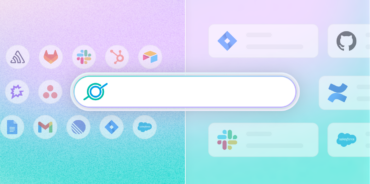
GoSearch connects to the tools where enterprise knowledge actually lives — across communication, documents, project management, CRM, HR, sales intelligence, support, and more. See the full integrations list →
What buyers won’t compromise on are the systems where their most critical knowledge actually lives — Salesforce, Gong, Confluence, Slack. GoSearch’s connectors are built for depth in those systems, not just broad coverage across them.
GoSearch vs. Slack AI: Credibility vs. Cost
Slack AI shows up in almost every enterprise search evaluation — and for an obvious reason. It lives where people already work. Adoption is the hardest problem in enterprise software, and Slack sidesteps it by being embedded in a tool employees use every day.
That’s a real advantage. Buyers say it plainly: “People like using Slack — it’s the tool that people are going to use the most.”
But when buyers dig deeper, three concerns surface consistently — and they’re worth understanding before any GoSearch vs. Slack AI decision gets made.
Access: For most organizations, getting Slack AI isn’t a matter of enabling a feature — it requires moving to a new pricing tier entirely. As one prospect put it: “We do not have Slack AI, and we can’t get it unless we flip to their new SKUs.”
Depth: Even buyers drawn to the concept had doubts about whether it could genuinely solve the enterprise search problem. “Their native plugins seem to be kind of limited.” That’s not a minor complaint — a communication-layer AI will always be constrained by what it can reach, and Slack doesn’t index what lives outside its ecosystem.
Lock-in: Buyers who’d been through platform upgrades before recognized the pattern immediately. “I’ve been bitten by Slack before. Once you go up, you can never leave.”
Feature Comparison: GoSearch vs. Slack AI
| Capability | GoSearch | Slack AI |
| Cross-platform search (non-Slack sources) | ✅ Full | ⚠️ Limited |
| Native Salesforce integration | ✅ Yes | ❌ No |
| Native Gong integration | ✅ Yes | ❌ No |
| Answers grounded in documents (Drive, Confluence) | ✅ Yes | ⚠️ Partial |
| Works outside Slack interface | ✅ Yes (web, browser ext.) | ❌ No |
| Standalone pricing (no platform upgrade required) | ✅ Yes | ❌ Requires SKU change |
| Organizational memory across systems | ✅ Yes | ❌ Slack-only |
| Admin controls and access governance | ✅ Yes | ⚠️ Basic |
Slack AI wins on adoption potential — its distribution advantage is real. But familiarity and completeness are different things. If your most important knowledge lives in Salesforce, Gong, or Confluence, a Slack-native answer won’t reach it.
GoSearch vs. Glean: Understanding the Category Difference
Glean makes almost every enterprise search shortlist. It also gets cut from almost every mid-market deal — not because buyers don’t respect the product, but because the budget reality doesn’t fit.
One prospect described it plainly: “kind of more than we were looking for.” Another walked away once they saw the numbers.
Glean’s pricing is structured for large enterprise commitments — including a $10,000 implementation fee — and for many mid-market teams, that’s disqualifying before the evaluation even gets started.
In practice, evaluating Glean is more about doing due diligence in the category than seriously considering it.
The Three-Layer Framework: How Buyers Actually Categorize AI Tools
Enterprise buyers are mentally sorting AI tools into three distinct layers:
Layer 1 — Communication AI Answers questions inside a single platform. Fast to deploy, high adoption, but limited to what lives inside that ecosystem.
Layer 2 — Search AI Purpose-built to connect and retrieve across systems, regardless of where knowledge lives. Designed to replace the manual effort of hunting across apps.
Layer 3 — Workflow/Action AI Goes beyond finding information to taking actions — updating records, triggering workflows, automating tasks.
Many deals get confused because buyers try to compare tools across layers. A communication AI and a search AI aren’t competing for the same job. Once buyers understand that, the real comparison becomes clearer.
How GoSearch and Glean Differ at the Search Layer
Both are purpose-built enterprise search tools, but they make meaningfully different architectural and commercial choices. For a full breakdown, see our GoSearch vs. Glean comparison.
Architecture: GoSearch uses a federated approach, retrieving data in real time directly from source systems rather than storing it. Glean relies on full BYOC indexing of connected applications — which raises questions in regulated environments about stored data volume and governance complexity.
Pricing: GoSearch costs roughly one-third as much as comparable Glean deployments, with AI chat, agentic workflows, and unlimited custom agents included by default. Glean applies per-user pricing with additional charges for generative AI features — costs that compound as adoption grows across teams.
Implementation: Most GoSearch deployments go live in days to weeks without requiring a dedicated FTE. Glean implementations tend to run longer and often require one or more full-time resources to manage ingestion, tuning, and ongoing support.
People and link search: GoSearch includes native GoLinks and GoProfiles integration — meaning employees can find documents, subject matter experts, and internal links in a single query. This is especially valuable for onboarding and distributed teams, and it’s a gap that even current Glean users have flagged: “the internal link shortener that Glean uses just isn’t cutting it.”
| Dimension | GoSearch | Glean |
| Search model | Federated + indexed hybrid | Indexed-first |
| Pricing | Flat, predictable | Per-user + add-ons |
| Time to value | Days to weeks | Weeks to months |
| Implementation overhead | Low, no dedicated FTE required | Often requires dedicated FTE |
| Mid-market fit | ✅ Strong | ⚠️ Enterprise-focused |
| GoLinks + people search | ✅ Native | ⚠️ Partial |
| MCP connector support | ✅ Yes | ❌ No |
Glean is a credible product — the shortlist placement is earned. But buyers consistently struggle to get clarity on what they’re paying, how long it takes to see value, and what ongoing maintenance actually costs. GoSearch is designed to answer all three questions cleanly: faster to deploy, transparent on price, and low overhead to run.
Integration Depth Is the Fastest Way to Win or Lose a Deal
If there’s one dimension where deals are won or lost fastest, it’s integration depth — specifically, whether the connectors that matter most actually work the way buyers need them to.
Buyers repeatedly describe the same pattern: someone needs information, doesn’t know where it lives, and spends the next hour bouncing between Slack, Confluence, and a calendar invite. One prospect put it plainly: “a key delay point for our product development is just gathering the information necessary from a bunch of different people — reaching out, Slacking them on the side, trolling through Confluence, other internal data sources.”
That loop only disappears if the search tool connects deeply — not just nominally — to the systems where the answers actually live.
GoSearch Connector Depth: Core Systems
| Connector | Data Covered |
| Salesforce | Accounts, Contacts, Opportunities, Cases, Knowledge Base Articles |
| Gong | Call recordings, transcripts — filterable by rep, customer, date, deal stage |
| Confluence | Pages, blogs, spaces, comments |
| Jira | Issues, descriptions, comments, sprint details |
| Google Drive | Docs, Sheets, Slides, folders, files, comments |
| Slack | Public channels, private channels, DMs (via personal connector) |
| GitHub | Repos, issues, PRs, commits, files, comments |
| Notion | Pages, databases — also available via Notion MCP server |
Buyers want to know if the Salesforce connector actually surfaces the right records, if the Gong connector stays current, if permissions are respected across every source. Surface-level connectors create surface-level trust. GoSearch connectors are built for depth — not just checked off a list.
You’re Already Paying for AI: Here’s What It’s Missing
Consider a team already paying for Microsoft 365 Copilot at $30/user/month. At 200 people, that’s $72,000/year for AI capabilities baked into the Microsoft stack — or a similar figure for teams consolidating around a Salesforce/Slack bundle. Both look reasonable — until you see what they miss:
- They don’t surface answers from your engineering systems — Jira tickets, GitHub PRs, or incident histories
- They don’t surface Gong call transcripts
- They don’t reach anything outside the vendor’s own ecosystem
- They don’t give you GoLinks-style URL management
- They don’t help employees find answers in Jira, Notion, or BambooHR
One prospect described the Salesforce/Slack consolidation plainly: “They’ll move us to Agentforce One and give us some features we have today” — the reason to upgrade was pricing consolidation, not capability.
Bundled AI is, by definition, constrained AI. It searches what’s inside the bundle. The question every buyer needs to answer is: how much of your knowledge lives outside it?
For most organizations, the answer is: most of it. GoSearch covers the full stack — not just one vendor’s ecosystem — without requiring an upgrade to a platform you didn’t need to change.
How Enterprise Buyers Are Raising the Bar in 2026
Pull back from the deal-by-deal details, and a consistent picture emerges. Enterprise buyers are evaluating AI search differently.
They’re not asking “is this impressive?” They’re asking, “can I rely on this?” They want:
- Accurate answers across scattered systems — not just within one platform
- Integrations that go deep into the tools that matter most, not just broad logo coverage
- Something employees will intuitively adopt
- A value story that holds up against bundled alternatives and finance scrutiny
The most revealing signal from customers and prospects isn’t about model performance. It’s about friction:
“People never know where to find anything.”
“We need a central hub, basically for knowledge management.”
“You already have all this information — why recreate it?”
Is GoSearch the Right Fit for Your Team?
GoSearch is likely the right choice if:
- Your knowledge is spread across 5+ systems and your team wastes hours locating information that definitely exists somewhere
- You need deep integrations fast — particularly into Salesforce, Gong, Confluence, or Jira — and don’t have 3–6 months for an enterprise deployment
- You’re evaluating alternatives to bundled AI from Microsoft, Salesforce, or Slack, and want to understand what cross-platform search actually looks like
If your organization lives almost entirely inside one ecosystem — pure Microsoft or pure Google — a bundled tool may cover enough of your needs. GoSearch is built for the more common reality: complex stacks, fragmented knowledge, and employees who need answers regardless of which app holds them.
Want to see GoSearch search across your full stack? Request a demo →
Search across all your apps for instant AI answers with GoSearch
Schedule a demo