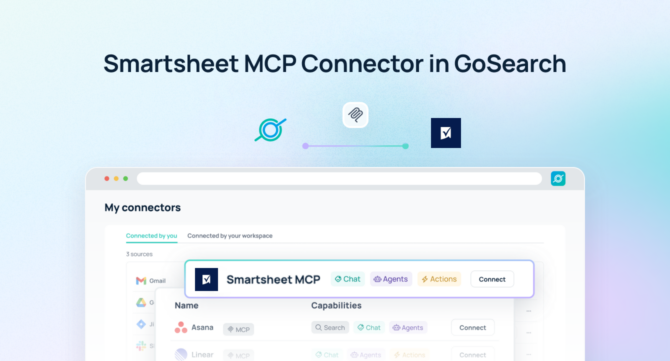

Project teams rely on Smartsheet to manage initiatives, workflows, resources, and business processes. But critical project information often remains locked inside individual sheets and workspaces.
A Smartsheet MCP server enables AI agents to securely access Smartsheet data, allowing teams to ask questions, analyze projects, automate workflows, and take action using natural language.
With the Model Context Protocol (MCP), AI assistants can connect directly to business applications like Smartsheet without requiring custom integrations.
GoSearch’s Smartsheet MCP server connects project intelligence with the rest of your enterprise context—bringing together Smartsheet data, company knowledge, conversations, documents, and business applications so AI agents can deliver complete answers.
Instead of searching across disconnected tools, teams can ask AI:
“Which projects are delayed, why are they blocked, and what actions should we take?”
and receive answers grounded in real business context.
At a Glance: Smartsheet MCP Server
| What it does | Connects AI agents to Smartsheet project data |
| Data available | Sheets, rows, tasks, project status, workflows, reports |
| Works with | AI agents, ChatGPT, Claude, enterprise assistants |
| Use cases | Project reporting, workflow automation, status updates, resource planning |
| Enterprise advantage | Connect Smartsheet with 100+ business applications through GoSearch |
What Is a Smartsheet MCP Server?
A Smartsheet MCP server is a Model Context Protocol connection that allows AI agents to interact with Smartsheet data.
MCP creates a standardized way for AI systems to access external applications. Instead of building custom integrations between every AI tool and business platform, MCP allows AI agents to securely retrieve information and perform actions through connected systems.
For Smartsheet, this means AI agents can access:
- Project sheets
- Tasks and assignments
- Status updates
- Milestones
- Dependencies
- Resource information
- Workflow data
- Reports and dashboards
Teams can interact with Smartsheet through AI instead of manually searching through spreadsheets and project views.
Smartsheet MCP Server vs. Smartsheet API
Smartsheet APIs are useful for developers building applications.
MCP servers are designed for AI agents.
| Smartsheet API | Smartsheet MCP Server |
| Developer-focused | AI agent-focused |
| Requires custom development | Designed for AI connectivity |
| Returns application data | Enables contextual AI answers |
| Usually supports specific workflows | Supports dynamic AI interactions |
| Requires engineering resources | Enables business users |
The Smartsheet API helps applications communicate.
A Smartsheet MCP server helps AI understand and work with your project data.
What Can You Do With a Smartsheet MCP Server?
1. Get Instant Project Updates
Instead of opening multiple sheets and dashboards, ask:
“What is the status of our Q3 product launch?”
AI can summarize:
- Current milestones
- Completed tasks
- Delayed activities
- Owners
- Risks
- Dependencies
2. Identify Project Risks
Project managers can ask:
“Which projects are at risk this month?”
AI agents can analyze:
- Overdue tasks
- Blocked dependencies
- Missed deadlines
- Resource constraints
- Status changes
and highlight where teams need attention.
3. Automate Project Reporting
Creating weekly status reports is time-consuming.
With Smartsheet MCP, AI can generate:
- Executive summaries
- Project health reports
- Stakeholder updates
- Risk assessments
- Progress dashboards
using live project data.
4. Improve Resource Planning
Teams can ask:
“Which teams are overloaded this quarter?”
AI can analyze:
- Assigned work
- Project timelines
- Task volume
- Resource allocation
to identify capacity issues.
5. Connect Project Data With Business Context
Smartsheet contains project information.
But the full answer often requires more context.
For example:
“Why is the customer implementation project delayed?”
GoSearch can combine:
Smartsheet
- Tasks
- Dependencies
- Timeline
with:
Other systems
- Slack discussions
- Jira tickets
- Customer information
- Documentation
- CRM updates
to explain what is happening and why.
6. Automate Cross-Functional Workflows
AI agents can use Smartsheet data to trigger actions across connected systems.
Examples:
- Create Jira tickets from delayed tasks
- Notify Slack channels about project risks
- Generate executive updates
- Update documentation
- Summarize project meetings
Example Smartsheet MCP Prompts
Project Management
“Summarize all projects currently behind schedule.”
Executive Reporting
“Create an executive update for our highest priority initiatives.”
Risk Management
“Which dependencies could impact our launch date?”
Resource Planning
“Which teams have too many active projects?”
Cross-System Analysis
“Compare project delays in Smartsheet with open Jira issues.”
How GoSearch Enhances Smartsheet MCP
Using GoSearch with the Smartsheet MCP server transforms project data into actionable enterprise context. By connecting Smartsheet with 100+ business applications, GoSearch enables AI agents to combine project status, tasks, workflows, and dependencies with information from tools like Slack, Jira, Salesforce, and internal knowledge bases.
Teams can use AI to generate project updates, identify risks, answer complex questions, and automate workflows—turning Smartsheet from a project management tool into a connected intelligence layer for the entire organization.
With GoSearch, teams can connect Smartsheet with:
- Jira
- Slack
- Microsoft Teams
- Salesforce
- Google Drive
- Confluence
- Notion
- GitHub
- Customer platforms
- Internal knowledge bases
This enables AI agents to understand not just what is happening, but why it is happening.
Why Use GoSearch for Smartsheet MCP?
Enterprise Context
Connect Smartsheet with 100+ applications so AI agents have the information needed to answer complex business questions.
Secure AI Access
Maintain permissions and governance while enabling AI-powered productivity.
No-Code AI Agents
Create agents that monitor projects, generate reports, and automate workflows without engineering resources.
Action-Oriented Workflows
Move from finding information to completing work.
How to Connect Smartsheet MCP Server with GoSearch
Step 1: Open GoSearch Settings
Navigate to your GoSearch workspace.
Step 2: Select MCP Connectors
Choose Smartsheet from available connections.
Step 3: Authenticate Smartsheet
Connect your authorized Smartsheet account.
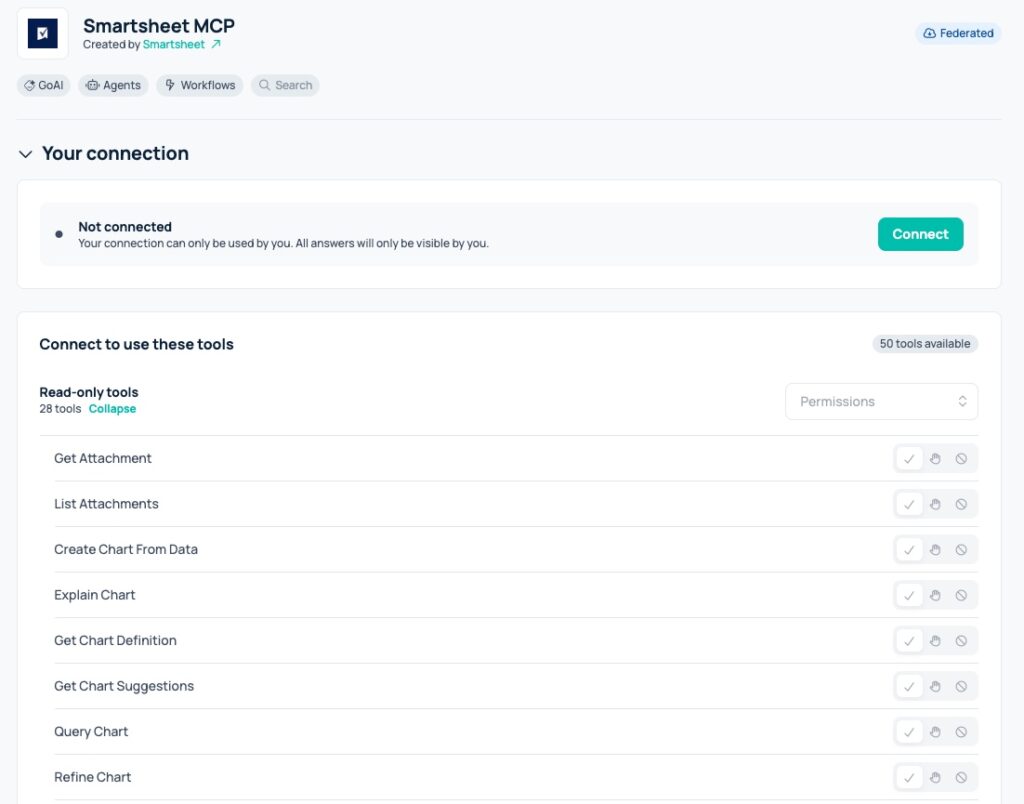
Step 4: Configure Permissions
Define what project information AI agents can access.
Step 5: Start Using AI
Ask questions, create agents, and automate workflows using Smartsheet data.
Turn Smartsheet Data Into AI-Powered Workflows
A Smartsheet MCP server makes project information accessible to AI agents.
But the biggest opportunity comes from connecting Smartsheet with the rest of your organization.
GoSearch gives AI agents the context they need to answer questions, automate workflows, and help teams move projects forward faster.
Connect Smartsheet to your enterprise AI stack with GoSearch.
Search across all your apps for instant AI answers with GoSearch
Schedule a demo
Smartsheet MCP Server Frequently Asked Questions
A Smartsheet MCP server connects AI agents to Smartsheet project data using the Model Context Protocol, allowing AI systems to access sheets, tasks, workflows, and project information.
Yes. MCP enables compatible AI assistants to connect with Smartsheet and other business applications.
Depending on permissions, AI agents can access project sheets, tasks, assignments, milestones, workflows, reports, and other Smartsheet information.
AI can summarize projects, identify risks, generate reports, answer questions, and automate actions across connected business systems.
Yes. Through GoSearch, Smartsheet can be connected with 100+ enterprise applications to provide AI agents with broader business context.