
Teams rely on a growing number of tools to get work done. Documents live in one system, tickets in another, designs somewhere else, and code in its own environment. GoSearch brings that information together so you can search across systems and access what you need without switching between apps.
Mentions build on that foundation by addressing a related problem: how you keep track of where your attention is needed.
The Problem: Attention Is Scattered Across Tools
Most tools generate notifications when someone tags you, assigns work, or asks for input. These notifications hit your inbox as separate emails or stay inside the tool where the activity happens.
As a result, staying on top of your work means checking each system individually. Even if each tool does its job well, the overall experience is fragmented. It takes time to figure out what actually needs a response.
Introducing Mentions
Mentions bring those signals into GoSearch.
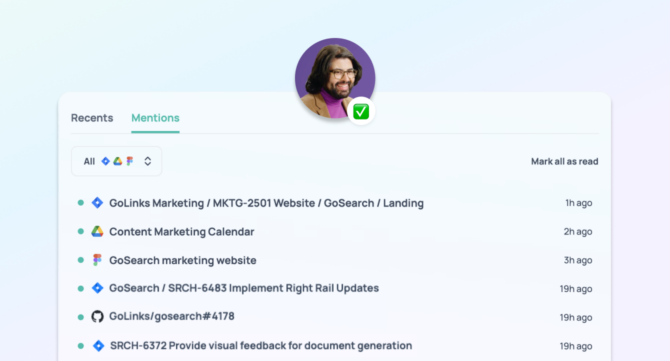
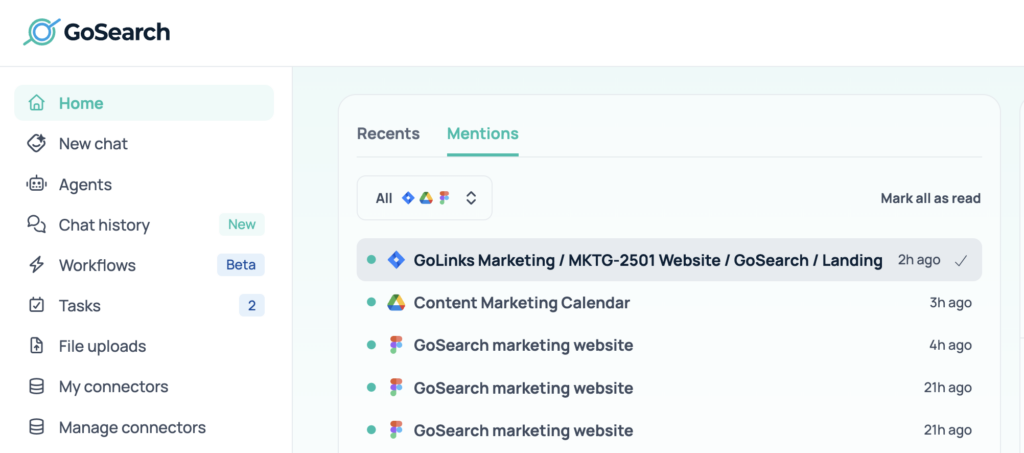
When you open a new tab with the GoSearch extension or visit the homepage, you’ll now see a Mentions tab next to Recents. Recents show what you’ve accessed. Mentions show where you’ve been directly referenced across your connected apps.
This includes activity across your full toolset, not just a handful of integrations. Whether the mention happens in a document, a ticket, a design file, or a code review, it appears in one place as long as the app is connected to GoSearch.
For example, mentions may come from tools like Google Drive, Jira, Figma, and GitHub, but the feature is not limited to these. It works across all supported integrations.
Each mention links back to the source so you can open the relevant context and respond.
Reducing the Overhead of Context Switching
Without a unified view, responding to mentions requires constant switching between tools. You check one app, then move to the next, and repeat the process throughout the day.
Mentions reduce that overhead by aggregating these signals in one place. Instead of tracking activity across systems, you can see everything that requires your attention from a single view and then jump directly to the source when needed.
Filtering by App
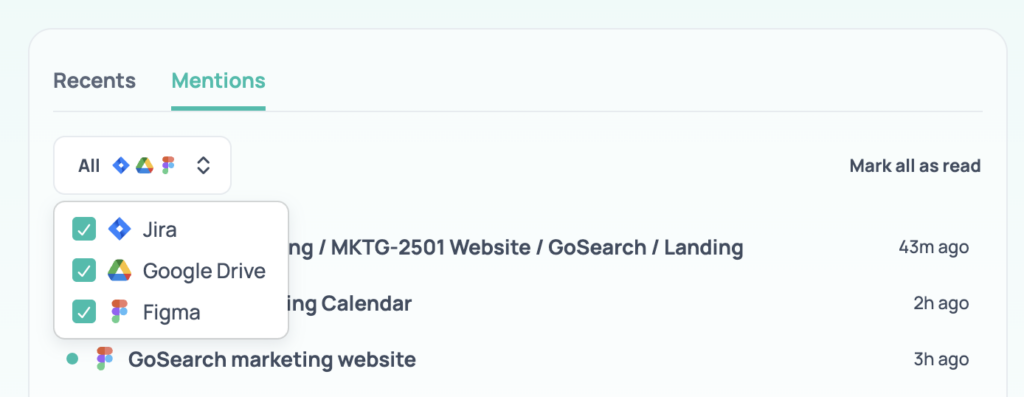
Different types of work often live in different tools. Mentions allow you to filter by app so you can focus on a specific workflow.
If you want to review updates from a single system, you can narrow your view accordingly. If you prefer to scan everything at once, you can keep the full list. The structure stays flexible depending on how you work.
Keeping Track of What You’ve Reviewed
Mentions also make it easier to track what you’ve already handled. After reviewing items, you can mark them as read and clear them from your list.
This helps maintain a clear view of what still needs attention without relying on individual notification systems across tools.
How Mentions Fit into GoSearch
GoSearch centralizes information across 100+ applications and makes that information searchable and usable in one place. Mentions extend that model by organizing the signals that indicate where you are needed.
Instead of treating notifications as separate from search, Mentions bring them into the same system. You can search for information, revisit recent work, and now see where you’ve been referenced, all within a single interface.
Mentions are also useful outside of team environments. If you use GoSearch Free with personal apps, they provide a simple way to keep track of comments, tasks, and updates that involve you across your own tools. Whether you’re managing documents, side projects, or personal workflows, having a single place to review where you’ve been mentioned can reduce the need to check each app individually.
Personal access to agentic enterprise search, free with GoSearch.
Sign up