
What Is an Enterprise AI Document Generator?
GoSearch’s enterprise AI document generator turns a prompt into a finished Word doc, Excel file, PDF, slide deck, or Markdown file using live data from your connected company systems. No copy-pasting into templates, no manual formatting, no jumping between five apps to finish the job.
Key Takeaways
- GoSearch generates five file types from one prompt: Word, Excel, PDF, PowerPoint, and Markdown, plus the Google Docs, Sheets, and Slides equivalents
- Files are built from live data across 100+ connected systems, so a generated report reflects current company numbers
- Generation is permissions-aware: GoSearch will not pull source content a user cannot already access
- GoSearch builds files from your connected stack; general-purpose assistants work from what you upload to the chat
- Document generation is available now for teams already using GoSearch, with no new setup or license
GoSearch’s AI assistant now returns the finished file itself, formatted and populated with your company’s data, in whichever of the five file types you name in your prompt.
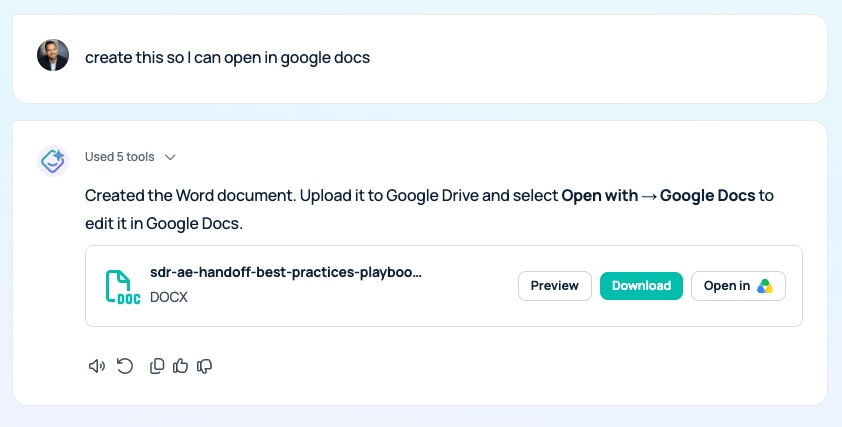
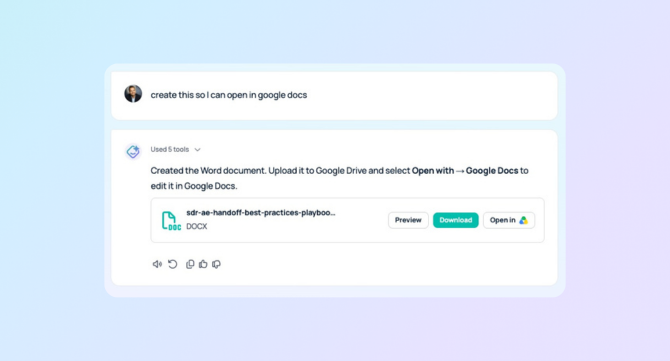
Preview download or open your finished document in Microsoft or Google suite of products, as well as PDF and markdown file types.
Why AI Answers Still Require Manual Formatting
Most AI assistants return prose, not files. Ask a typical enterprise AI assistant to summarize last quarter’s performance and you get a wall of text. Useful, but unfinished. You still have to open Excel, build the table, format the headers, and drop it into a deck before anyone else can use it.
Every one of those steps happens after the AI has already done the thinking. That work is the gap between an answer and a deliverable, and GoSearch closes it by returning the finished file.
What the GoSearch AI Document Generator Can Build
| Format | Example prompt | What you get back |
|---|---|---|
| Word / Google Docs | “Write a project brief for the Q4 onboarding revamp” | A formatted document with headings and structure, ready to share or edit |
| Excel / Google Sheets | “Build a Q3 pipeline tracker with formulas for weighted value” | A working spreadsheet with live formulas, not a text description of one |
| “Turn our security overview into a one-pager for prospects” | A presentation-ready PDF, no exporting from three other tools first | |
| PowerPoint / Google Slides | “Build a QBR deck for the enterprise segment” | A structured, formatted first draft you can present from, not an outline |
| Markdown | “Draft a README for the billing service” | A properly structured .md file ready for Notion, Confluence, GitHub, or any tool your team already writes in |
Where GoSearch Gets the Data in Every Generated File
GoSearch runs on a hybrid architecture. It indexes shared company knowledge for retrieval speed and queries personal or sensitive data in real time through live connectors, all of it permissions-aware. That architecture is what lets the enterprise search layer feed current company data into a generated file instead of generic placeholder content.
Ask for a Q3 pipeline tracker and the numbers come from your CRM. Ask for a policy doc and the language comes from your existing handbook. Whether a generated file is worth trusting depends on how the underlying search layer handles retrieval and permissions, which our breakdown of enterprise search software compares across vendors.
What Your Team Gets Instead of a Draft
Teams don’t just need answers. They need:
- Client-ready reports you don’t have to reformat
- Spreadsheets with working formulas, not text tables to rebuild S
- lide decks that don’t start from a blank canvas
- PDFs that go out the door without a detour through five other apps
- Markdown docs ready for the wiki or repo the moment they’re generated
GoSearch handles all of it in the same place your team already searches and asks questions. Prompt it from the web app or from wherever you work, including Slack.
Get Started With Document Generation in GoSearch
If your team uses GoSearch for search and Q&A today, document, spreadsheet, PDF, slide, and Markdown generation is available right now with no new setup.
Ask GoSearch to build your next report, deck, or tracker and see the finished file, not a draft of one.
Book a demo to see the GoSearch AI document generator in action, or start free and try it on your own data.
Search across all your apps for instant AI answers with GoSearch
Schedule a demo
GoSearch Document Generation FAQs
Any system connected to GoSearch, across 100+ supported integrations covering knowledge bases, CRMs, ticketing systems, cloud storage, and messaging tools. Generated files reflect the same permissions-aware results you would get from a GoSearch query.
Files are created in standard, fully editable formats (.docx, .xlsx, .pdf, .pptx, .md) so you can open, edit, and refine them in the tools your team already uses.
Only the people you share it with. Generation follows your existing access controls, so GoSearch will not pull source content a user cannot already reach.
GoSearch queries live connectors for personal and sensitive sources at request time and indexes shared knowledge for speed, so generated files reflect current company data rather than a stale snapshot.