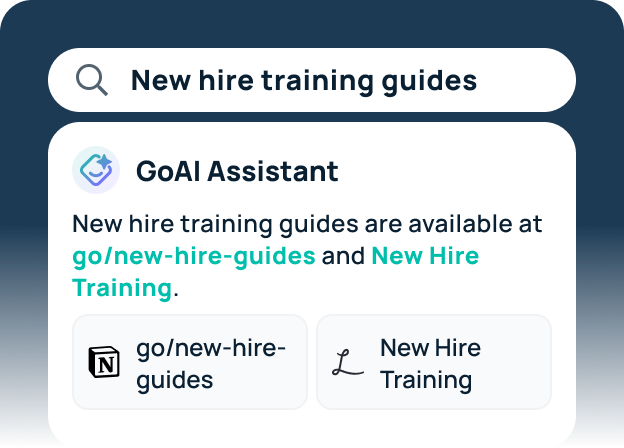



The six most common enterprise search challenges are information silos, poor relevance, complex permissions, stale content, low adoption, and implementation overhead. To solve them, a platform must connect to every system where knowledge lives, enforce each source’s access controls, rank results by context and freshness, and show admins where searches fail. Before you buy, test each platform against all six on your own data.
One familiar example: a sales rep needs the current discount approval policy before a customer call. The latest version is in a deal desk Google Doc, an older one is attached to a Salesforce record, and the exceptions live in a Slack thread. If search covers only Salesforce, the rep quotes outdated terms, and no one notices until the deal reaches finance.
Enterprise search challenges aren’t a minor UX inconvenience. They’re a governance problem, a productivity problem, and increasingly, a competitive problem. When employees can’t surface the right information at the right time, decisions slow down, work gets duplicated, institutional knowledge goes dark, and new hires take longer to ramp. In a 2026 Forrester Consulting study commissioned by Staffbase, 35% of frontline employees and managers said they encounter conflicting, outdated, or unclear information at least once a week, and 43% reported slower decision-making as a result.
What Makes Enterprise Search Complex
Enterprise search once meant indexing a file server and an intranet. Today, most companies run work across dozens of cloud apps, each with its own data and access rules, so complexity is built into every search.
Okta’s Businesses at Work 2026 report found that the average organization uses 98 apps, and organizations with 2,000 or more employees average 259. Each app has its own content and its own search, so company knowledge spreads across them: decisions in Slack, processes in Google Docs, and client updates in email.
Company knowledge also grows faster than teams can manage it. Every day brings new decisions, updated processes, and fresh answers to old questions, and search results get noisier and harder to trust.
AI is now rebuilding the same silos. Many companies run five or six AI tools, and each one answers only from the data it can reach. An empty search result is easy to recognize as a dead end. A confident AI answer built on partial data is not.
Here are the six enterprise search challenges most organizations face, and why each one happens.
1. Information Silos Across Too Many Systems
When knowledge lives in 20 systems and search covers only one or two, results will always have gaps, and partial answers can be as bad as none. In the discount policy example above, the right answer exists, but in a Google Doc and a Slack thread that search doesn’t cover.
Information silos don’t just fragment knowledge; they undermine trust in search. When employees learn that results are incomplete, they stop searching and message colleagues instead. That makes the underlying problem worse.
Connector count is a weak signal of coverage. What matters is how each connector retrieves content. Index-only platforms can miss recent changes until the next sync, and federated-only platforms, which query each app live, return only what that app’s own search finds. A hybrid approach indexes shared knowledge for fast, well-ranked results and queries fast-changing or sensitive sources live, closing the gaps each method leaves on its own.
2. Poor Relevance and Noisy Results
Reaching every source is only half the problem. The other half is finding the right result. Each app’s built-in search returns too many results, in the wrong order, with no clear sign of which one has the answer.
Poor relevance stems from a few compounding issues:
- Weak metadata. Vague titles and missing descriptions make documents hard to rank, especially for keyword-only search, which depends on how content is labeled.
- Inconsistent content quality. Half-written wiki articles, abandoned Confluence pages, and Google Docs with no clear purpose all add noise.
- No contextual understanding. Keyword search doesn’t understand intent. A query for “Q3 forecast” should surface the current forecast, not every document that contains those words.
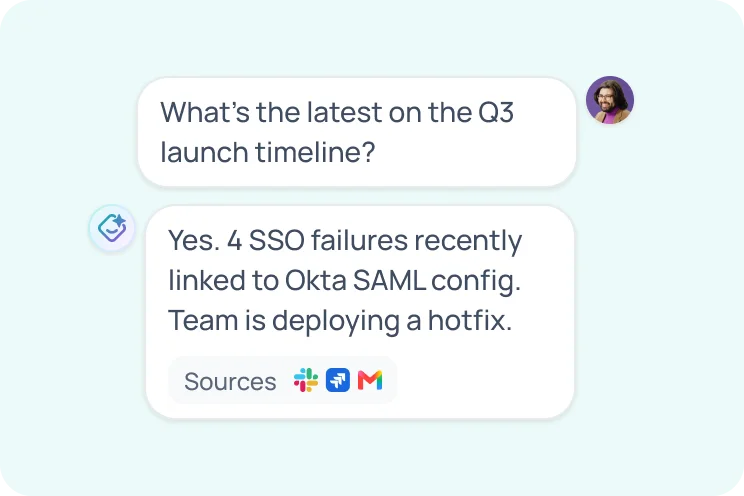
Users end up scanning results pages instead of reading useful content. Search that understands meaning instead of exact keywords, ranks results by recency, owner, and team, and recognizes internal acronyms and project names can close much of the relevance gap. For questions with a clear answer, an AI-generated answer with citations to each source saves the click entirely.
3. Complex Permissions Across Connected Apps
Each connected app has its own permission model, and enterprise search has to respect all of them at once, for every user, on every query.
How Does Permission-Aware Enterprise Search Work?
Permission-aware enterprise search shows each user only the results they have access to in the original app. The platform matches each person to their account in every connected app, then checks each result, preview, and AI answer against that app’s access rules. Some platforms check permissions live, every time someone searches. Others copy permissions into their index and refresh them on a schedule, so someone who loses access to a file may still see it in results until the next refresh.
Where Permission Handling Breaks Down
Enterprise search has to balance broad discoverability with strict access control, and every connected system handles permissions differently. Google Drive uses folder-level sharing with link exceptions. Confluence uses space and page permissions. Salesforce has object-level record security. GitHub has repository visibility. These models don’t map neatly onto each other, and they change constantly with new hires, role changes, departures, and project handoffs.
When search falls behind the permissions in each app, people see what they shouldn’t. One bad result is both a security and a compliance failure: it can expose salary data, breach a confidentiality agreement, or violate data protection rules.
Overly restrictive handling creates the opposite problem: users can’t find content they should be able to access, because the system can’t reconcile their identity across identity providers or directory services.
How a platform connects to each app also shapes who sees what. Indexed connectors copy permissions on a schedule, while real-time federated connectors query the source with each user’s own credentials. This field guide to indexed, federated, and MCP connectors explains how each handles access.
4. Stale Content That Erodes Trust in Results
If enterprise search can’t tell which version is current, it ranks last year’s policy right alongside this year’s, and employees have no way to know which one to follow.
Think of a legal policy replaced two years ago, a roadmap from three quarters back, or an onboarding guide that names a tool the company dropped. Drafts and copies add to the confusion. Without signals like verified sources or recency ranking, employees can’t tell which version to trust, and once they act on the wrong one, they stop trusting search.
The consequence: employees stop using search and ask colleagues instead. That’s slower, doesn’t scale, and pulls time from whoever is easiest to reach, usually senior or well-connected teammates.
5. Low Adoption and Behavior Change Issues
Even a well-built enterprise search tool fails if employees don’t use it. Adoption is an often-underestimated enterprise search challenge, and early experiences are critical. Employees who get irrelevant results early on are less likely to try again.
Common barriers to adoption include:
- Slow response times. Employees accustomed to instant answers from Google and AI chat tools won’t wait on a slow search box at work.
- No starting point. A blank search box doesn’t help employees who aren’t sure what to ask. Surfacing verified documents and trusted answers from teammates gives them somewhere to start.
- No visible ROI. Employees won’t change their habits unless they can see that search saves them time.
Poor adoption is often a training problem, not a product problem. Instead of a general launch announcement, show employees how search handles a few tasks they already do every week.
Workflow fit matters too. Employees are more likely to use search they can reach from Slack, Teams, or a new browser tab, without switching context, than a standalone portal they have to remember to open. Track adoption with enterprise search analytics alongside relevance, so you can see where searches fail and which teams haven’t adopted the tool.
6. Implementation and Maintenance Overhead
Some enterprise search tools take months to set up and need a dedicated team to maintain. Others return useful results within days.
What Slows Down Enterprise Search Implementation?
Enterprise search implementation usually slows down at three points: connecting sources, mapping permissions, and getting employees to use the tool. Each app needs authentication and permission mapping before results can be trusted. Teams move faster when they start with the apps employees search most, pilot with a small group of power users to control cost, and track failed searches from the first week.
What Does It Take to Maintain Enterprise Search?
Building enterprise search yourself means more upkeep than buying it. In-house teams maintain every connector, permission sync, and ranking rule, and each new source adds more that can break. Buying a platform shifts that work to the vendor, including:
- Shared vocabulary. A company glossary of acronyms, project codenames, and internal shorthand teaches search how your team actually talks.
- Content governance. Verified sources rank higher, and admins can flag, restrict, and audit sensitive content.
- Relevance tuning. Ranking adjusts to what your team opens, owns, and rates as helpful.
- Analytics and feedback loops. Reports show what employees search for, where searches fail, and where knowledge gaps are.
Teams that build search in-house take on all of this themselves. This build vs. buy analysis compares the five-year cost of each path, and a proof of concept on your own data is the fastest way to measure implementation effort before you commit.
Enterprise Search Challenges at a Glance: How to Test a Solution
If you’re evaluating enterprise search platforms, use this table to check each one against the six challenges above. For a broader vendor checklist, read how to evaluate enterprise search platforms.
| Challenge | Why it happens | What to evaluate | How to test it |
|---|---|---|---|
| Information silos | Knowledge lives across dozens of apps, each with its own index | Native connectors for your critical systems, custom sources via API, incremental sync | Run 10 real queries whose answers span three or more apps, and check that results include every source. |
| Poor relevance | Weak metadata, abandoned pages, keyword-only matching | Semantic search, ranking by recency, owner, and team, support for internal acronyms, cited AI answers | Pull 20 known-answer questions, including internal acronyms, and measure how often the right document ranks in the top three. |
| Permissions complexity | Every source has its own permission model, and access changes daily | Whether source permissions are checked at query time or only at index time, sync frequency, identity provider support | Share a file with one user and confirm another user can’t find it in results or AI answers. Change a user’s role and time how long search takes to catch up. Ask which data protections cover each AI provider. |
| Stale content | Old versions and duplicates rank as readily as current ones | Freshness signals, verified or authoritative sources, deprecation controls | Search for a policy with an older version. Confirm the current one ranks first and admins can mark it verified. |
| Low adoption | Early irrelevant results and a separate portal train employees to stop searching | Access from Slack, Teams, and the browser, zero-state suggestions, usage analytics | Pilot with one team for two weeks. Track weekly active users and searches that end with no click. |
| Implementation overhead | Each connector needs authentication, permission mapping, and ongoing tuning | Prebuilt connectors, automated permission syncing, built-in analytics, the vendor’s support model | Connect your three most-used sources. Track days to useful results and admin hours, and ask who fixes broken connectors. |
Solving Enterprise Search Challenges Takes More Than a Better Search Bar
Scattered content, uneven governance, and old habits create enterprise search challenges. The right search platform solves them. For a deeper look at how the technology works and how to compare vendors, see our AI enterprise search guide.
GoSearch addresses these enterprise search challenges with 100+ connectors, hybrid search across indexed and real-time data, and verified documents that rank above outdated versions. It works with your existing permissions, lets admins set access rules by team, department, or role, and includes search analytics that show where knowledge gaps are.
See how GoSearch handles all six challenges. Book a demo to try it on your own apps and data.
Search across all your apps for instant AI answers with GoSearch
Schedule a demo