
ChatGPT has become a default tool for knowledge work like writing, coding, analysis, and planning. What it’s lacked is access to the knowledge that actually matters for most of those tasks: context of what you, your team, and your company knows. Enterprise search apps for ChatGPT close that gap by connecting ChatGPT to your organization’s internal knowledge, so the AI you’re already using can reason with the context that’s specific to your business.
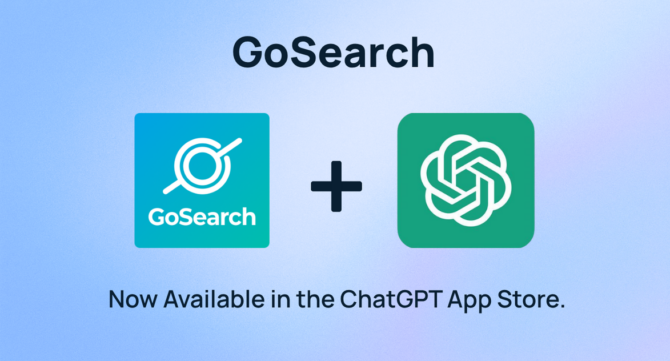
GoSearch is now available in the ChatGPT App Store. It brings a real-time AI knowledge layer into ChatGPT, connected across your entire tool stack, so your team can search and ask questions about company knowledge without leaving the AI workflow they’re already in.
Quick answer: ChatGPT apps for enterprise search connect ChatGPT to your company’s internal knowledge base across tools like Google Drive, Slack, Jira, Notion, GitHub, Confluence, and many more. GoSearch is now available in the ChatGPT App Store and uses federated real-time retrieval and MCP servers to synthesize answers from across your connected sources, with citations, inside ChatGPT.
What ChatGPT Apps for Enterprise Search Do
ChatGPT’s usefulness at work has always been constrained by what it doesn’t have access to. It can help you write a proposal, but it doesn’t know about recent internal discussions regarding your pricing model. It can help you think through an architecture decision, but it has no visibility into the decisions your team has already made. It can help you draft a customer email, but it doesn’t know that customer’s history.
Enterprise search apps for ChatGPT solve this by acting as a knowledge layer between ChatGPT and your company’s internal tools. When you ask a question, the app retrieves relevant context from your connected sources and makes it available to the conversation. ChatGPT can then reason with that context rather than working from general knowledge alone.
The best implementations do more than retrieve documents. They synthesize across sources, respect your existing permissions so each user only sees what they’re authorized to access, and retrieve in real time rather than from a periodically updated index that may not reflect the current state of your systems.
What to Look for in a ChatGPT Enterprise Search App
Not all enterprise search apps for ChatGPT work the same way. A few things worth evaluating:
Real-time vs. indexed retrieval. Some tools maintain a centralized index of your company’s data that gets updated on a schedule. Others retrieve live context from your actual sources at query time. For fast-moving environments where accuracy matters — active incidents, evolving documentation, recent decisions — real-time retrieval produces more reliable answers.
Breadth of integrations. The value of an enterprise search app is proportional to how much of your tool stack it connects to. Look for coverage across the tools where your company’s knowledge actually lives: Google Drive, Slack, Jira, Notion, GitHub, Confluence, and others.
Permission awareness. A good enterprise search app doesn’t create a universal view of your company’s knowledge. It respects the access controls already in place across your tools, so each user’s search results are scoped to what they’re already permitted to see.
Answer quality. Returning links is useful. Synthesizing a cited answer from across multiple sources is more useful. Look for tools that generate answers grounded in your company’s content with citations you can verify, rather than just surfacing a list of documents to read through.
Architecture and maintainability. For IT teams evaluating long-term fit, how the tool connects to your stack matters. MCP-based integrations built on open standards tend to be more robust and extensible than proprietary connectors.
GoSearch Is Now in the ChatGPT App Store
GoSearch is an enterprise AI knowledge layer built to make your company’s collective knowledge queryable in natural language. It connects across your entire tool stack and synthesizes answers from across sources in real time, with citations, grounded in the actual current state of your company’s knowledge.
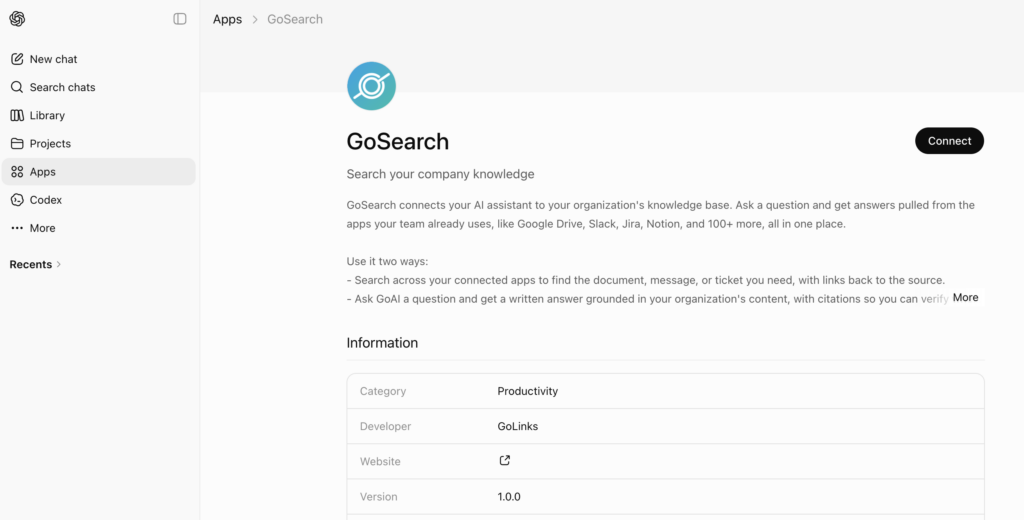
GoSearch is now available in the ChatGPT App Store. That means the knowledge layer your team uses to search and ask questions about company knowledge is now available directly inside ChatGPT, as a context layer that works within your existing AI workflow rather than alongside it.
Whatever your team is working on in ChatGPT — writing code, drafting communications, analyzing data, planning projects — your company’s knowledge is available in the same conversation.
How GoSearch Works as a ChatGPT Enterprise Search App
GoSearch uses federated real-time retrieval and MCP servers to connect to your tool stack. When you ask a question, GoSearch retrieves live context from your actual connected sources at the moment of the query. You get answers that reflect the current state of your company’s knowledge, not a snapshot from the last time an index was updated.
The Model Context Protocol is an open standard for connecting AI systems to external data sources. GoSearch’s MCP-based architecture makes integrations robust and extensible, which matters for IT teams evaluating how a tool will hold up as their stack evolves.
GoAI, GoSearch’s AI answer layer, synthesizes retrieved context into a direct answer with citations. You can see exactly where the information came from and follow it back to the source. Inside ChatGPT, this means you’re not just getting a list of documents, you’re getting an answer grounded in your company’s content, available in the flow of the conversation.
Permissions are fully respected across every connected source. Each user sees only the content they already have access to, so the connected search experience doesn’t introduce new data exposure risks.
For Knowledge Workers: Company Knowledge in Your ChatGPT Workflow
For knowledge workers, GoSearch in ChatGPT means company knowledge is available inside the AI tool they’re already using, without any change to their workflow.
Ask a question about a project, a process, a past decision, or a customer relationship and GoAI synthesizes an answer from across your connected sources. A marketer researching last quarter’s positioning gets a synthesized answer rather than a pile of decks to dig through. An account executive asking about a customer’s history gets context pulled from across the tools where that relationship has been documented. An operations lead asking how a process is currently documented gets a view across every place it appears.
The question gets answered in the flow of work, without a detour through multiple apps.
For Engineering and IT Teams: Live Internal Context Inside ChatGPT
For engineering and IT teams, GoSearch in ChatGPT makes live internal context available inside the AI workflows where technical work happens.
Developers use ChatGPT for writing and reviewing code, debugging, drafting technical documentation, and working through architecture questions. What’s been missing is internal context: your team’s architecture decisions, runbooks, incident history, codebase conventions, API documentation. With GoSearch connected to ChatGPT, that context is available in the same session.
A developer can ask how your team has handled a specific infrastructure pattern before writing new code around it. They can check what your runbook says about a class of incident while actively responding to one. They can surface relevant internal documentation before asking ChatGPT to generate a draft, all without leaving the conversation.
Real-time retrieval is particularly relevant here. For engineering workflows where the accuracy of context matters — active incidents, recently updated runbooks, evolving architecture documentation — GoSearch retrieves from your live sources rather than from a cached index.
IT teams will also find that GoSearch preserves your existing security model. Permissions are respected across every connected source, so productivity gains don’t come with new data exposure risks.
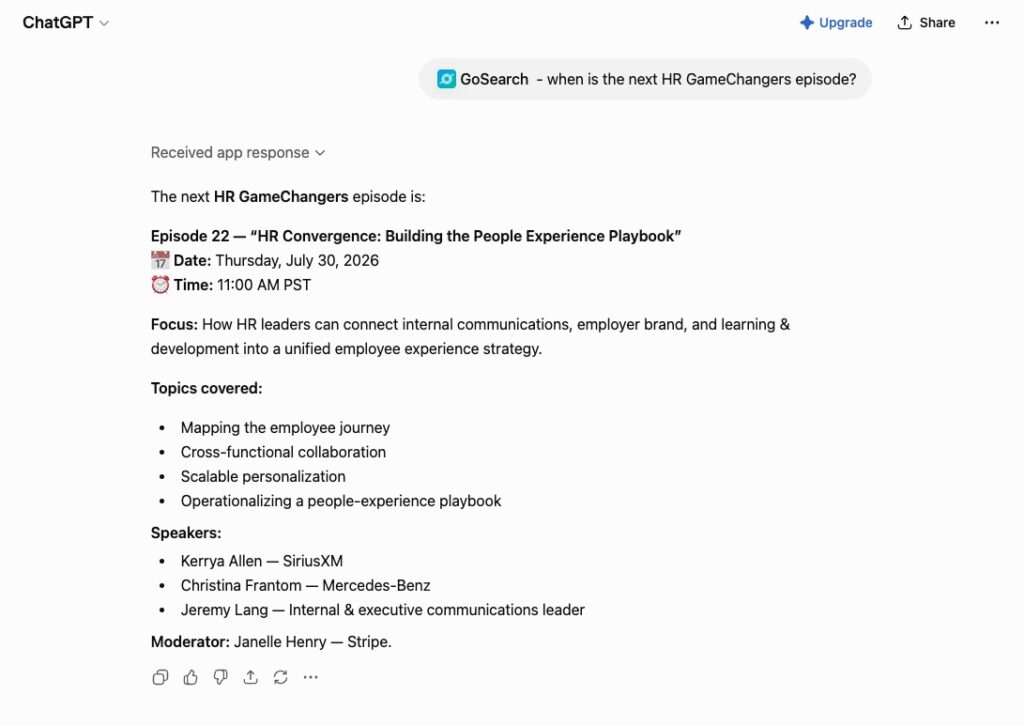
Example of GoSearch in ChatGPT — connecting AI with the knowledge your business already has.”
GoSearch + ChatGPT
ChatGPT apps for enterprise search represent a meaningful shift in how AI tools work at the organizational level. Rather than bringing context to your AI manually, these tools make your company’s knowledge available to the conversation automatically, so the AI you’re already using can reason with the full context of what your organization knows.
GoSearch brings that capability to ChatGPT with real-time retrieval, MCP-based integrations, and a permission-aware knowledge layer connected across your entire tool stack. For knowledge workers, engineering teams, and IT buyers evaluating how to get more out of ChatGPT at work, it’s worth a look.
GoSearch is available now in the ChatGPT App Store.
New to GoSearch? Book a personalized demo or get started for free.
Search across all your apps for instant AI answers with GoSearch
Schedule a demo
Frequently Asked Questions
ChatGPT apps for enterprise search connect ChatGPT to your company’s internal knowledge base across tools like Google Drive, Slack, Jira, Notion, GitHub, and Confluence. They make company knowledge available inside ChatGPT so you can search and ask questions without leaving your AI workflow.
GoSearch is an enterprise AI knowledge layer now available as a ChatGPT app. It connects to your company’s tool stack and uses federated real-time retrieval and MCP servers to synthesize answers from across your connected sources, with citations, inside ChatGPT.
GoSearch uses federated real-time retrieval and MCP servers to pull live context from your connected sources at query time. Answers reflect the current state of your company’s knowledge rather than a periodically updated index.
Yes. GoSearch honors your existing access controls across every connected source, so each user sees only what they already have permission to view.
Developers can bring live internal context — runbooks, architecture decisions, incident history, internal documentation — into the same ChatGPT session where they’re writing code or debugging. Real-time retrieval means the context is current when it matters most.
MCP (Model Context Protocol) is an open standard for connecting AI systems to external data sources. GoSearch’s MCP-based architecture makes integrations robust and extensible, built for the way modern AI systems work with external knowledge.
GoSearch uses federated real-time retrieval rather than a centralized index, meaning answers reflect your company’s current knowledge rather than a cached snapshot. It also uses MCP servers for integrations and respects your existing permissions across every connected source.