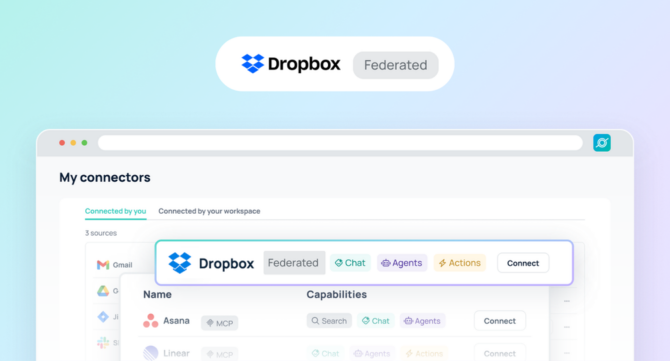

Dropbox helps individuals and teams store, organize, and collaborate on files across projects. Documents, presentations, media files, and project assets often live in folders that serve as a working source of truth for day-to-day work.
As individuals rely more on Dropbox, these files become critical knowledge assets. Users depend on documents for product plans, marketing campaigns, research, operations, and customer support. However, this information often remains siloed within personal accounts and folder structures, making it difficult to quickly locate the right content when needed.
The Dropbox federated connector for GoSearch provides secure, real-time access to your Dropbox files within a unified search experience. Rather than indexing or storing data, GoSearch retrieves Dropbox information live at query time. This ensures you always work with the most current version of documents and file metadata.
This federated approach delivers unified file discovery while strengthening security and privacy. It also enables you to use Dropbox content as trusted context for AI-powered workflows.
TL;DR — Key Benefits
- Real-time file access
GoSearch retrieves Dropbox file data at query time so you always reference the latest content.
- No data duplication, stronger security
Files remain in Dropbox. GoSearch does not store or replicate data, which reduces risk and prevents data drift.
- Built-in permission enforcement
Access permissions are applied directly from Dropbox in real time so you only see files you are authorized to access.
- Unified personal visibility
Documents, folders, and file metadata become discoverable in one place.
- Trusted foundation for AI workflows
AI can reference live Dropbox content to generate summaries, extract insights, or support workflows.
- Faster knowledge discovery
Quickly locate important files without navigating complex folder structures.
About Dropbox
Dropbox is a widely used cloud storage and collaboration platform that helps individuals and teams manage and share files securely. Users rely on Dropbox to store documents, coordinate projects, and collaborate across distributed environments.
Files may include project plans, design assets, research documents, proposals, and internal documentation. Because so much work is stored in Dropbox, it often becomes a primary system of record for personal and team-based knowledge.
What Does the Dropbox Federated Connector Enable in GoSearch?
The Dropbox federated connector enables GoSearch to retrieve your Dropbox data in real time and surface it securely within a unified search experience. Instead of indexing or replicating files, GoSearch queries Dropbox directly whenever you search, ask questions, or run AI workflows.
This federated architecture ensures:
- Real-time access to current file data
- No data duplication or external storage
- Live enforcement of Dropbox permissions
- Consistent source-of-truth governance
All files remain stored in Dropbox while becoming accessible across search, knowledge discovery, and AI-driven workflows.
With the connector enabled, you can retrieve:
- File and folder names
- Document metadata and file details
- File ownership and collaboration information
- Folder structures
- File activity and modification context
Power AI With Real-Time File Context
Federated connectors in GoSearch also serve as trusted data sources for AI. The Dropbox connector allows you to ground AI responses and workflows in live file-based knowledge without copying or storing sensitive content.
You can use AI to:
- Summarize documents stored in Dropbox
- Extract information from project files or reports
- Answer questions using your documentation
- Locate relevant files for workflows
- Provide context from presentations, plans, or research
Because data is retrieved directly from Dropbox at query time, AI operates with current information while respecting permissions and privacy.
Why Federated Access Improves Security
Traditional indexed search solutions copy data into external systems. This creates additional storage layers that must be secured and governed. It also introduces the risk of outdated information.
The Dropbox federated connector in GoSearch uses a different architecture.
Data Never Leaves the Source
Files remain stored within Dropbox. GoSearch retrieves information only when requested, eliminating duplicated repositories and reducing exposure.
Live Permission Enforcement
Access controls are enforced directly by Dropbox at query time.
Reduced Compliance Overhead
Because files are not replicated or stored externally, data boundaries remain clear.
Lower Risk of Stale Data
Real-time retrieval ensures you always reference the most recent versions.
For organizations focused on security and governance, federated access provides stronger control than traditional indexing approaches.
How You Access Dropbox Knowledge in GoSearch
File Discovery
Quickly locate documents across folders without navigating complex directory structures. Search surfaces relevant files instantly, reducing time spent browsing and helping you find what you need faster.
Project Context Retrieval
Search for files tied to specific projects, campaigns, or workstreams using natural language. This allows you to gather all relevant documents and context in one place, even if they are stored across different folders.
Collaboration Visibility
Understand file ownership, modification history, and folder structure at a glance. This provides useful context around how content was created, who contributed to it, and how it has evolved over time.
Cross-System Knowledge Discovery
Dropbox content appears alongside information from other connected tools in GoSearch. This creates a more complete view of your work by combining files, conversations, and system data into a single search experience.
How GoSearch Unifies Your File Knowledge
Dropbox manages file storage and collaboration. GoSearch ensures that the knowledge within those files remains accessible when you need it.
By connecting Dropbox, you gain:
- Unified access across tools
- Faster document discovery
- Stronger security through federated access
- Trusted data for AI workflows
- Consistent source-of-truth visibility
Common Dropbox Federated Use Cases
Product and Engineering
Find technical documentation, product specs, architecture diagrams, and project artifacts stored across folders. Instead of manually digging through nested directories, teams can quickly surface the exact files they need to support development, debugging, and planning work.
Marketing and Creative
Locate campaign assets, brand guidelines, creative files, and planning documents without switching between folders or tools. This makes it easier to reuse existing assets, maintain consistency across campaigns, and move faster when launching new initiatives.
Operations and Support
Access internal documentation, process guides, onboarding materials, and support resources in seconds. Teams can quickly find the most up-to-date information needed to resolve issues, support customers, and maintain operational efficiency.
AI Workflows
Use AI to extract insights, summarize documents, and answer questions based on files stored in Dropbox. By grounding AI in real-time data, workflows become more accurate and actionable without requiring manual file review.
Dropbox Connector FAQs
What is a federated connector?
A federated connector retrieves data from a source system in real time instead of indexing or storing it externally. This approach provides current information, reduces security risk, and maintains source-of-truth governance.
How does the Dropbox federated connector improve security?
Files remain in Dropbox and permissions are enforced at query time. No data is duplicated or stored externally.
Can federated connectors power AI workflows?
Yes. They provide real-time data that improves accuracy and ensures AI outputs are grounded in current information.
Does the connector store Dropbox data?
No. It retrieves data directly from Dropbox when requested.
Why choose federated access instead of indexed search?
Federated access keeps data in the source system, improving security and ensuring real-time accuracy.
How does this improve AI accuracy?
AI uses current, authoritative data from Dropbox, reducing outdated responses and improving output quality.
Built for Secure Personal File Discovery
GoSearch prioritizes security, privacy, and data protection. The Dropbox Federated Connector supports permission enforcement and real-time access while keeping files in their source system.
You can make your file-based knowledge accessible and power AI workflows without losing control.
Bring Your Dropbox Files Into GoSearch
The Dropbox Federated Connector connects your Dropbox account to GoSearch. Files and documents become searchable through secure, real-time access while enabling AI-powered workflows.
Dropbox continues to support file storage and collaboration, while GoSearch ensures your files remain accessible wherever work happens. Get a demo to see how GoSearch connects your tools into a unified search experience.
Search across all your apps for instant AI answers with GoSearch
Schedule a demo