
Artificial intelligence has moved from the edges of the enterprise to its center — and it isn’t moving back. AI work platforms are no longer productivity add-ons bolted onto existing software. They are becoming the primary interface through which employees search, create, collaborate, and get work done.
For most organizations, the strategic question has shifted. It is no longer a question of whether to adopt AI work platforms, but of how to make sense of a rapidly expanding landscape, identify the categories that matter in your context, and build toward an implementation that compounds in value over time.
This guide covers the full terrain: what AI work platforms are, how they differ from traditional workplace software, the major categories shaping the space, the ROI organizations are seeing in practice, and a framework for evaluating options against your specific needs.
What Is an AI Work Platform?
An AI work platform is enterprise software that uses artificial intelligence — including machine learning, natural language processing, and generative AI — to help employees work more efficiently. Rather than requiring users to manually navigate to the right tool, retrieve the right file, or initiate every step of a process, AI work platforms bring relevant information, recommendations, and actions to the employee in real time.
Modern AI work platforms increasingly combine several capabilities into a single experience:
- Generative AI for content creation, summarization, and reasoning
- Retrieval and search intelligence for real-time enterprise knowledge access across connected systems
- Automation and agentic execution for completing multi-step workflows autonomously
- Context orchestration across SaaS ecosystems, so data from different tools informs a single unified AI layer
The defining characteristic of a true AI work platform — as distinct from a tool that simply has an AI feature — is that it operates across systems rather than within a single one. It connects knowledge, workflows, people data, and decision support into an experience that adapts to how work actually flows.
AI Work Platforms vs. Traditional Workplace Software
Traditional workplace software was built around a simple assumption: that work happens inside applications. There is a tool for email, a tool for file storage, a tool for project tracking, a tool for CRM. Each does its job well within its own boundary — and that is precisely the problem.
Employees do not work inside applications. They work across them, simultaneously, all day. Every transition between tools carries a hidden tax: context lost in the handoff, information searched for twice, data manually copied from one system to another. Individually, these frictions are minor. Accumulated across every person, every workflow, every day, they represent an enormous drag on organizational productivity.
AI work platforms restructure this entirely. The interface shifts from “go find it” to “it finds you.”
| Capability | Traditional Software | AI Work Platform |
| Search | Keyword matching within one app | Semantic search across all connected systems |
| Knowledge access | Manual navigation to the right tool | AI surfaces answers from any source automatically |
| Task execution | User initiates every step | Agentic AI completes multi-step workflows autonomously |
| Decision support | Static dashboards and reports | Real-time AI recommendations and predictive insights |
| Onboarding | Weeks of tool-by-tool training | Natural language access to all systems from day one |
| Security model | Per-app permissions managed separately | Unified permission inheritance across the entire data layer |
The shift from traditional software to AI work platforms is not primarily about speed or convenience. It is about a more fundamental problem: most organizations are sitting on vast reserves of institutional knowledge that their own employees cannot access. AI work platforms exist to change that.
How AI Work Platforms Create Value
In AI-first organizations, work platforms serve three distinct strategic functions that go beyond individual productivity gains:
The Knowledge Interface. AI work platforms become the layer through which employees access everything an organization knows — policies, past decisions, customer history, project context, colleague expertise. Rather than knowing which system holds which information, employees ask a question and receive an answer drawn from across the enterprise.
The Execution Layer. The most capable AI work platforms don’t just surface information — they act on it. Agentic AI capabilities allow platforms to initiate workflows, update records, schedule tasks, and complete multi-step processes on behalf of users, collapsing the gap between insight and action.
The Decision Accelerator. By connecting real-time data across systems and applying AI reasoning, work platforms surface recommendations at the moment of decision — whether that’s a sales rep reviewing a pipeline, a hiring manager evaluating a candidate, or an operations lead spotting a bottleneck before it escalates.
Understanding the AI Work Platform Landscape
AI work platforms are not a single product category. The space spans several distinct functional areas, each with its own use cases, leading tools, and evaluation criteria — and conflating them is one of the most common mistakes organizations make when entering the market.
1. Enterprise AI Search and Knowledge Management
Every organization has the same foundational problem: employees spend an enormous amount of time looking for information they should be able to find instantly. Enterprise AI search platforms address this directly — connecting to an organization’s full SaaS ecosystem (email, shared drives, project management tools, CRM, communication channels, internal wikis) and making all of it searchable through a single natural language interface.
What separates modern enterprise AI search from traditional keyword search is the reasoning layer. Rather than returning a list of documents that contain a query term, AI search platforms understand intent, synthesize answers from multiple sources, and surface context the user may not have known to look for. The result is not a better search engine — it is a fundamentally different relationship between employees and organizational knowledge.
GoSearch is a leading platform in this category. It unifies search, knowledge management, and AI reasoning across the digital workplace using a Model Context Protocol (MCP) connector ecosystem with source-level permission inheritance — meaning the AI only surfaces information a given user is already authorized to see. That security architecture is what makes enterprise-grade AI search viable in regulated industries and large, complex organizations where data access is tightly governed.
Key capabilities to evaluate in this category: semantic search, multimodal content support, real-time data connectors (not static indexes), a conversational assistant interface, and workflow automation built on top of the search layer.
2. Intelligent Workflow Automation and RPA
Robotic process automation (RPA) platforms use AI to eliminate manual, rule-based work — data entry, invoice processing, compliance checks, system-to-system data transfers. The AI layer in modern RPA platforms goes beyond simple scripts: it uses computer vision, natural language processing, and machine learning to handle tasks that require interpretation, not just execution.
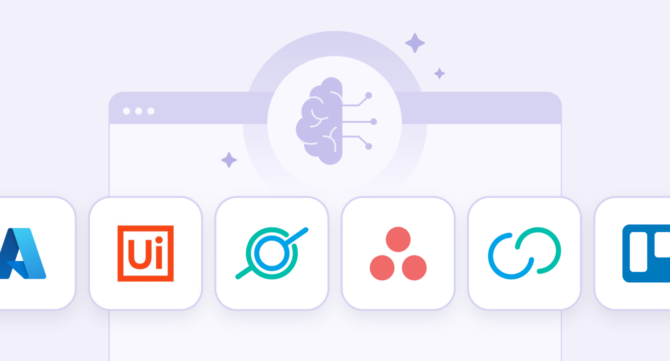
UiPath is a widely deployed platform in this category. Organizations use it to automate high-volume back-office workflows across finance, HR, and operations — turning processes that once required human attention at every step into autonomous execution, exceptions included.
The most important distinction for organizations evaluating this category is the difference between RPA platforms, which automate existing processes, and agentic AI platforms, which can initiate and orchestrate entirely new workflows dynamically. In 2026, the most capable platforms are increasingly doing both — and the line between process automation and intelligent agency is blurring fast.
3. AI-Powered CRM and Revenue Intelligence
Sales and customer-facing teams were among the earliest adopters of AI work platforms, and the category reflects it — more mature, more deeply integrated into daily workflows, and more directly tied to measurable revenue outcomes than almost any other segment of the market.
AI-powered CRM platforms apply machine learning to customer data to generate predictive analytics, surface deal risks, recommend next best actions, and automate routine customer communications. The core promise is that sales teams spend less time on administration and more time on the conversations that actually move deals.
Salesforce Einstein is a dominant platform in this category, embedded within the Salesforce CRM to deliver real-time sales forecasting, AI-assisted customer service, and personalized customer experience recommendations. Organizations using AI-powered CRM consistently report improvements in forecast accuracy and reductions in revenue leakage — the quiet, compounding losses that come from missed follow-ups, poorly prioritized pipelines, and deals that stall without anyone noticing.
The frontier of this category is revenue intelligence: AI that doesn’t just track what is happening in a pipeline, but explains why — and recommends specific actions to change the outcome. It is the difference between a system that reports and a system that advises.
4. AI Collaboration Tools and Communication Platforms
Remote and hybrid work didn’t just change where people work — it changed the volume of communication they’re expected to track. Async threads, recorded meetings, channel notifications, cross-functional updates: the information surface has expanded dramatically, and so has the overhead of staying on top of it. AI capabilities layered into communication platforms — meeting summarization, conversation search, writing assistance, workflow triggers — exist to absorb that overhead.
Zoom AI and Slack AI represent two distinct surfaces in this category. Zoom AI operates in the synchronous layer: generating meeting summaries, capturing action items, and transcribing discussions in real time. Slack AI operates in the async layer: summarizing long channel threads, surfacing institutional knowledge buried in message history, and helping users draft responses without starting from scratch.
What both have in common is simple: less time spent finding context, more time spent using it. Catching up on a missed week, onboarding into an unfamiliar project, finding a decision made six months ago in a thread nobody bookmarked — tasks that previously required manual digging become answerable in seconds. For distributed teams, that is not a minor convenience. It is the difference between institutional knowledge being accessible and it being effectively lost.
5. AI-Enhanced Project Management
Project management platforms have integrated AI to move beyond task tracking into predictive workflow management. AI capabilities in this category include automatic task assignment based on workload and priority, timeline forecasting that accounts for historical velocity, risk identification before deadlines are missed, and smart recommendations for dependencies and sequencing — shifting the system from one that records what needs to happen to one that helps ensure it does.
Asana and Trello represent different points on the complexity spectrum. Asana is oriented toward enterprise orchestration — cross-functional workflows, resource allocation, delivery visibility. Trello is more accessible, with template adaptation, bottleneck alerts, and lightweight automation rules better suited to smaller teams.
When an AI search platform connects to a project management tool, employees can query project status, find task context, and take action directly from the search interface — no application switching required. Finding information and doing something with it becomes a single step.
6. AI Employee Engagement and People Intelligence
Most organizations know less about themselves than they think. Who has expertise in a particular domain, how teams are actually connected, where recognition gaps are widening, how engagement is trending across a distributed workforce — this information exists, but it lives in scattered systems and informal networks that HR teams can rarely see clearly.
AI work platforms in this category make the organization legible. GoProfiles is a purpose-built example: it uses AI to build rich employee profiles, automate peer recognition, and enable natural language queries about the organization’s people — so anyone can ask “Who joined most recently?” or “Which engineers have experience with our legacy system?” and get an answer.
The deeper value is in what it recreates. Distributed teams lose the informal visibility that co-located workplaces generate naturally — who knows what, who works well together, who deserves recognition. AI-powered people intelligence tools deliberately rebuild it.
7. Enterprise AI Infrastructure and Analytics
Underlying many AI work platform deployments is an infrastructure layer that enables organizations to build, deploy, and govern custom AI capabilities at scale. This category includes cloud AI platforms providing machine learning model training and deployment, natural language processing APIs, computer vision services, and enterprise AI governance tooling.
Microsoft Azure AI is a comprehensive platform in this category, offering the full stack of services organizations need to build custom AI solutions — from domain-specific ML models to AI-powered analytics pipelines to governance frameworks for regulated environments. It is primarily the domain of IT and data engineering teams, but its outputs are what make the business-facing AI work platforms employees use every day actually work.
How Different Teams Use AI Work Platforms
Understanding the category landscape is useful, but most adoption decisions are made at the team or function level. The same platform can look very different depending on who is buying it and why.
HR and People Operations. HR teams benefit most from platforms that surface employee data, automate recognition, and reduce time on repetitive people-ops tasks. AI employee engagement tools address culture and visibility for distributed teams. Enterprise AI search supports onboarding, policy access, and HR knowledge management. Project management AI automates structured workflows like onboarding sequences and performance review cycles.
Sales and Revenue. Sales teams need platforms that improve forecasting, reduce administrative overhead, and surface customer intelligence faster. AI-powered CRM is the core investment. Enterprise AI search complements it by surfacing customer history, competitive context, and deal intelligence from across the broader tech stack. Communication AI keeps distributed teams aligned on context and next steps.
Operations. Operations teams need platforms that eliminate manual handoffs, reduce process errors, and scale repeatable workflows. RPA and workflow automation address the back-office layer. Project management AI handles cross-functional coordination. Enterprise AI search reduces the time spent locating process documentation, vendor contracts, and historical data scattered across disconnected systems.
IT and Infrastructure. IT teams prioritize security, governance, and compatibility with existing systems. Enterprise AI infrastructure platforms provide the foundation for custom model deployment and compliance. Enterprise AI search platforms with strong permission inheritance architecture — where the AI respects existing access controls rather than creating new security surface area — are increasingly a hard requirement, not a preference.
All Teams. Communication AI delivers value regardless of function — meeting summarization, async conversation intelligence, and writing assistance are overhead problems every distributed team shares.
The Business Case for AI Work Platforms: What the Data Shows
Organizations that have deployed AI work platforms consistently report measurable gains across several dimensions:
Information retrieval. Employees spend an average of 3.6 hours every day searching for information at work. Sixty percent have to search across four or more data sources daily, and 1 in 6 say the inability to find relevant information affects their satisfaction at work. Unified enterprise search reduces this overhead to minutes, reclaiming time that would otherwise be lost to context-switching, repeated lookups, and tool-hopping.
Process accuracy. Automated processing can reduce error rates by up to 50% while significantly compressing cycle times — gains that compound further when downstream rework is eliminated. For back-office functions like finance, HR, and compliance, the shift from manual to AI-powered RPA workflows translates directly into measurable cost and quality improvements.
Onboarding velocity. New hires at organizations using AI work platforms for knowledge management reach full productivity significantly faster — surfacing institutional context through natural language queries rather than navigating disconnected systems and asking colleagues to fill the gaps.
Meeting overhead. Executives spend an average of 23 hours per week in meetings — and a significant portion of the surrounding time goes to manual follow-up: writing summaries, distributing action items, and documenting decisions. AI meeting tools automate this layer entirely, returning that time to productive work.
Forecast accuracy. According to Salesforce’s State of Sales Report, companies using AI-powered CRM report up to a 42% improvement in sales forecast accuracy — translating into better pipeline management, reduced revenue leakage, and more predictable growth planning.
Most enterprise AI platform deployments recover costs within 6–12 months. The longer-term case is compounding advantage — AI systems that develop deeper organizational context over time become progressively more valuable, and progressively harder for late movers to match.
How to Choose an AI Work Platform
The number of AI work platforms has grown faster than most organizations’ ability to evaluate them. Feature lists look similar. Vendors make overlapping claims. The useful question is not which platform has the most capabilities — it is which platform most directly addresses the problem your organization actually has.
A structured evaluation framework helps cut through the noise:
| Evaluation Criterion | What to Look For | Key Question |
| Integrations | Native connectors to your existing SaaS stack | Does it connect to all the tools your teams already use? |
| Pricing model | Per-seat vs. usage-based vs. enterprise flat-rate | What is the true cost at your headcount and usage volume? |
| Use case fit | Depth of capability in your primary workflow category | Is this built for your team’s core job function? |
| Security model | Source-level permission inheritance, SSO, audit logs, data residency | Does it respect existing access controls, or require managing permissions separately? |
| AI reasoning quality | Accuracy of answers, freshness of data, hallucination controls | Can you trust the AI’s outputs for business-critical decisions? |
| Agentic capability | Ability to execute multi-step actions, not just surface information | Does it act on your behalf, or only assist? |
| Implementation complexity | Time to deploy, IT lift required, change management needs | How long before employees see value? |
| Vendor trajectory | Investment in AI R&D, roadmap transparency, enterprise stability | Will this platform still be competitive in two years? |
Start with the problem, not the platform. Identify your organization’s single biggest productivity bottleneck — fragmented knowledge, repetitive manual processes, poor meeting follow-through, slow sales cycles — and find the category that addresses it directly. Expanding from a position of demonstrated value is far more effective than deploying broadly and hoping something sticks.
The Security Questions Every Enterprise Should Be Asking
Security is the most common barrier to AI work platform adoption in large enterprises — and a legitimate one. Platforms that aggregate access to organizational data across dozens of connected systems create real exposure if the underlying architecture isn’t designed with security as a first principle.
The key architectural principle is source-level permission inheritance: the AI should only surface information a given user is already authorized to see, enforcing existing access controls rather than creating a separate permission layer to manage. Platforms that index or cache data without inheriting source permissions don’t just create administrative overhead — they create compliance exposure that typically outweighs whatever efficiency gains they deliver.
Beyond permissions, a complete governance evaluation should include SSO integration, audit logging of AI queries and actions, data residency controls for organizations with cross-border regulatory requirements, and clear vendor commitments around whether user data is used to train or fine-tune underlying models. That last point is increasingly material as AI platforms become more deeply embedded in organizational workflows.
For organizations in regulated sectors — financial services, healthcare, legal — SOC 2 Type II or ISO 27001 certification is a baseline requirement, not a differentiator. Contractual commitments around data handling should be resolved before any procurement decision.
Five Shifts Defining the Future of AI Work Platforms
From retrieval to reasoning. First-generation enterprise AI search platforms returned documents. The current generation synthesizes answers. The next generation will reason across organizational context — identifying gaps, generating recommendations, and proactively surfacing information the employee didn’t know to ask for. The interface shifts from search box to thinking partner.
From assisted to agentic. The most significant near-term shift in AI work platforms is the move from tools that help employees do work to agents that do work on employees’ behalf. Agentic AI systems that execute multi-step workflows across tools — initiated by a natural language instruction, completed autonomously — will redefine what “using software” means for knowledge workers. The question stops being “which app do I open?” and becomes “what outcome do I need?”
From fragmented to unified. The long-term direction of the market is toward fewer interfaces, not more. Organizations are investing in AI layers that sit above their SaaS stack and provide a single point of interaction — where employees search, create, execute, and communicate without switching applications. Enterprise AI search platforms with broad connector ecosystems are the current leading indicator of this consolidation.
Security as a first principle, not a feature. As AI work platforms handle increasingly sensitive organizational data, security architecture is becoming a primary purchasing criterion rather than a compliance checkbox. Vendors that built permission inheritance and governance into their core architecture will have a structural advantage over those retrofitting it later.
Enterprise knowledge as a strategic asset. Organizations that invest in structured, connected, AI-accessible knowledge will increasingly outperform those that have not. The quality of an AI work platform deployment will directly affect how quickly employees can act on information, how accurately they can make decisions, and how efficiently they can bring new people up to speed. In an AI-first economy, what an organization knows — and how accessible that knowledge is — may be its most durable competitive advantage.
Start With the Problem, Not the Platform
The organizations seeing the most value from AI work platforms share a common pattern: they started with a clear problem, chose a platform that addressed it directly, and expanded from a foundation of demonstrated value. They didn’t try to get everything right upfront.
For most, the right starting point is enterprise AI search — a platform that unifies knowledge access across existing tools, requires no change to existing workflows, and delivers immediate value to every employee from day one. It benefits every function, requires no process redesign, and creates the connective tissue that makes every other AI work platform more effective over time.
GoSearch is the foundation. It connects your organization’s knowledge, surfaces answers in real time, and serves as the foundation for a broader AI work platform strategy that grows with your organization. Schedule a demo to see how it works in your environment.
Search across all your apps for instant AI answers with GoSearch
Schedule a demo
AI Work Platforms: Frequently Asked Questions
Enterprise software that uses artificial intelligence — machine learning, natural language processing, generative AI — to help employees work more effectively. Unlike traditional tools organized around discrete tasks, AI work platforms operate across systems, surfacing relevant information, automating workflows, and executing multi-step processes through a single unified interface.
Traditional software requires employees to navigate to the right tool and initiate every step manually. AI work platforms invert this: rather than going to the software, employees interact with an AI layer that draws on all connected systems and takes action where authorized. The difference is not primarily speed — it is the elimination of the coordination work that accumulates between tools.
Enterprise AI search and knowledge management, intelligent workflow automation and RPA, AI-powered CRM and revenue intelligence, AI collaboration tools, AI-enhanced project management, employee engagement and people intelligence, and enterprise AI infrastructure. Most organizations deploy across several categories, with enterprise AI search increasingly serving as the connective tissue between them.
Pricing varies significantly by category, deployment scale, and vendor. Most offer a free trial or demo — the best way to assess true cost is against your specific headcount, connected data sources, and usage volume.
The best enterprise AI work platforms build security into their architecture from the ground up — not as a feature, but as a foundation. When evaluating vendors, require source-level permission inheritance (the AI only surfaces data a user is already authorized to see), SSO integration, audit logging, data residency controls, and SOC 2 Type II or ISO 27001 certification. Any platform that does not inherit permissions from source systems introduces compliance exposure — treat it as a disqualifying risk.