
Key Takeaways
- AI agents for enterprise search find answers across connected apps, summarize their findings, and take action, such as routing a ticket or creating a task.
- GoSearch is an AI-native platform for enterprise search agents, with vendor-neutral connectivity across 100+ apps and a no-code builder for agents and scheduled workflows.
- Glean pairs permission-aware search with a knowledge graph of company content, people, and activity.
- Microsoft 365 Copilot, Google Gemini Enterprise, Salesforce Agentforce, and ServiceNow each offer AI agents built around their own ecosystem.
- Choose an ecosystem-native agent if your work runs mostly on one suite; choose a cross-system platform if your knowledge spans many apps.
What Are AI Agents for Enterprise Search?
AI agents for enterprise search answer questions and complete tasks across business systems. They combine data indexing, large language models (LLMs), retrieval-augmented generation (RAG), and workflow automation, so employees get answers rather than a list of links.
Unlike traditional enterprise search tools, AI search agents:
- Understand natural language queries from employees
- Retrieve grounded, citation-backed answers from connected systems
- Enforce role-based permissions so users only see what they’re authorized to access
- Execute actions — such as creating Jira tickets, updating Salesforce records, or drafting reports — without switching apps
AI agents for enterprise search work as a layer that finds information and acts on it across your apps.
AI Agents, Workflow Automation, and Cognitive Automation: How the Terms Overlap
Vendors and analysts use several overlapping terms for software that finds information and acts on it. In enterprise search, each term describes the same idea from a different angle.
- Intelligent automation combines AI with rule-based automation, so a system can read a request, find the right policy or record, and complete a routine step.
- Cognitive automation handles tasks that need judgment, such as reading a contract or support ticket, pulling out key details, and deciding where they go.
- AI process automation applies AI to a multi-step business process, such as onboarding or ticket triage, and uses search results to move each step forward.
- AI task automation completes a single job, such as creating a Jira ticket, drafting a summary, or filling in a form from a document the agent found.
- LLM workflow automation uses large language models to read retrieved content and decide the next step in a workflow, instead of following fixed rules.
- Workflow intelligence looks at what an employee searched for or found and suggests the next step, such as who to contact or which request to file.
AI agents for enterprise search bring these together: they retrieve the right information, then act on it in the same tool.
Why Enterprises Are Adopting AI Search Agents
Enterprise knowledge is fragmented across dozens of disconnected tools:
- Messaging: Slack, Microsoft Teams
- Documents: Google Drive, SharePoint, Notion, Confluence
- Operations: Salesforce, Jira, ServiceNow, HRIS platforms
Traditional search fails employees because it lacks:
- Context-awareness — results don’t account for role, project, or intent
- Actionability — search returns links, not answers or next steps
- Permission enforcement — sensitive data can surface incorrectly
- Multi-system integration — each tool requires a separate search
AI agents for enterprise search close these gaps by pairing retrieval with action.
Industry Signal: Gartner predicts that 40% of enterprise applications will include task-specific AI agents by the end of 2026, up from less than 5% in 2025.
The 6 Best AI Agents for Enterprise Search
1. GoSearch — AI-Native Enterprise Search Agents
Overview
GoSearch is an AI-native platform for enterprise search agents, built for organizations that need retrieval and automated action across multi-app environments.
Key Features
Cross-System Knowledge Retrieval
GoSearch connects to Slack, Jira, Salesforce, Notion, SharePoint, Google Drive, Confluence, and more, and indexing keeps agent answers current across connected apps.
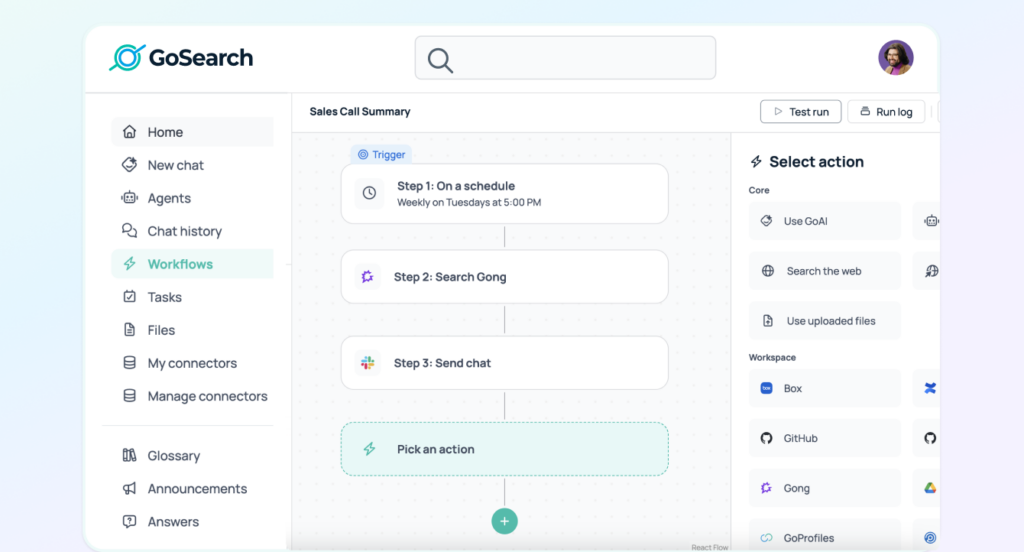
A drag-and-drop builder lets business users connect triggers, map data, and set actions across tools, with no coding required. Agents can:
- Create Jira tickets or ServiceNow tasks from a query
- Update Salesforce records
- Summarize activity from connected apps and deliver it by email or Slack
- Trigger workflows that span multiple applications
Suggested Next Steps
GoSearch suggests next steps and recommended actions based on what an employee searched for or found, such as opening a ticket or running a related workflow, so they can act without starting a new search.
Multi-LLM Flexibility
GoSearch supports OpenAI, Anthropic, Google, and custom models, and routes each workflow to the model best suited for it. For a closer look at how that compares with single-vendor assistants, see GoSearch vs. ChatGPT Enterprise and GoSearch vs. Claude Enterprise.
Citation-Backed AI Responses
Every GoSearch answer links directly to its source document, enabling side-by-side validation for compliance and trust.
AI Artifact Generation
GoSearch converts AI outputs into immediately usable formats — PDFs, spreadsheets, slide decks, or code snippets.
Enterprise Security & Governance
- Role-based access control and permission enforcement
- SOC 2 Type II compliant with full encryption and audit logging
- Admin analytics for monitoring agent usage and workflow activity
Why GoSearch Ranks First in This Guide
GoSearch doesn’t favor any software ecosystem. It connects to the apps your teams already use, lets business users build agents without code, and turns agent outputs into PDFs, spreadsheets, slide decks, and code your teams can use immediately.
Best for: Enterprises with complex, multi-app environments that need AI agents capable of both retrieving knowledge and executing cross-system workflows.
2. Glean — Enterprise Knowledge Search + AI Agents
Overview
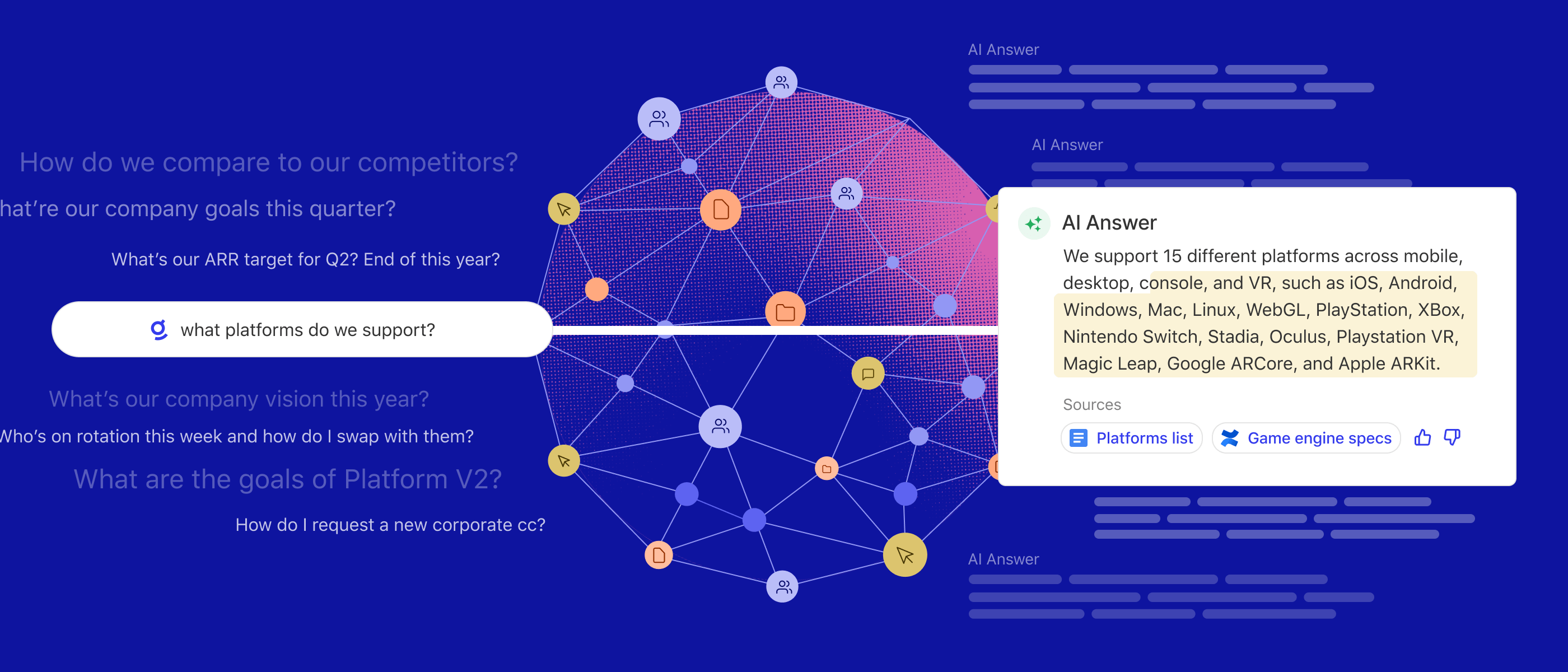
Glean is an enterprise search and AI agent platform built around a knowledge graph of company content, people, and activity.
Key Features
- Permission-aware search across 100+ connected apps
- No-code Glean Agents that take actions in Salesforce, Jira, Confluence, GitHub, Microsoft 365, and Google Workspace
- A Model Hub with models from OpenAI, Google, Anthropic, Amazon, and Meta
- AI-generated summaries of documents and conversations
Strengths: A mature knowledge graph and a large library of prebuilt agent actions.
Limitations: Model flexibility comes with conditions. Per-conversation model choice requires Glean’s managed key and isn’t available to customers who bring their own LLM keys. Users can’t change the organization’s default models, and premium models consume credits on Enterprise Flex plans. Cross-cloud restrictions also apply: GCP-hosted customers can’t use models hosted on AWS, including Amazon Bedrock.
Best for: Enterprises already committed to Glean’s platform for knowledge discovery. See GoSearch vs. Glean for a direct comparison.
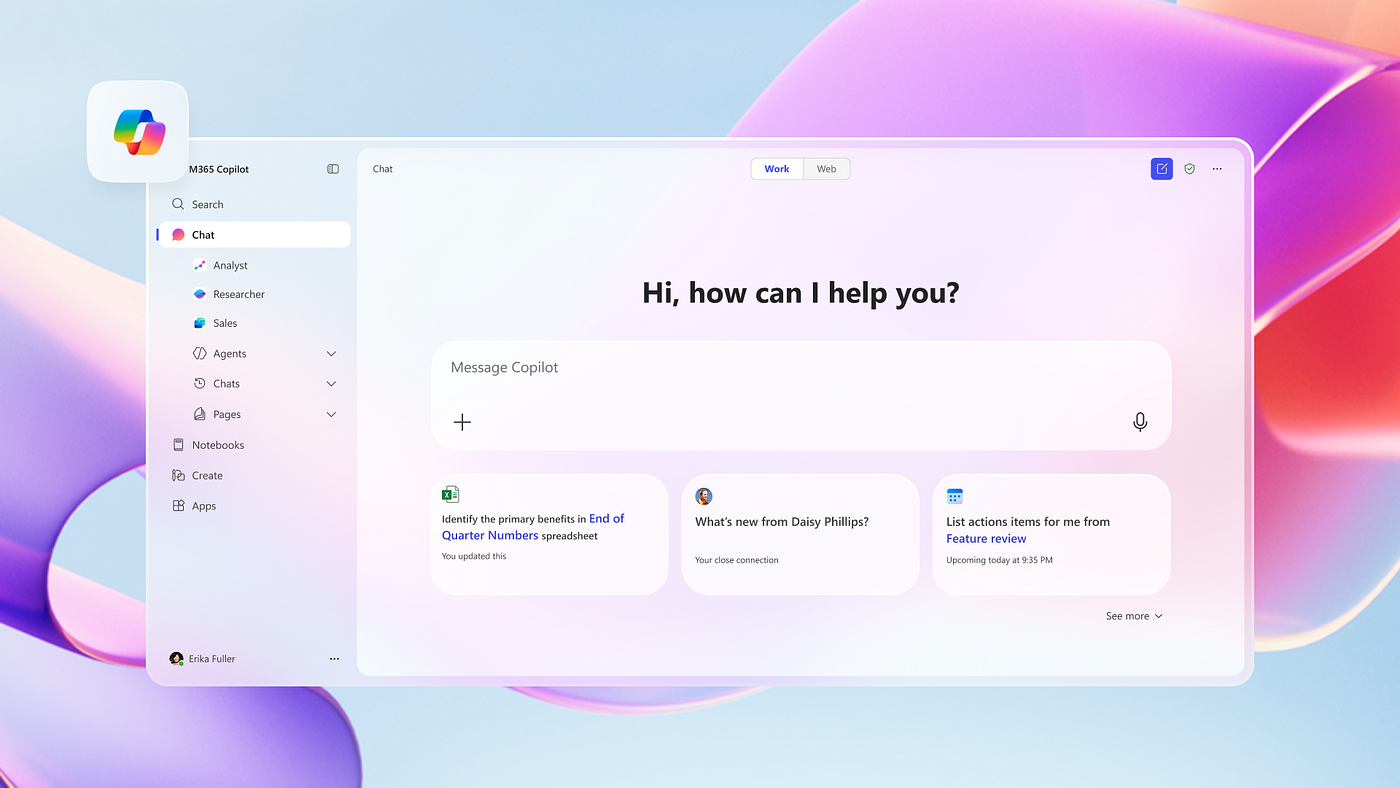
3. Microsoft 365 Copilot — AI Agents for Microsoft 365
Overview
Microsoft 365 Copilot embeds AI assistance and agents across Teams, Outlook, Word, Excel, and SharePoint.
Key Features
- Natural language queries across Teams, OneDrive, SharePoint, Outlook, and Power BI, plus third-party sources like Confluence, Jira, and ServiceNow through Copilot connectors
- Source references in responses, with Word, Excel, and PowerPoint files that open directly in the chat
- Model choice between OpenAI and Anthropic models
- Email drafting, document formatting, and meeting summaries
- Multi-step workflow automation through Copilot Studio and Power Automate
Strengths: Deep integration with Microsoft 365 apps and Microsoft’s enterprise security model.
Limitations: Third-party data requires admin-configured connectors, and most prebuilt automation runs through Microsoft tools like Power Automate and Copilot Studio.
Best for: Microsoft 365–first organizations that want AI agents inside Teams, SharePoint, and Office. See GoSearch vs. Microsoft Copilot for a direct comparison.
4. Google Gemini Enterprise — AI Agents for Google Workspace

Overview
Google Gemini Enterprise brings AI search, assistance, and agents into Google Workspace, and connects to third-party apps across the business.
Key Features
- Search and summarization across Docs, Sheets, Drive, Gmail, and Chat
- Prebuilt connectors for Confluence, Jira, SharePoint, ServiceNow, and Salesforce
- A no-code agent builder and a gallery of prebuilt agents
- Email, document, and summary drafting, with task scheduling through Gmail and Calendar
- Security and audit logging through Google Workspace compliance tools
Strengths: Strong document summarization and native integration with Google Workspace.
Limitations: Advanced security controls, such as customer-managed encryption keys and data residency, depend on the edition you buy.
Best for: Google Workspace–first enterprises focused on document intelligence and knowledge retrieval. See GoSearch vs. Gemini Enterprise for a direct comparison.
5. Salesforce Agentforce — AI Agents for CRM
Overview
Salesforce Agentforce is an AI agent platform for sales and service workflows, grounded in Salesforce data.
Key Features
- Lead scoring, opportunity analysis, and sales follow-up generation
- Automated ticket routing, record updates, and case assignments
- Knowledge base search grounded in Salesforce data and Service Cloud
- Low-code automation through Salesforce Flow
- Model support for OpenAI, Anthropic, and Google models, plus bring-your-own
Strengths: Deep integration with Salesforce CRM data and service workflows.
Limitations: Agents ground responses in Salesforce and Data Cloud data, and the core reasoning engine offers two managed model options.
Best for: Sales-driven or service-heavy enterprises that use Salesforce as their primary CRM.
6. ServiceNow AI Agents — AI Agents for IT and Service Management
Overview
ServiceNow AI Agents automate IT service management, HR operations, and internal service workflows on the ServiceNow platform.
Key Features
- Incident classification with resolution recommendations
- Automatic IT ticket creation, routing, and resolution
- Context-aware knowledge article recommendations for service agents
- Model provider choice including Now LLM, Anthropic Claude, OpenAI, and Google Gemini
- Role-based permissions and SOC 2 and ISO compliance
Strengths: Deep automation for ITSM workflows, with strong governance and audit controls.
Limitations: Focused on IT and operations workflows, with limited general-purpose search across other business apps.
Best for: ITSM-heavy enterprises and internal service management teams.
AI Agents for Enterprise Search Compared
This table compares six AI agents for enterprise search in this guide on connectivity, agent building, actions, citations, and model choice.
| Platform | Cross-System Search | Agent Builder | Triggered Actions | Source Citations | Model Choice |
|---|---|---|---|---|---|
| GoSearch | Vendor-neutral connectors across chat, docs, CRM, and ticketing apps | No-code drag-and-drop builder | Jira tickets, Salesforce updates, Slack and email summaries, and file outputs (PDFs, spreadsheets, slides, and code) | Every answer links to its source | OpenAI, Anthropic, Google, and custom models |
| Glean | 100+ connectors with a knowledge graph | No-code agent builder | Prebuilt actions in Salesforce, Jira, Confluence, GitHub, Microsoft 365, and Google Workspace | Inline citations | OpenAI, Google, Anthropic, Amazon, and Meta, selectable per agent step |
| Microsoft 365 Copilot | Microsoft 365 native, plus third-party connectors | Copilot Studio (low-code) | Multi-step Power Automate workflows, plus email and document drafts | Source references in responses | OpenAI and Anthropic |
| Google Gemini Enterprise | Google Workspace native, plus prebuilt third-party connectors | No-code Agent Designer and agent gallery | Email and document drafts, plus task scheduling in Gmail and Calendar | Answers grounded in company data, with citations | Gemini models |
| Salesforce Agentforce | Salesforce and Data Cloud data | Agent builder plus Salesforce Flow (low-code) | Ticket routing, record updates, and case assignment | Knowledge answers cite sources when citations are enabled | OpenAI, Anthropic, Google, and bring-your-own |
| ServiceNow AI Agents | ServiceNow platform data and knowledge bases | AI Agent Studio | IT ticket creation, routing, and resolution, plus HR service workflows | AI search answers link to source records and documents | Now LLM, Anthropic, OpenAI, and Google |
How Search-to-Action Workflows Work
A search-to-action workflow lets an employee find information and act on it without leaving the search tool. A typical workflow has four steps:
- Search: An employee asks a question in plain language, such as “What equipment do new hires get?” The agent searches connected apps and returns only content the employee has permission to see.
- Summarize: The agent reads the matching documents and writes a short answer, with a link to each source.
- Act: The agent takes the next step, such as creating a Jira ticket for IT to ship a laptop to the new hire.
- Notify: The agent posts the summary and ticket link in Slack, so the right team sees it without a separate message.
Workflow Triggers
Workflows start in one of three ways:
- On demand: An employee asks a question or runs the workflow from the search bar.
- On a schedule: The agent runs at set times, such as a weekly summary of open IT tickets.
- On a change: The agent runs when something updates, such as a new policy document or a ticket status change.
Scheduled and change-based triggers suit repeated knowledge tasks. A team builds the workflow once, often in a no-code builder, and it runs without anyone asking again. When comparing platforms, check which apps an agent can act in, not just which apps it can search.
Common Use Cases by Team
- IT: Route and triage tickets. ServiceNow does this natively, and GoSearch and Glean can create Jira tickets from a search.
- HR: Answer policy questions and open requests. Any platform that indexes HR documents can answer, and ServiceNow and GoSearch can also open the request.
- Support: Search past tickets, summarize the fix, and escalate. Salesforce Agentforce and ServiceNow handle this inside their own platforms, and GoSearch works across Jira, Salesforce, and Slack.
- Operations: Pull details from documents into records, such as Salesforce fields. Salesforce Agentforce and GoSearch can both update Salesforce records.
How to Evaluate AI Agents for Enterprise Search
When selecting an AI agent platform for enterprise search, assess vendors against six criteria:
- Data Connectivity: Does it natively connect to your existing stack (Slack, Salesforce, Jira, Notion, SharePoint, Google Drive)?
- Security and Compliance: Does it enforce role-based access, provide audit logs, and meet certifications like SOC 2?
- Retrieval Architecture: Does it use RAG with citation-backed answers to minimize hallucinations?
- Actionability: Can agents execute tasks such as creating and routing tickets, updating CRM records, populating forms, and generating documents, and suggest next steps based on what an employee finds?
- LLM Flexibility: Can it support multiple models and route intelligently between them?
- Orchestration and Triggers: Can agents chain steps, hand off work to other agents, and run on demand, on a schedule, or when data changes?
The Future of AI Agents for Enterprise Search
AI agents for enterprise search are moving from answering questions to handling more of the work themselves. Over the next few years, expect agents to:
- Surface information before employees ask, such as flagging an updated policy to the teams it affects.
- Work wherever employees do, including mobile apps, voice, and the tools teams already use, not just a search bar.
- Improve with use, learning which sources, answers, and actions each team relies on.
As agents take on more steps, permissions, citations, and human review matter more, not less. Teams that start with those controls in place can hand agents more work over time.
Teams using AI-native search agents make decisions faster, because answers arrive with their sources attached and the next step already in motion.
Ready to put AI agents for enterprise search to work at your organization? Get started with GoSearch now.
Search across all your apps for instant AI answers with GoSearch
Schedule a demo
Frequently Asked Questions: AI Agents for Enterprise Search
What is the best AI agent for enterprise search in 2026?
The best platform depends on where your knowledge lives. Microsoft 365 Copilot, Google Gemini Enterprise, Salesforce Agentforce, and ServiceNow work best for teams centered on those ecosystems. Glean and GoSearch connect across ecosystems. GoSearch fits teams that need agents to act across many apps, with a no-code builder that lets business users set up automation without engineering help.
What is the difference between Glean and GoSearch?
Both platforms offer permission-aware search, no-code AI agents, and a choice of LLMs. Glean builds its agents around a knowledge graph of company content and activity, with pricing available on request. GoSearch publishes its pricing: a free plan, Pro at $20 per user per month for agents and workflows, and custom enterprise pricing. Enterprise teams can request a proof of concept, offered case by case.
Are AI agents for enterprise search secure?
Enterprise AI search platforms typically offer role-based access controls, encryption in transit and at rest, audit logging, and certifications such as SOC 2 Type II. Security in practice depends on how you configure permissions and which certifications a vendor holds. Review each vendor’s certifications, data-handling terms, and model-training policies against your organization’s requirements before you buy.
Can AI agents for enterprise search automate workflows?
Yes. AI agents for enterprise search can create Jira tickets, update Salesforce records, and run multi-step workflows across connected apps. Workflows can run on request, on a schedule, or when data changes.
Can AI agents for enterprise search run multi-agent workflows?
Yes. Multi-agent workflows split a task across specialized agents, such as one that retrieves information, one that checks it, and one that routes the result. GoSearch, Glean, Microsoft Copilot Studio, Salesforce Agentforce, and ServiceNow support multi-agent workflows. Copilot Studio, Agentforce, and Google Gemini Enterprise can also connect to agents on other platforms through the Agent2Agent (A2A) protocol.
Can AI agents for enterprise search suggest next steps?
Yes. Some AI agents for enterprise search suggest next steps based on what an employee finds, such as opening a ticket or running a related workflow. GoSearch suggests recommended actions alongside its answers.
What is RAG and why does it matter for enterprise AI search?
Retrieval-augmented generation (RAG) is an AI architecture that grounds LLM responses in data from connected systems. For enterprise search, this makes AI answers traceable to source documents and keeps them current, which reduces hallucinations.
What is agentic RAG for enterprise search?
Agentic RAG uses AI agents to run retrieval in steps. Instead of one search and one answer, agents plan the search, run follow-up queries when results are thin, check the answer against its sources, and deliver it where the team works, such as Slack.
How much do AI agents for enterprise search cost?
Pricing varies by platform and usually depends on seat count, usage, or bundling with an existing suite. Some vendors publish per-seat prices, while others quote custom pricing. Ask each vendor whether premium models consume credits, since some platforms meter advanced model usage separately from standard queries.
How long does it take to deploy AI agents for enterprise search?
Deployment time depends on how many systems you connect and how permissions are structured. Platforms with no-code builders let business users create their first agent quickly once connectors are in place, while the connector setup and permission mapping typically involve IT.

![Selecting the Best Enterprise Search Software [Features + Vendors]](https://images.gosearch.ai/blog/content/uploads/2023/10/17234328/Blog-Header-3-370x184.png)