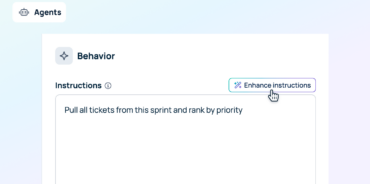

Quick answer: A skill is a saved set of instructions that tells AI exactly how to handle a specific, repeatable task, so you don’t have to re-explain your formatting, tone, or process every time. In GoSearch, you create a skill by writing instructions or uploading a skill file, with a name and a description, and GoSearch uses that description to apply the skill automatically wherever it’s relevant. You can also call a skill directly with a slash command instead of waiting for automatic matching. Skills work across GoSearch’s AI conversations (GoAI), agents, and workflows, run against your company’s connected knowledge, and can be shared with the specific teams or people you choose.
Most people’s first interactions with AI are one-off prompts. You ask a question, get an answer, and start from scratch next time. That works fine for simple lookups, but it breaks down for anything you do repeatedly: writing a weekly sales update in your team’s format, reviewing a contract against your legal team’s checklist, or summarizing support tickets the way your ops team expects. Every time, you re-type the same context and hope the output matches what worked last time. In an enterprise setting, that repeated context usually depends on company-specific knowledge too, like your actual pricing tiers, your escalation policy, or your brand terminology, not just general writing advice.
Skills solve this by turning that repeated context into something reusable. Instead of writing instructions from memory each time, you write them once, and GoSearch applies them whenever the task calls for it, drawing on the same connected company knowledge it already has access to.
What are skills in AI agents?
A skill is a modular, reusable package of instructions that gives an AI agent a way to handle a specific task without needing that task explained from scratch every time. Rather than packing every possible instruction into a single prompt, a skill separates out into three parts:
- A name that identifies what the skill does.
- A description the agent uses to decide when the skill is relevant.
- Instructions that define exactly how to carry out the task, including format, tone, steps, and any constraints.
This structure follows an open pattern that many AI platforms use, sometimes called the Agent Skills format. The pattern helps teams manage skills efficiently as their libraries grow. GoSearch checks each skill’s name and description to determine whether it matches a request. Once GoSearch finds a match, it loads the full instructions. This approach lets teams build a library of specialized skills without adding every instruction to every request.
What are the types of skills in AI agents?
Skills generally fall into a few categories depending on what they’re built to do:
- Knowledge skills fill in information the model wouldn’t otherwise have, like internal documentation, product specs, or policy details.
- Behavioral skills enforce a process, style, or standard, like a brand voice guide, a code review checklist, or a compliance workflow.
- Functional skills bundle executable code so an agent can take actions directly, like calling an API or running a script.
GoSearch uses skills for the first two categories. Skills define what an agent should know and how it should act through plain-language instructions rather than bundled code. GoSearch’s agents and workflows handle the functional side, such as pulling a Salesforce record or updating a Jira ticket. They access those systems through GoSearch’s connectors.
When should you use a skill instead of a regular prompt?
A one-off prompt is fine for a question you’ll only ask once. A skill makes more sense once a task becomes something you or your team does again and again, especially when the output needs to follow a consistent format, tone, or set of steps. Common signals that a task is a good fit for a skill:
- You’ve written a nearly identical prompt more than once.
- The task follows a specific process or checklist your team already uses.
- The output needs to match a house style, template, or compliance requirement.
- Multiple people on your team need to produce the same kind of output.
- You want new team members to get consistent results without training.
If a task changes shape every time, a regular prompt is usually more flexible. If it doesn’t, a skill turns that consistency into something automatic.
Skills vs. agents vs. workflows: what’s the difference?
These three terms get used interchangeably, but they solve different problems, and understanding the difference is what makes it clear how to use skills in agents rather than instead of them.
- A skill is instructions: it tells AI how to do a task (format, tone, steps, constraints) but doesn’t take action on its own.
- An agent is action: it’s a configured AI that can take steps inside connected apps on demand, like pulling a record, drafting a doc, or updating a ticket.
- A workflow is automation: it runs a multi-step process on a schedule or trigger without someone prompting each step.
Skills make agents and workflows more consistent. A skill doesn’t replace an agent’s ability to act or a workflow’s ability to run on a schedule; it gives either one a repeatable playbook to follow every time it executes, so the same agent produces the same quality of output whether it’s used once a week or ten times a day.
How to create a skill in GoSearch
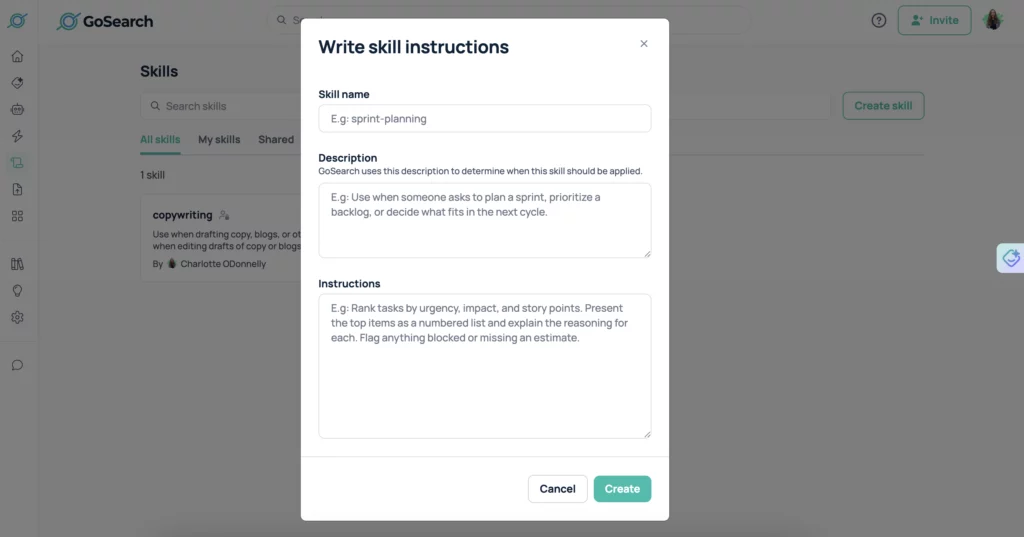
You can create a skill in GoSearch two ways: by writing the instructions directly in GoSearch, or by uploading an existing skill file. Either way, a skill has three parts:
- Name. A short, clear label for what the skill does.
- Description. GoSearch uses this description to determine when the skill should be applied, so write it the way you’d explain the task to a new hire: what it’s for and when it’s relevant, not just a restatement of the name.
- Instructions. The actual guidance: format requirements, tone, steps to follow, examples of good output, and anything the AI should avoid.
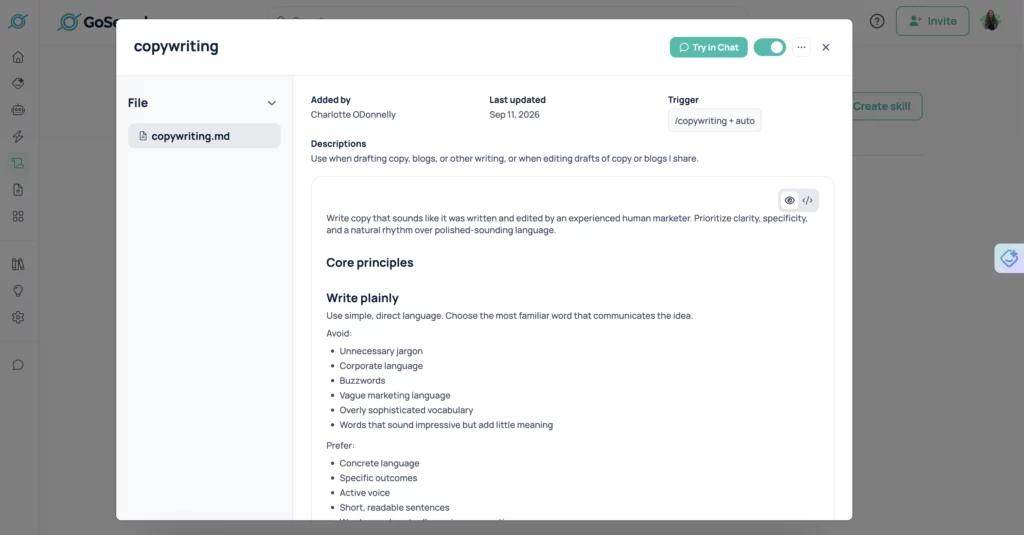
If you’re uploading a skill file instead of writing instructions directly in GoSearch, the file needs to follow one of these formats:
- A .md file with the skill’s name and description written as YAML frontmatter at the top of the file, followed by the instructions.
- A .zip or .skill file that contains a SKILL.md file inside it, formatted the same way.
This format is consistent with the broader Agent Skills standard used across AI platforms, so if your team has already built skills for another AI tool, you can often bring that same file into GoSearch without rewriting it.
How to use a skill in GoSearch
GoSearch can apply a skill two ways. Most of the time, you don’t have to do anything: GoSearch checks incoming requests in conversations and agents against the descriptions of available skills and applies a matching skill automatically. That means a skill you built for contract review will kick in whenever someone asks GoSearch to review a contract, without them needing to know the skill exists or select it themselves.
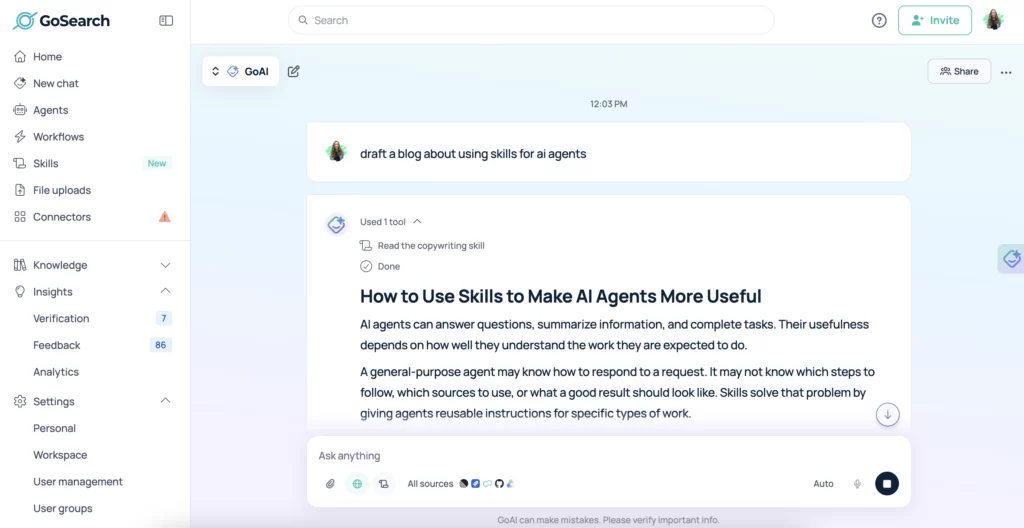
You can also call a skill directly with a slash command when you want to be certain a specific skill runs, rather than relying on automatic matching. This is useful when a request could plausibly match more than one skill, or when you’re testing a new skill and want to confirm its instructions work as expected before letting GoSearch apply it automatically.
Skills work across GoAI, agents, and workflows, though the mechanics differ slightly. In GoAI and in agents, a skill is applied automatically when it’s relevant, or called directly with a slash command. In workflows, there’s no slash command to invoke a skill directly; instead, workflows use a skill search tool that finds and applies a relevant skill on its own. The more reliable path for workflows is to build one that runs an agent with a skill already built into that agent’s instructions, so the skill is guaranteed to apply every time the workflow runs that step.
Sharing skills with your team
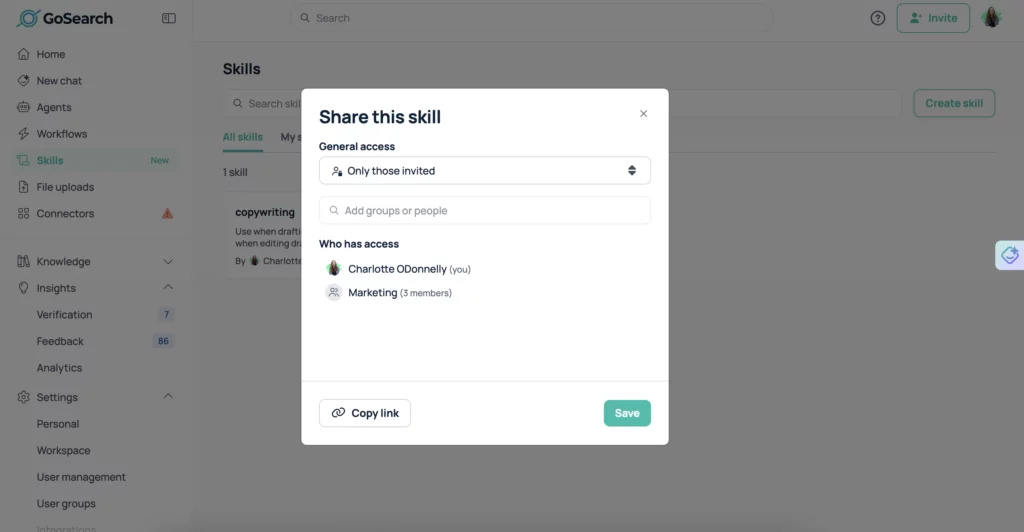
A skill built by one person doesn’t have to stay with that person. GoSearch lets you share a skill with the specific teams or people you choose, so a legal team’s contract-review checklist, a support team’s ticket-response format, or a marketing team’s brand voice guide becomes something the right group can use, not just the person who wrote it. That turns individual know-how into a shared, repeatable process instead of tribal knowledge that lives in one person’s head.
Skill examples by team
| Team | Example skill | What it does |
|---|---|---|
| Sales | Outbound email drafting | Writes prospecting emails in the team’s tone, structure, and length, with a consistent call to action |
| Marketing | Brand voice and style guide | Applies house style rules (tone, terminology, formatting) to blog drafts, social copy, and campaign briefs |
| Legal | Contract review checklist | Reviews contracts against a standard set of clauses and risk flags before human review |
| HR / People | New hire onboarding FAQ | Answers common onboarding questions using company-specific policies and benefits details |
| Customer Support | Ticket triage and response | Categorizes incoming tickets and drafts responses in the team’s tone and escalation format |
| Engineering | Code review conventions | Checks pull requests against the team’s style guide and flags deviations before human review |
| Finance | Expense policy checks | Reviews expense submissions against company policy and flags exceptions |
Getting started
To try skills in GoSearch, start with one task your team repeats often and already has a clear process for, like a weekly report format or a review checklist. Write the instructions the way you’d explain them to a new teammate, give the skill a specific description, and test it against a few real requests before sharing it with your team.
Ready to see it in action? Book a GoSearch demo to explore how skills, agents, and workflows fit together in your workspace.
Search across all your apps for instant AI answers with GoSearch
Schedule a demo
FAQ
No, skills and agents serve different purposes. A skill is a set of instructions that tells AI how to handle a specific task, like formatting or tone. An agent is a configured AI that takes action inside connected apps, such as pulling data or updating a ticket. Agents can use skills to keep their output consistent, but a skill on its own doesn’t take action; it shapes how a task gets done.
Common examples include knowledge skills, like an internal FAQ or product spec an agent references; behavioral skills, like a brand voice guide or a code review checklist; and functional skills, which bundle code so an agent can act on connected systems directly. In GoSearch, skills cover the first two: things like outbound email formatting, contract review checklists, and support ticket triage, while acting on connected apps is handled by agents and workflows.
Yes, GoSearch supports uploading a skill file directly instead of writing instructions from scratch. A .md file needs its name and description written as YAML frontmatter, and a .zip or .skill file needs a SKILL.md file inside it. This is useful if you or your team have already built skills for another AI tool and want to bring that same instruction set into GoSearch.
GoSearch matches incoming requests against each skill’s description, not its name. The description explains when the skill is relevant, so writing a specific, task-focused description is what determines whether GoSearch applies the skill correctly. A vague description makes matching less reliable, while a specific one helps GoSearch apply the right skill consistently. You can also call a skill directly with a slash command.
Anyone with access to GoSearch can write and save a skill, whether by typing instructions directly or uploading a skill file. There’s no coding involved, since a skill is just a name, a description, and plain-language instructions. This makes it practical for individual contributors to build skills for their own repeated tasks, not just admins or technical teams. Skills in GoSearch are shared per skill, with the specific teams or people you choose.
Yes, skills run on top of GoSearch’s existing connection to your company’s knowledge, not in isolation. A skill defines how to handle a task, and GoSearch fills in the specifics, like current pricing, policies, or account details, from your connected systems. That combination is what lets a skill produce output that’s both consistently formatted and accurate to your company’s actual information.