
TL;DR: n8n Cloud begins at €20 a month (on an annual basis) for 2,500 workflow executions; Pro costs €50 a month for 10,000 executions, and the self-hosted Business plan is €667 a month for 40,000; Enterprise pricing is customized, and the Community Edition is free if self-hosted-n8n charges according to execution, not per step or per seat.
It may seem straightforward, but it’s in the details that teams tend to be caught unawares-specifically regarding euro-versus-dollar pricing, hard execution limits, server costs, and the situation that arises when a workflow has to do more than simply transfer data between applications. The guide examines every plan, provides the actual cost of self-hosting, compares n8n with Zapier and Make, and identifies which alternatives are suitable for which team.
n8n pricing at a glance
| Plan | Billed annually | Billed monthly | Executions per month | Where it runs |
| Community Edition | Free | Free | Unlimited (your hardware) | Self-hosted |
| Starter | €20/mo | €24/mo | 2,500 | n8n Cloud |
| Pro | €50/mo | €60/mo | 10,000 | n8n Cloud |
| Business | €667/mo | €800/mo | 40,000 | Self-hosted |
| Enterprise | Custom | Custom | Custom | Cloud or self-hosted |
n8n lists prices in euros. US-facing third-party breakdowns usually show the dollar equivalents as roughly $20–$24 for Starter, $50–$60 for Pro, and $800 for Business. Plan limits change, so confirm against n8n’s official pricing page before you budget.
All paid plans include unlimited users, and in 2026, n8n abolished the active-workflow limits for all its plans. The more advanced tiers provide concurrency, shared projects, admin roles, longer execution times, and, at the Business level and above, SSO and multi-environment support.
How does n8n pricing work?
n8n charges on a per-workflow execution basis: that is, for one complete run of a workflow from start to finish. Whether a workflow has 3 nodes or 60 nodes, it counts as a single execution.
The main difference between Zapier-where tasks are counted (typically each successful action step)- and Make, where operations or credits are counted, is that n8n’s approach is generally much cheaper for long, multi-step automations. In cases where workflows trigger continuously in response to small events, such as a webhook for every form submission or a poll carried out every minute, the number of executions adds up quickly.
Here’s an example: if a workflow checks your inventory system every 15 minutes, it will run 96 times a day, or around 2,880 times a month; that single factor is more than the Starter plan’s limit of 2,500 executions. However, if the polling is done every two hours, the number drops to about 360 runs and then fits well.
What occurs when you reach your execution limit?
For Starter and Pro users, the workflows will pause either until the following billing cycle or until an upgrade is made.
In the field of business and enterprise, the workflows continue, and the overages are charged in large lump sums (according to third-party analyses, the figure is €4,000 for every additional 300,000 executions, with the invoice issued afterward).
The pause will safeguard your bill but may disrupt the production processes. Place an alert at 80% of your allowance.
Is n8n free?
Yes, with a catch. The Community Edition is free to download and run on your own infrastructure, with no execution cap. n8n uses a “fair-code” license rather than a standard open-source one, and some features (SSO, advanced permissions, environments) require a paid license.
Self-hosting is free software, not a free operation. You still pay for the server and, more importantly, someone’s time.
How much actual cost is there in self-hosting n8n?
A realistic self-hosted estimate has three parts:
For light use, a small VPS or managed container will cost between a few dollars and $20 per month, while production setups that include a database, backups, and queue mod are more expensive.
The time required for engineering activities includes upgrades, security patches, backups, monitoring, and incident management. This is the item that most budgets omit.
If you require SSO, audit logs, or advanced permissions, you must switch to a paid Business or Enterprise license, even if you are hosting it yourself.
For a developer who enjoys managing infrastructure, self-hosting is the most cost-effective option as you scale up. Still, if they don’t enjoy that kind of responsibility, the hidden labor will cancel out the savings.
What are the hidden costs of n8n?
- The allowances are used up quickly due to high-frequency triggers, frequent polling, and per-event webhooks.
- The number of concurrent processes is limited, so the starter plan only allows a small number to run at once. As a result, a large number of webhooks will queue until the volume is high enough to require an upgrade.
- There are limits on execution time; jobs that take a long time to run on the lower tiers may be terminated.
- It’s necessary to have someone who takes responsibility for self-hosted workflows, and the maintainability of a custom Code node depends entirely on the individual who created it.
- There’s a steep learning curve, and n8n rewards those with technical skills; however, teams without technical knowledge usually have to ask engineers to set things up and to troubleshoot.
- The cost of using AI: if your workflows use LLMs, the model costs are in addition to those included in n8n’s plan.
n8n vs. Zapier vs. Make: pricing comparison
| n8n | Zapier | Make | |
| Billing unit | Per workflow execution | Per task (action step) | Per operation or credit |
| Free option | Self-hosted Community Edition; limited cloud trial | Free plan (100 tasks/month) | Free plan (1,000 credits/month) |
| Entry paid price | About €20/mo | About $19.99/mo | About $12/mo |
| Self-hosting | Yes | No | No |
| Best for | Technical teams, complex and high-volume flows | Non-technical teams, the widest app library | Visual builders, mid-complexity automations |
Rule of thumb: the more steps per workflow and the higher your volume, the more n8n’s per-execution model favors you. For a few simple two-step automations, Zapier or Make may be cheaper and far easier to maintain.
Is n8n worth it?
If your team includes developers and you want to self-host your system to control your data, need to carry out complex, multi-step, or high-volume workflows, or require custom code as part of your automations, then n8n is a good choice.
n8n is less suitable when the individuals creating the automations are non-technical, since in such cases you need enterprise-level governance without having to manage the infrastructure, or, indeed, your actual problem is identifying and acting on the company’s knowledge rather than transferring data between applications.
The best n8n alternatives in 2026
No single alternative is best, but four are worth examining in detail: Workato for enterprise automation driven by IT; Gumloop and Lindy for AI agents that business teams can build themselves; and GoSearch for agents and workflows based on the company’s knowledge.
| Alternative | Best for | Pricing model | Starting price (approx.) | Self-host? |
| Workato | Enterprise integration with IT governance | Consumption-based (tasks), annual contracts | Not published; third-party reports start around $10,000/yr | No (on-premises agents available) |
| Gumloop | AI agents and pipelines built by business teams | Credits | 14-day trial, then from about $37/mo | No |
| Lindy | Personal and team AI assistants for sales, support, and email | Per user plus credits | $29.99/user/mo (Plus); 7-day trial, no free plan | No |
| GoSearch | Agents and workflows grounded in company knowledge | Free, Pro, and Enterprise plans | Free plan available | No |
Prices are approximate and change often. Verify on each vendor’s site.
Workato
An iPaaS designed with IT-led automation in mind, Workato links applications using ‘recipes’, includes governance and security controls, and offers add-ons such as Workbot for Slack and Teams. The company does not publish its prices; instead, it uses a consumption model based on task volume and capability tier. Third-party estimates suggest that entry-level deployments cost about $10,000 a year, the figure rising well above that level when used across an entire department.
Go for Workato when IT is in charge of automation, when you need to conduct audits and governance across multiple systems, and when budget isn’t the main concern. If you are looking for self-serve pricing, you should consider other options, especially if a small team wants to get started for a few hundred dollars a month.
Gumloop
It is a no-code tool designed for AI agents and AI-intensive pipelines, aimed at business teams rather than developers. Gumloop offers a 14-day free trial, after which the plans cost about $37 per month. Each standard AI call requires a few credits, whereas advanced models cost many times more, so the choice of model has an impact on your bill.
If the operations, marketing, or sales teams would like to automate their research, enrichment, and content creation using LLM steps and a visual canvas, then Gumloop should be selected; however, the service should not be considered if self-hosting, deep custom coding, or enterprise governance is required.
Lindy
It is a no-code platform that enables the creation of AI assistants and agents using plain-English instructions, with a focus on sales, customer support, email, and scheduling. Pricing is per user: the Plus plan is $29.99 per user per month, the Pro plan is $99.99 per user per month, and the Max plan is $199.99 per user per month. These plans come with 3,000, 15,000, and 35,000 credits, respectively. Enterprise customers are charged individually. There is a 7-day trial, although there is no free plan; credits do not carry over, and Lindy changed its pricing structure in 2026, so it is necessary to check the current pricing page.
If you want each member of your team to have their own assistant to handle their email, follow-ups, and routine requests, choose Lindy. However, if what you need is shared, properly governed workflows for company data, you should look at other alternatives, since costs rise as the number of seats and credits increases.
GoSearch: an n8n alternative for knowledge-driven agents and workflows
n8n was developed to link up applications and transfer data, but a great many teams turn to it because they want AI agents and automations that truly know their company-for example, the correct document, the appropriate ticket, and the right customer thread. That kind of requirement is a different issue, and that’s where GoSearch comes in.
GoSearch is an enterprise search platform based on an agentic approach; it locates answers within the tools your team currently uses, links different sources, and then proceeds to the next step using AI agents and no-code workflows. Search forms the foundation, and the agents and workflows are built on it.
What this means in practice:
Based on the context of the company. The agents and workflows use an enterprise knowledge layer built with more than 100 app connectors, enabling them to work with your actual data rather than generic prompts.
You have the option of using different types of connectivity. GoSearch naturally includes built-in connectors, support for federated search, and MCP connectors (such as HubSpot, Asana, Notion, Miro, and Linear), allowing you to set up data access precisely as your current setup demands.
With no-code agents and workflows, employees can create agents with custom instructions, knowledge, and tools, then link these agents together into multi-step workflows that run on a schedule and deliver results via email or Slack.
It is designed to be permissions-aware: agents will interact only with data the user is authorized to see, and the automation features will inherit your current security controls.
Model-agnostic. You are not tied to one AI provider.
Easy to set up, and with prompt support, teams can get started thanks to a support team customers frequently mention.
You should choose GoSearch over n8n when the automations you’re creating rely on accessing and using internal knowledge such as sales enablement, IT and HR support, customer research, and onboarding, when the people building the automations are business users, not developers, and when you want to use agents with enterprise-grade permissions rather than setting up your own infrastructure.
You should stick with n8n when you need extensive, developer-level control, have custom code nodes, or are setting up self-hosted general-purpose integrations between systems without involving company knowledge.
Several teams use both systems: n8n for backend operations and GoSearch for the knowledge-aware agents their staff uses daily.
The way GoSearch is different from Workato, Gumloop, and Lindy is that Workato focuses on integrations and IT governance, Gumloop on AI pipelines, and Lindy on personal assistants; GoSearch begins with the knowledge layer, the agents and workflows in it inheriting the company context and the per-user permissions from search, so the responses they give and the actions they take are in accordance with what each employee is permitted to see.
How to choose the right n8n alternative
- It has automation and requires enterprise governance for integrations: Workato.
- Business teams would like to set up AI pipelines and agents using a visual canvas called Gumloop.
- Everyone wants a personal AI assistant to help with email, sales, or support work—Lindy.
- If you want agents and workflows to be based on your company’s knowledge and include built-in permissions, use GoSearch.
- If you want to self-host and use custom code, you should remain on n8n.
Personal access to agentic enterprise search, free with GoSearch.
Sign up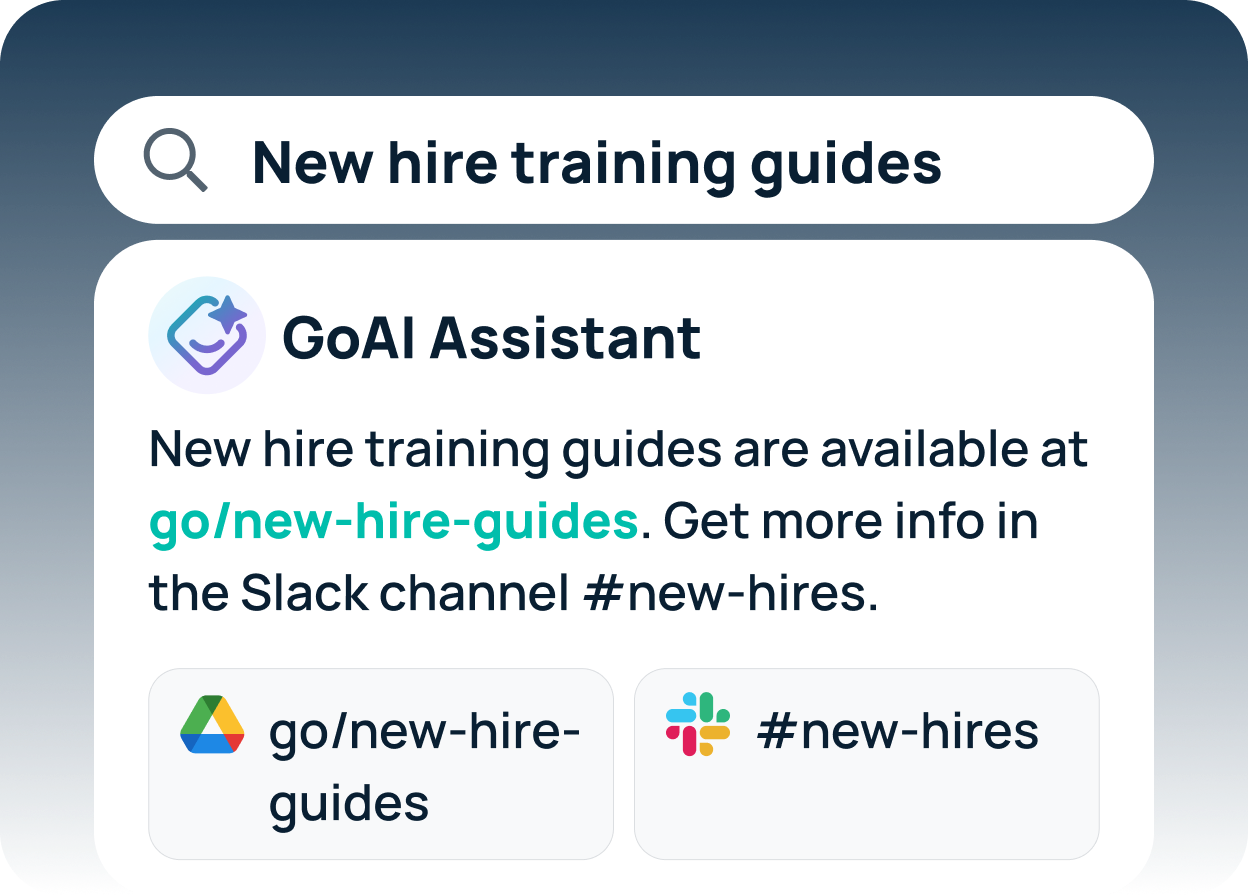
Frequently asked questions
What is the monthly cost of n8n?
With annual billing, n8n Cloud costs €20 per month for the Starter plan (which includes 2,500 executions) or €50 per month for the Pro plan (which includes 10,000 executions); with monthly billing, the prices are €24 and €60, respectively. The self-hosted Business plan costs €667 per month when billed annually, and the Enterprise plan is custom.
Is n8n really free?
The Community Edition, which is self-hosted, is free and has no execution limit, but you have to pay for the hosting and maintenance. To use paid features such as SSO, a Business or Enterprise license is required.
What is considered to be an execution in n8n?
A single execution constitutes a full run of the workflow from trigger to completion, no matter how many nodes it includes.
What will occur if I go beyond my n8n execution limit?
With Starter and Pro, workflows pause until the next billing cycle or until you upgrade; with Business and Enterprise, workflows continue, and any overages are charged.
Is n8n less expensive than Zapier?
In the case of complex or high-volume workflows, n8n treats the entire run as a single execution, whereas Zapier treats each step as an individual execution. The difference between the two is, however, minor for a small number of simple automations.
Is n8n open source?
n8n is licensed under the Fair Code license. While the source code is available at no cost and allows you to self-host it, the license is not a typical open-source license, and commercial use is therefore subject to certain restrictions.
What is the best free alternative to n8n?
The free self-hosting option is n8n’s Community Edition. Of the four options mentioned, GoSearch offers a Free plan; Gumloop provides a 14-day trial; Lindy offers a 7-day trial, but no free plan; and Workato offers no free plan.
What is the best alternative to n8n for non-technical teams?
For business users who are building AI agents and workflows, the most suitable options are Gumloop, Lindy, and GoSearch. Gumloop and Lindy are general-purpose agent builders, while GoSearch includes enterprise search and permissions-aware company knowledge. Workato is appropriate for teams where IT is responsible for automation.
Can GoSearch replace n8n?
For knowledge-driven agents and workflows, the answer is generally yes: n8n remains a good choice for developer-intensive, general-purpose system integration, and as a result, many teams use both.