
The best agentic AI platforms for enterprise search don’t just return ranked results — they reason about what you’re looking for, search your entire stack at once, and act on what they find. Agentic AI has moved out of innovation labs and into the systems enterprise teams depend on every day. Choosing the right platform is no longer an experiment to run — it’s infrastructure.
In August 2025, Gartner predicted that 40% of enterprise applications would integrate task-specific AI agents by the end of 2026, up from less than 5% the year before. The same forecast puts agentic AI at roughly 30% of enterprise application software revenue by 2035 — more than $450 billion, up from 2% in 2025. This isn’t a one-year decision — the platform you select now anchors a stack that keeps growing through 2035. But unlike generic AI chatbots, enterprise agentic platforms take on far more complexity: they connect to your actual business systems, understand access controls and permissions, and orchestrate multi-step workflows that span applications.
The challenge isn’t whether to adopt agentic AI — it’s choosing the right platform for your team, budget, and technical capacity. Enterprise AI search now spans everything from lightweight knowledge assistants to full workflow-execution engines. This guide evaluates the seven leading platforms against clear criteria, names the trade-offs each one makes, and matches them to different team profiles, budgets, and technical realities. (For a wider field that includes traditional and embedded search tools, see our roundup of the top enterprise search software.)
Key Takeaways
- The seven leading agentic AI platforms for enterprise search in 2026 are GoSearch, Kore.ai, Glean, Moveworks, Aisera, Microsoft Copilot, and Elastic — and none leads on every dimension.
- GoSearch is the best-balanced option for teams that want search and no-code workflow automation in one platform, with no dedicated AI engineering required —first results in days, across 100+ connectors.
- Moveworks is the most specialized choice for IT and HR helpdesk automation, live in one to two weeks with deep ServiceNow integration. Glean is the search-first option for teams whose primary need is knowledge discovery, with a heavier, infrastructure-dependent rollout.
- Pricing transparency varies more than pricing itself. Microsoft Copilot’s per-user add-on sits on top of a base M365 license you pay for separately, and four of the seven publish no rate at all — leaving third-party procurement data or a sales conversation as the only ways to budget.
- Elastic and Kore.ai serve the technical edges: Elastic for developer-built custom search with full control, Kore.ai for large-scale multi-agent orchestration across customer and employee experience.
What Is an Agentic AI Platform for Enterprise Search?
An agentic AI platform for enterprise search is software that lets autonomous AI agents reason over a company’s connected systems, retrieve permission-aware results across every source at once, and execute multi-step workflows based on what they find. Under the hood, most rely on vector and semantic search plus retrieval-augmented generation (RAG) to ground answers in your actual data. Unlike traditional search, which returns a ranked list for a human to act on, these platforms interpret intent and complete tasks end to end.
How We Evaluated These Platforms
Before diving into comparisons, here’s how we selected and evaluated these seven platforms:
Selection Criteria:
- Active enterprise deployments (100+ customers minimum)
- Analyst recognition (Forrester, Gartner, or equivalent)
- Demonstrated agentic workflow capability (not just search)
- Publicly available pricing or a documented enterprise pricing model
- Updates within the last 12 months
Evaluation Dimensions:
- Search Quality — Is it permission-aware, indexing access controls natively? How strong is its vector and semantic search across 50+ connected systems? How accurate are results?
- Workflow Automation Depth — Can it execute multi-step processes without human intervention? Do non-technical users need developers?
- Deployment Speed — Weeks or months? Does it require dedicated IT infrastructure?
- Connector Breadth — Native integrations vs. API-only. Does it cover the tools you actually use?
- Enterprise Governance — Audit trails, compliance frameworks (SOC 2, GDPR), role-based permissions.
- Total Cost of Ownership (TCO) — True cost including implementation, training, and annual licensing.
No platform wins on all six dimensions — each trades strength in one area for limits in another. The right choice comes down to which dimensions matter most for your team.
7 Agentic AI Platforms for Enterprise Search: At a Glance
| Platform | Ideal For | Search Depth | Workflow Automation | Deployment Speed | Pricing Model |
|---|---|---|---|---|---|
| GoSearch | Balanced search + workflows, non-technical teams | 100+ connectors | Native workflows, no-code | Fast (days–weeks) | Free; Pro $20/user/mo; Enterprise custom |
| Kore.ai | Multi-agent orchestration across CX + EX | Broad integrations | Large pre-built agent library | Medium (8-12 weeks) | Mid to Enterprise |
| Glean | Knowledge discovery, unified search | 100+ connectors | Retrieval-first agents (search-coupled) | Medium (1–3 weeks to index; longer for full enterprise rollout) | Enterprise (Quote only) |
| Moveworks (ServiceNow) | IT/HR support automation only | ServiceNow-focused | Deep IT/HR workflows | Fast (1–2 weeks) | Enterprise (Quote only) |
| Aisera (Automation Anywhere) | Service desk operations, high volume | Service desk–focused | Pre-built + low-code | Slow (1–3 months) | Mid-Market |
| Microsoft Copilot | Microsoft 365-native orgs | M365 data only | M365 workflow automation | Days–weeks | Per-user add-on (+ M365 license) |
| Elastic | Developer-led custom search | Developer-controlled | Requires custom code | Slow (3–6 months) | Open source; Elastic Cloud published tiers |
Choosing by Organizational Type
Before evaluating individual platforms, identify your organization’s profile:
No-Code / No Developers Required: GoSearch, Moveworks, Microsoft Copilot
- Want the AI to work without developer involvement
- Need results in days or weeks, not months
- Don’t want to stand up or learn new infrastructure
- Accessible to non-technical teams, but scale to technical ones too
Built for Technical Teams: Elastic, Kore.ai (with engineering support)
- Have in-house developers
- Want full customization control
- Accept 3–6 month implementation cycles
Built for Service Desk Operations: Moveworks, Aisera
- Primary need is IT/HR automation
- Have existing ITSM infrastructure (ServiceNow, Workday)
- Want pre-built workflows, not generic platforms
Built for Broad Enterprise Orchestration: Kore.ai, GoSearch
- Need to coordinate agents across multiple departments
- Mix of technical + non-technical teams
- Want one platform for multiple use cases
7 Agentic AI Platforms: Detailed Evaluation
1. GoSearch: Best for Balanced Search + Workflows
Choose GoSearch if you need unified search plus workflow automation but lack dedicated AI engineering resources — you get both without infrastructure complexity.
GoSearch combines enterprise search with no-code AI agents and workflows that automate multi-step processes across your tech stack. It uses a hybrid architecture — indexing shared company knowledge while querying personal or sensitive data live through federated connectors — across 100+ enterprise applications, all while maintaining permission-aware security. Its agents don’t just retrieve information — they trigger actions across connected tools from a single interface.
What GoSearch Does Best:
- Search: Connects to Slack, Notion, Google Drive, Jira, ServiceNow, and Salesforce, searching across them at once — indexing shared knowledge and querying sensitive data live. Results respect original permissions, so IT doesn’t need to enforce access rules twice.
- Workflows: No-code agents automate multi-step processes like IT ticket routing, employee onboarding, and documentation requests. Non-technical team members can build workflows using visual interfaces.
- Implementation: Fast to stand up — connect your sources and surface first results in days, often within a single afternoon, with full production deployment in up in just weeks. No infrastructure to build or maintain.
Where GoSearch Falls Short:
- Enterprise pricing requires a quote: The Free and Pro tiers are published ($0 and $20/user/month), so smaller teams can see costs up front — but the Enterprise tier, where advanced security, SSO/SAML, and BYO-cloud options live, is quote-based, so the largest deployments still involve a sales conversation.
- Highly specialized integrations: GoSearch covers 100+ common platforms well; very legacy or niche systems that need custom APIs may take extra setup.
- Pre-built agent catalogs: GoSearch agents are custom-built (no-code) for your departments rather than picked from a library of hundreds of pre-packaged ones — teams that specifically want a ready-made catalog spanning customer-facing and internal use cases may lean toward a CX+EX-focused platform like Kore.ai.
GoSearch vs. Competitors:
- vs. Glean: Both include workflow automation, but GoSearch treats search and no-code workflows as co-equal, while Glean’s agents are layered on top of its search product and retrieval-first. For a full head-to-head, see GoSearch vs. Glean.
- vs. Moveworks: GoSearch handles IT + HR + Engineering; Moveworks focuses on IT/HR exclusively.
- vs. Kore.ai: GoSearch deploys faster; Kore.ai orchestrates more agents simultaneously.
2. Kore.ai: Best for Large-Scale Multi-Agent Orchestration
Choose Kore.ai if you need to orchestrate agents across multiple departments and customer touchpoints — it’s strongest when your automation strategy spans internal operations and external customer interactions.
Kore.ai is one of the strongest multi-agent orchestration platforms for enterprises running customer experience (CX) and employee experience (EX) automation simultaneously. The platform manages a large library of pre-built agents across departments — from customer service chatbots to internal IT helpdesks — all orchestrated through a single control plane.
What Kore.ai Does Best:
- Agent Variety: Pre-built agents for customer support, HR, IT, sales, finance. Mix and match without building from scratch.
- Cross-Department Coordination: Universal Bot routes conversations between specialized agents. One platform handles customer-facing + internal use cases.
- Enterprise Scale: Supports broad enterprise integrations including Salesforce, ServiceNow, and SAP. Handles complex multi-step workflows across departments.
- Analyst Recognition: Named a Leader in The Forrester Wave: Cognitive Search Platforms, Q4 2025, and a Leader in the Gartner Magic Quadrant for Conversational AI Platforms as of July 2026.
Where Kore.ai Falls Short:
- Feature Breadth: The breadth of features overwhelms small and mid-sized businesses. Multiple modules require careful planning to avoid feature overlap and licensing confusion.
- Steeper Learning Curve: Requires more training than plug-and-play alternatives like GoSearch or Moveworks.
- Pricing Complexity: Flexible models are good, but determining total cost requires detailed scoping conversations.
Kore.ai vs. Competitors:
- vs. GoSearch: Kore.ai is geared toward orchestrating many specialized agents across CX and EX at once; GoSearch pairs search with no-code workflows and is quicker to stand up for a focused set of use cases.
- vs. Moveworks: Kore.ai handles CX + EX; Moveworks focuses on EX (IT/HR) exclusively.
3. Glean: Best for Search-First Enterprise Knowledge Discovery
Choose Glean if enterprise search and knowledge discovery are your primary need and retrieval-centric agents are enough. If workflow automation is a co-equal priority, or you want agents without a full search deployment, look at a platform that treats automation as first-class.
Glean excels at unifying fragmented knowledge scattered across enterprise apps, documents, and chat platforms. The platform builds a comprehensive knowledge graph that connects information across systems while maintaining strict permission boundaries — employees only see what they’re authorized to access.
What Glean Does Best:
- Knowledge Graph: Automatically extracts entities and relationships across Slack, Confluence, Jira, Google Workspace, custom databases. No manual tagging required.
- Search Quality: Natural language queries with ranking that adapts to user interactions over time.
- Permissions: Permission inheritance carries source-system security policies forward.
- AI Assistant: Generates summaries, creates documentation, answers complex questions by synthesizing information across sources.
- Analyst Recognition: Named an Emerging Leader in Gartner’s 2025 Innovation Guide for Generative AI Knowledge Management Apps.
Where Glean Falls Short:
- Workflow Automation: Glean does offer agents and workflows (via its Agent Builder and Agent Library), but they’re built on top of — and tightly coupled to — its search layer and optimized for retrieval-first use cases. Complex cross-system orchestration can require custom configuration, and teams that don’t need full enterprise search must still deploy it to use the agents.
- Niche and Legacy Connectors: Glean connects to 100+ enterprise SaaS apps — on par with the field for mainstream tools — but coverage of niche or legacy systems is thinner, and connectors generally rely on indexing the source rather than querying it live.
- Implementation: Requires more upfront configuration than plug-and-play alternatives.
- Cost: Glean tends to sit at the premium end of the market. Its quote-based pricing runs high relative to competitors, and bring-your-own-cloud deployments add infrastructure costs on top of licensing — so total cost of ownership can climb well above more transparently priced alternatives. (See this breakdown of Glean’s pricing.)
Glean vs. Competitors:
- vs. GoSearch: Both offer search and workflow automation, but Glean’s agents are built on top of its search layer and retrieval-first, while GoSearch treats search and no-code workflows as co-equal capabilities. For pure knowledge discovery, Glean is a strong choice.
- vs. Microsoft Copilot: Glean works across any tech stack; Copilot is M365-only.
4. Moveworks: Best for IT and HR Employee Support Automation
Choose Moveworks if IT and HR support desk modernization is your primary goal. It won’t replace broader enterprise search or workflow automation outside employee services.
Moveworks, acquired by ServiceNow in December 2025, turns traditional IT and HR support desks into conversational, self-service experiences. The platform interprets employee requests through natural language, then orchestrates actions across ServiceNow, Workday, Okta, and other systems without requiring employees to learn new interfaces.
What Moveworks Does Best:
- IT/HR Specialization: Pre-trained for common IT scenarios — password resets, software provisioning, PTO requests, benefits inquiries. Out-of-the-box value within weeks.
- Cross-System Orchestration: Handles complex multi-step workflows (e.g., software provisioning requiring manager approval → IT ticket → system updates) through natural conversation.
- Deployment Speed: Among the fastest time-to-value in employee support automation. According to ServiceNow, nearly 90% of Moveworks customers had rolled it out to their entire workforce at the time of the December 2025 acquisition, with roughly 250 customers already running both Moveworks and ServiceNow.
- Deep ITSM Integration: Understands organizational context, permissions, and approval chains.
Where Moveworks Falls Short:
- Scope Limitation: Focused on employee support. Unsuitable for customer-facing automation or broader enterprise search.
- Ecosystem Lock-in: Best with ServiceNow; struggles when organizations use competing ITSM platforms.
- Now a ServiceNow Product: ServiceNow closed its $2.85 billion acquisition in December 2025, and Gartner now evaluates the two as a single vendor in its 2026 Magic Quadrant for AI Applications in ITSM. The roadmap follows ServiceNow’s priorities — expect integration depth to widen there and not on competing ITSM platforms.
Moveworks vs. Competitors:
- vs. GoSearch: Moveworks specializes in IT and HR support; GoSearch isn’t department-specific — it handles search and workflows across any team, from IT and HR to Engineering, Sales, and beyond.
- vs. Aisera: Moveworks deploys faster; Aisera has more pre-built workflows (but slower implementation).
5. Aisera: Best for Service Desk Operations
Choose Aisera if your primary goal is modernizing IT and HR service desk operations. Skip it if you need enterprise search or workflow orchestration beyond support functions.
Aisera dominates high-volume IT and HR service desk environments where repetitive requests drain human agents. The platform ships with pre-built Hyperflows for common scenarios like password resets, software provisioning, and benefits inquiries.
What Aisera Does Best:
- Pre-Built Workflows: A large library of IT and HR workflow templates reduces time-to-first-automation compared to building from scratch.
- Low-Code Customization: Workflow Studio and LLM Studio let service desk teams configure new automations and tune responses without developer involvement.
- Deep ITSM Integration: Native connectors to ServiceNow, Workday, major ITSM platforms.
- Workflow Breadth: Spans onboarding, VPN troubleshooting, license management, benefits inquiries.
Where Aisera Falls Short:
- Slow Implementation: 6–12 weeks for full deployment vs. competitors offering week-one value.
- Narrow Scope: Excels at service-management automation across IT, HR, and support, but is built around the service desk rather than general enterprise search or broad knowledge work — a different center of gravity than search-first platforms.
- Now Part of Automation Anywhere: Automation Anywhere acquired Aisera in November 2025, folding its service-desk agents into a broader agentic process automation portfolio. Buyers should expect the roadmap to prioritize that integration, and should confirm which capabilities remain available as standalone features.
Aisera vs. Competitors:
- vs. Moveworks: Moveworks deploys faster and handles broader use cases; Aisera has more pre-built workflows for niche scenarios.
- vs. GoSearch: Aisera is built around the service desk; GoSearch is a search-first platform that spans any department.
6. Microsoft Copilot: Best for Microsoft 365-Native Organizations
Choose Microsoft Copilot if your organization runs on Microsoft 365 and you want productivity gains without new infrastructure. Mixed technology stacks need broader connector ecosystems.
Microsoft Copilot works well for organizations running operations through Microsoft 365. The platform adds agent capabilities to Teams, SharePoint, and Office applications. without requiring new infrastructure or user training.
What Microsoft Copilot Does Best:
- Zero Infrastructure Overhead: Works within existing M365 licenses. No new systems to deploy.
- Familiar UX: Employees interact through Teams chat or SharePoint — no new tools to learn.
- M365 Workflow Automation: Automatically generates meeting summaries, updates project timelines in Planner, drafts responses based on email context.
- Copilot Studio: Lets IT teams build custom agents that interact with M365 data sources.
Where Microsoft Copilot Falls Short:
- Ecosystem Lock-in: Agents struggle to access data from Salesforce, Slack, or non-Microsoft platforms effectively. Not suitable for organizations with mixed tech stacks.
- Search Quality: Falls short of dedicated enterprise search platforms like GoSearch or Glean, without the cross-system retrieval depth and knowledge-graph context they bring to results.
- Data Source Limitation: Bound to Microsoft 365 data. Can’t reason across external systems, legacy databases, or non-Microsoft SaaS.
Microsoft Copilot vs. Competitors:
- vs. GoSearch: GoSearch handles diverse tech stacks; Copilot is M365-only.
- vs. Glean: Glean searches across any tech stack; Copilot is limited to Microsoft 365 data.
7. Elastic: Best for Developer-Led Custom Search Infrastructure
Choose Elastic if you have skilled developers and want full control over search performance and flexibility. Pick another platform if you need plug-and-play.
Elastic is a widely adopted, developer-focused search platform built on Elasticsearch. When engineering teams need to build custom search solutions from the ground up, Elastic provides deep flexibility and performance.
What Elastic Does Best:
- Developer Control: Complete customization of indexing, retrieval, ranking. No constraints from vendor UI.
- Scale: Scales to large data volumes across distributed clusters, with fast query response at enterprise scale.
- Flexibility: Supports any data type — logs, metrics, documents, custom schemas. Real-time indexing.
- Open Source Option: Since 2024, Elasticsearch is available under the OSI-approved AGPLv3 license (alongside Elastic’s proprietary default distribution), backed by thousands of community plugins and integrations.
- Elastic Cloud: Managed deployment option for teams wanting power without infrastructure overhead.
Where Elastic Falls Short:
- Skill Requirements: Requires dedicated engineering resources. Non-technical buyers will struggle with the learning curve, complex configuration, and ongoing operational overhead.
- Implementation Timeline: 3–6 months typical. Requires custom development work.
- Non-Agentic by Default: Vector search + keyword search is powerful, but orchestrating multi-step workflows requires custom code.
Elastic vs. Competitors:
- vs. GoSearch: Elastic maximizes customization; GoSearch minimizes time-to-value.
- vs. Glean: Elastic requires developers; Glean requires configuration but not code.
What’s Not on This List and Why
Two names come up in nearly every agentic AI evaluation but aren’t in this comparison: ChatGPT Enterprise and Claude Enterprise.
Both are general-purpose AI assistants with enterprise controls, not enterprise search platforms. They reason well over what you paste into them or connect through a handful of integrations, but neither indexes your full stack or enforces per-user permissions across every connected system at query time. That’s the line this guide draws – the platforms here retrieve across your systems and resolve access per user, which is an architectural difference between the two categories.
Plenty of organizations run one alongside a search platform: an assistant for reasoning and drafting, the search platform for retrieval and permission-aware answers. If you’re weighing either against a dedicated search tool, these comparisons cover the trade-offs in detail – GoSearch vs. ChatGPT Enterprise and GoSearch vs. Claude Enterprise.
Multi-Agent Systems for Enterprise Search: How AI Agent Orchestration Differs by Platform
A multi-agent system runs several specialized agents that hand work to each other, rather than one agent handling every request. In enterprise search, that usually means a routing layer deciding which agent takes a question — an IT agent for access requests, an HR agent for policy questions, a finance agent for expense approvals — and passing context between them when a request spans more than one.
AI agent orchestration is the layer that makes this work: routing, context handoff, permission enforcement across agents, and fallback when no agent can resolve the request. It’s the capability that separates a platform running one assistant from a platform running a coordinated system.
All seven platforms in this guide use the word “agents.” They mean different things by it.
| Platform | Orchestration model | Practical limit |
|---|---|---|
| Kore.ai | Universal Bot routes between specialized agents across CX and EX | Breadth requires planning to avoid module overlap |
| GoSearch | No-code agents across departments, coordinated through one search and workflow layer | Agents are built for your use cases rather than picked from a catalog |
| Glean | Agent Builder and Agent Library, coupled to the search layer | Retrieval-first; cross-system orchestration can need custom configuration |
| Aisera | Pre-built Hyperflows with low-code customization | Scoped to service desk domains |
| Moveworks | Cross-system orchestration through one conversational front end | Single assistant, not a multi-agent system; IT and HR only |
| Microsoft Copilot | Copilot Studio agents over M365 data | Can’t reason across non-Microsoft systems |
| Elastic | None natively | Multi-step orchestration requires custom code |
Three questions worth asking any vendor:
How does routing work when a request spans two domains? A question about a new hire’s laptop touches IT and HR. Ask to see that handoff, not a single-domain demo.
Do permissions carry between agents? Access control at step one means little if step two runs under a service account.
Who builds and maintains the agents? A large pre-built catalog reduces setup and increases configuration overhead. Custom-built no-code agents invert that trade.
Where the categories sit. For coordinating many specialized agents across both customer-facing and internal use cases, Kore.ai is the orchestration specialist in this set. For cross-department agents without dedicated engineering, GoSearch and Glean both qualify, with the difference being whether workflows are co-equal with search or layered on top. Moveworks and Aisera are deep rather than broad — strong within their domains, not multi-agent systems in the general sense.
Agentic Search Platforms vs. AI Workflow Automation Tools
Buyers evaluating agentic AI for enterprise search almost always run into a second category on the way: AI workflow automation tools like Zapier, n8n, UiPath, CrewAI, and Gumloop. The overlap is mostly in the name.
The difference comes down to what kicks off the task. Workflow automation tools run on an event – a form submission, a new row, a webhook, a schedule. Agentic search platforms start with a question, retrieve what’s relevant across your systems, and decide what to do based on what they find. One follows your steps. The other decides the steps.
That difference matters most in permissions. These tools retrieve from an index you built – documents you uploaded, folders you pointed at, a vector store you configured – and connect through a service account or stored credential, so every run carries the same access regardless of who triggered it. Agentic search platforms retrieve across your connected systems as they are, resolving each user’s permissions against the source at query time. Two employees asking the same question get different answers because they can see different documents. For anything touching HR records, compensation, legal, or customer data, that’s not a missing feature. It’s a different way of handling access.
| Tool | Trigger Model | Retrieval Scope | Permission Model | Who Builds It |
|---|---|---|---|---|
| Zapier | Event or schedule | Knowledge sources you upload; search actions against connected apps | Stored credential per connection | Ops and business users |
| n8n | Event, schedule, or webhook | Vector stores you configure and populate | Stored credential per connection; self-hosted option | Technical ops, developers |
| UiPath | Event, schedule, or attended trigger | Context Grounding indexes ingested from Orchestrator buckets and connected document stores | Indexes inherit folder permissions | RPA developers |
| CrewAI | Code invocation | Whatever retrieval you implement | Whatever you implement | Python developers |
| Gumloop | Event or manual run | Company Brain indexes Google Drive, Notion, Slack, GitHub, Confluence | Access by source scope, not per-document permissions | Non-technical users |
| Agentic search platforms | A question from a user | Connected source systems as they are, no separate index to maintain | Resolved per user against the source at query time | Varies by platform; no-code on GoSearch |
Where each fits. Use workflow automation when the trigger is an event and the steps are known: route a form to the right queue, sync records between two systems, post a digest on a schedule. Use AI agent orchestration frameworks like CrewAI when you’re building something custom and have engineers to build it. Use an agentic search platform when the trigger is a person asking something, the answer lives across multiple systems, and who’s asking determines what they should see.
They coexist more often than they compete. A common pattern: an agentic search platform handles the question-and-retrieval layer, then hands off to Zapier or n8n for downstream execution into systems the search platform doesn’t connect to. The evaluation question isn’t which category wins — it’s which layer you’re missing.
Best Agentic AI Platform by Use Case
IT Helpdesk Automation
Winner: Moveworks
- Fastest deployment (1–2 weeks)
- Deepest IT/ITSM integrations
- Pre-trained for IT scenarios
Runner-up: GoSearch
- Handles IT alongside any other team, not just the helpdesk
- No-code workflows
- Slightly slower deployment than Moveworks for IT-only
HR Operations & Onboarding
Winner: GoSearch
- Unified search across policies, handbooks, training materials
- Workflows automate equipment requests, access provisioning
- Balances speed with capability
Runner-up: Aisera
- More pre-built HR workflows
- Slower implementation (6–12 weeks)
Engineering Teams
Winner: Elastic
- Full control over indexing and search logic
- Supports code repositories, technical documentation, logs
- Requires engineering resources
Runner-up: GoSearch
- Connects to code repositories and documentation
- No infrastructure buildout
- Good for teams wanting search without engineering
Distributed Remote Teams
Winner: GoSearch
- Searches across Slack, Notion, Google Drive, tools teams actually use
- Permission-aware (respects access controls)
- Workflows automate cross-team handoffs, status updates
Runner-up: Microsoft Copilot
- Best if organization is M365-native
- Switches on quickly if already licensed; org-wide setup takes weeks
Customer + Employee Experience (CX + EX)
Winner: Kore.ai
- Large library of pre-built agents (CX + EX)
- Single orchestration plane for all agents
- Broad enterprise integrations
- Handles scale and complexity
Runner-up: Aisera
- Spans IT, HR, and customer service from one platform
- Strong for support-centric CX + EX, less so for broad search
High-Volume Service Desk
Winner: Aisera
- Purpose-built for high-volume operations
- Pre-built workflows for common scenarios
- Deep ITSM integration
Runner-up: Moveworks
- Faster to deploy, with deep ServiceNow integration
- Strong for IT/HR support at more moderate volumes
How to Choose an Agentic AI Platform: A 5-Step Framework
Step 1: Identify Your Primary Use Case
Pin down the one problem you most need solved:
- IT helpdesk: Moveworks or GoSearch
- Employee onboarding: GoSearch
- High-volume service desk: Aisera
- Search-first knowledge discovery, no workflow requirement: Glean
- Multi-department agent orchestration: Kore.ai
- Microsoft 365-only stack: Microsoft Copilot
- Developer-built custom search: Elastic
Step 2: Assess Your Team’s Technical Capacity
- Non-technical team building workflows: GoSearch, Moveworks, Aisera
- In-house developers available: Kore.ai, Elastic
- Mixed technical and non-technical: GoSearch, Kore.ai
- Non-technical team, but only for search: Glean or Microsoft Copilot
Step 3: Define Your Budget & Timeline
- Need to start without a procurement cycle? GoSearch — free tier, published per-user pricing, first results in days.
- Already paying for Microsoft 365? Microsoft Copilot — a per-user add-on on top of your existing license.
- Need production IT support in under a month? Moveworks — one to two weeks.
- Knowledge discovery as the primary need, with budget for a quote-based contract? Glean.
- Multi-department agent orchestration, quote-based? Kore.ai — eight to twelve weeks.
- High-volume service desk, quote-based? Aisera — six to twelve weeks.
- No timeline constraint and engineering time to spend? Elastic — three to six months.
Step 4: Evaluate Connector Coverage
What matters isn’t the headline connector count — it’s whether the platform covers the specific tools your team actually uses, natively and in depth.
- Mainstream SaaS stack (Slack, Google Workspace, Jira, Confluence, Salesforce): GoSearch, Glean, and Kore.ai all cover the common tools well.
- Mostly or entirely Microsoft 365: Microsoft Copilot.
- Heavy on niche, legacy, or custom systems: Elastic, or vet each vendor’s connector depth against your specific tools.
- Ask how each connector works. Some platforms index a copy of your content on a sync schedule; others query the source live. That difference determines how current results are and how sensitive data is handled.
- Ask vendors to demonstrate search across your actual tools and content, not just show a logo wall.
Step 5: Check Enterprise Requirements
- Security certifications (SOC 2, GDPR, HIPAA). Effectively table stakes — all of these vendors offer enterprise compliance through their managed or cloud tiers. Confirm current certifications for the specific tier you’re buying.
- Explainability and source citations. GoSearch, Glean, and Kore.ai trace answers back to the underlying documents and enforce source permissions, which matters when users need to verify where an answer came from.
- Permission enforcement at query time. Ask whether access is resolved per user against the source system, or granted at the index or folder level. The distinction determines whether an employee can surface a document through search that they couldn’t open directly.
- Procurement timeline. Four of the seven are quote-only, which adds sales cycles and often a paid proof of concept before production access. Factor that in against platforms you can start on immediately.
Which Agentic AI Platform Should You Choose?
The enterprise question has shifted from whether to adopt agentic AI to which platform fits your team’s capabilities, budget, and timeline. Each of these seven excels at something different, so let the problem you most need to solve guide your choice:
For most organizations, GoSearch is the pragmatic choice — it balances search quality, workflow automation, deployment speed, and ease of use without requiring dedicated AI engineering resources.
For IT-focused support, Moveworks offers fast deployment, deep ITSM integration, and proven scale.
For broad multi-department agent orchestration, Kore.ai is a leader, coordinating many specialized agents across complex CX and EX workflows.
For knowledge discovery, Glean offers strong search quality and a mature knowledge graph at a premium price.
For developer-led customization, Elastic offers the deepest flexibility and performance for engineering teams that want to build search from the ground up.
Whatever your shortlist, don’t buy on the feature list alone. Take advantage of vendor pilots, test on your own data, and evaluate ease of use with the team that will actually use it. The right platform is the one that solves your top priority first.
The fastest way to know if GoSearch fits is to try it on your own data. Start free with personal access to agentic enterprise search.
Personal access to agentic enterprise search, free with GoSearch.
Sign up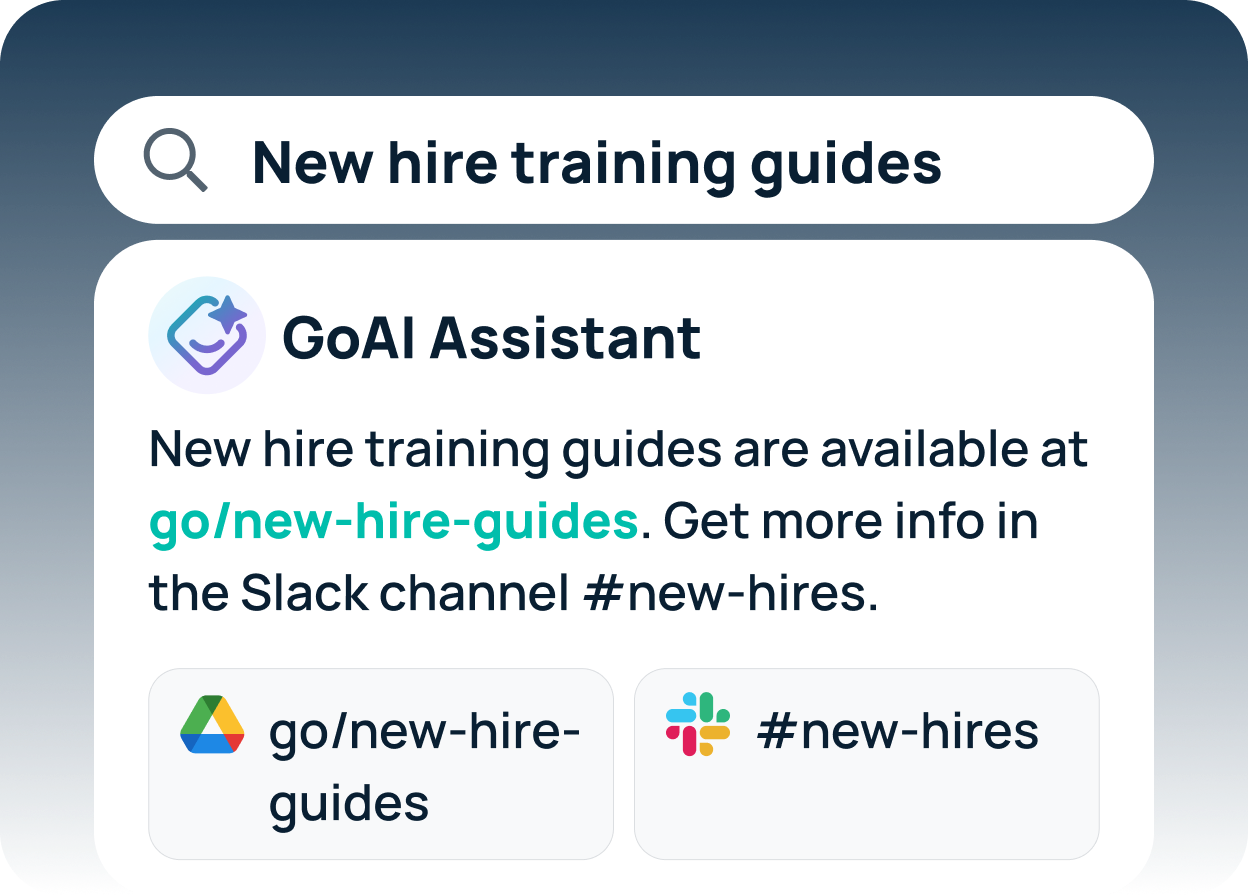
Agentic AI Platforms for Enterprise Search: FAQs
There’s no single best AI search tool for enterprise — the right choice depends on your primary use case. GoSearch is the strongest all-around pick for teams that want search plus workflow automation without heavy IT lift; Glean for retrieval-centric knowledge discovery; Moveworks for IT and HR support; Kore.ai for large-scale multi-agent orchestration; Microsoft Copilot for Microsoft 365-only stacks; and Elastic for developer-led custom search. Match the tool to the problem you’re solving first, not to the longest feature list.
Traditional enterprise search outputs a ranked document list; agentic AI delivers a completed task plus an explanation. With traditional search, a human reviews the results, whereas an agentic system reasons about intent on its own, works across multiple systems simultaneously rather than one at a time, and executes the follow-up action — creating the ticket, updating the record, or routing the request — instead of leaving it to the user. In short, agentic AI turns search from information retrieval into task completion: the agent becomes a digital employee that finishes the job rather than starting it.
Moveworks and GoSearch deploy fastest. Moveworks goes live in one to two weeks for IT-only scenarios; GoSearch runs from a few days to four weeks depending on how many sources you connect. Both ship pre-built connectors and out-of-the-box configurations.
It depends on how central workflow automation is to your plans. Both platforms offer search and agentic workflows, support 100+ connectors, and deliver strong search quality. The difference is emphasis: GoSearch treats search and no-code workflows as co-equal capabilities and can be live in days, while Glean’s agents are built on top of — and tightly coupled to — its search layer, optimized for retrieval-first use cases, with a longer, more configuration-heavy deployment. Choose GoSearch if you want search and automation as equal priorities in one platform; choose Glean if knowledge discovery is the primary need and retrieval-centric agents are enough. For a closer look at how Glean’s costs compare, see this breakdown of Glean’s pricing.
Moveworks is the more specialized pick for IT-only scenarios. It’s pre-trained on the highest-volume IT helpdesk tasks — password resets, software and license provisioning, access requests, VPN and MFA troubleshooting — and deploys in one to two weeks with deep ServiceNow integration that already understands your approval chains and ticket routing. That focus makes it strong at Tier 1 ticket deflection and self-service resolution. GoSearch is the better fit if your IT use case extends into HR, Engineering, or other departments, because it handles those alongside IT through a single search-and-workflow layer. Choose Moveworks if IT support is 100% of your need; choose GoSearch if you also need HR onboarding, Engineering documentation, or cross-department automation alongside the IT helpdesk.
Often, yes — but not every vendor offers one, so confirm availability early. Many provide two- to four-week pilots or proofs-of-concept, while others limit evaluation to a guided demo. Where a hands-on POC is available, use it to index your top five to ten data sources, test search quality on real queries, build one workflow end-to-end, evaluate ease of use for your team, and assess the deployment timeline and resource requirements. This guide to running an enterprise search proof of concept walks through how to scope and score one. If a vendor won’t support a proof of concept, ask for customer references in your industry and a detailed scoping document before signing.

![Selecting the Best Enterprise Search Software [Features + Vendors]](https://images.gosearch.ai/blog/content/uploads/2023/10/17234328/Blog-Header-3-370x184.png)