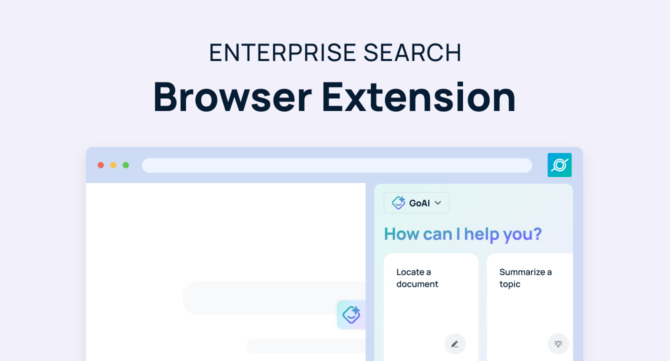

Enterprise search is now available anywhere you need it with the GoSearch browser extension in your side panel. Chat with an enterprise search AI agent directly from any webpage for quick access to your company’s collective knowledge and powerful AI insights, without interrupting your workflow. Whether you’re researching, writing content, or updating dashboards, our enterprise search browser extension puts the answers you need right at your fingertips.
GoSearch now reads the page you’re on, not just the tabs you open. Ask a question about the doc, dashboard, or ticket in front of you and get an answer that’s grounded in what’s actually on your screen, plus your company’s knowledge base.”
See how GoSearch’s browser extension now reads the content of your active tab. He demos asking GoSearch to summarize a webpage, pull key takeaways, and connect it to internal knowledge, all without copying, pasting, or switching tabs.
The biggest benefit: GoSearch connects any website to your internal knowledge, so you get one comprehensive result that factors in what’s on the page and combines it with everything you’ve connected to GoSearch, for a context-forward answer.
What Is the GoSearch Browser Extension?
The GoSearch side panel extension connects you with an AI agent built on your company’s knowledge base. Add GoSearch to your browser and get instant answers, search for resources, and gain insights in real time.
GoSearch now reads the text and context of the page your browser tab is open to. GoAI delivers accurate, context-aware responses, so you can stay focused on your work. Chat with any custom agents you and your team have built, directly from your browser side panel.
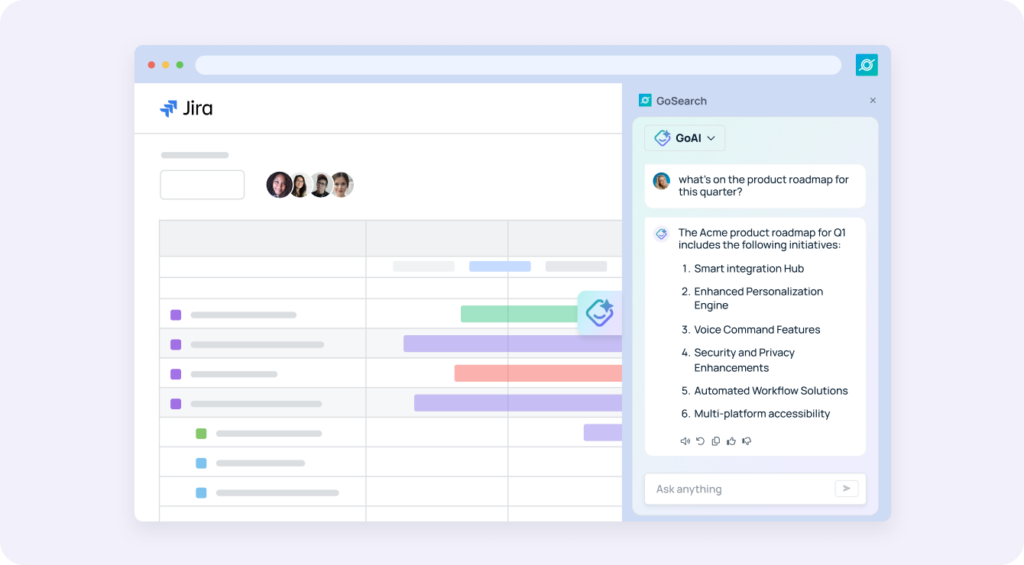
Instead of wasting time switching between tabs or tools, GoSearch lets you ask questions and get AI answers from any webpage, simplifying your workflow. For example, rather than scanning through your Jira board to understand what tasks are scheduled this sprint, ask GoAI to summarize the product roadmap for you.
Before: copy the error message, switch tabs, paste it into GoSearch, explain what you’re looking at.
Now: GoSearch already sees the page. Just ask “what’s causing this.”
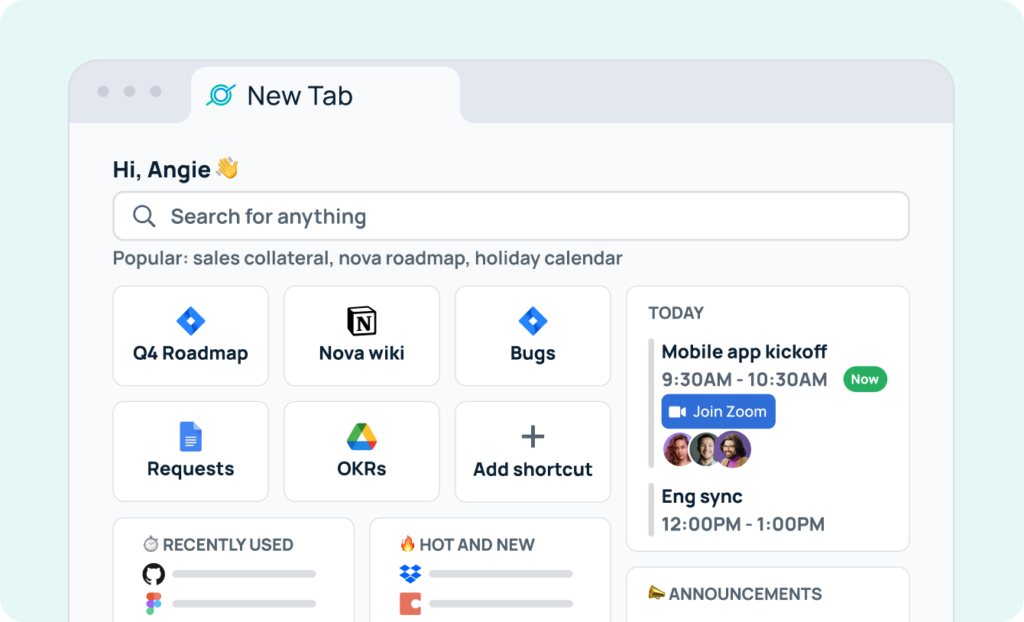
In addition to AI chat with the GoAI agent in your side panel, the GoSearch browser extension supports a new tab search experience. Simply open a new browser tab and access powerful AI enterprise search across all your company’s apps and resources. You can manage your daily schedule and access commonly used resources instantly, speeding productivity for every role.
Benefits of an Enterprise Search Browser Extension
- Convenience: Access information without leaving your current page.
- Efficiency: Save time by quickly finding what you need and supplementing intelligent insights from AI.
- Integration: Compatible with popular browsers for easy access.
- Relevance: AI understands your company’s unique knowledge base for contextual answers and relevant resources.
- Collaboration: Share insights easily to improve teamwork and decisions.
- Context-aware: GoSearch reads the page you’re on, so you don’t have to re-explain what you’re looking at. Most enterprise search extensions make you describe your screen. GoSearch just looks.
How Teams Can Use the GoSearch Browser Extension
IT Teams: Solve Problems Faster
IT professionals often manage multiple tools and systems. GoSearch helps them:
- Find troubleshooting steps and guides.
- Access configuration details or code snippets.
- Share solutions quickly with colleagues.
Examples:
- An IT admin resolving a network issue can ask GoSearch for internal protocols and get immediate guidance.
- An admin staring at a failed deployment log can ask ‘what does this error mean’ with zero copy-paste — GoSearch reads the log on screen and pulls the matching internal runbook.”
Engineering Teams: Speed Up Development
Engineers rely on accurate information to meet deadlines. GoSearch enables them to:
- Retrieve code samples, documentation, or bug reports.
- Access best practices from internal sources.
- Get quick answers to technical questions.
Examples:
- A developer working on a feature update can find relevant code examples from previous projects in seconds.
- Reviewing a PR? Ask GoSearch to check the code on screen against your team’s style guide, no tab-switching to find the doc.
HR Teams: Support Employees Better
HR teams handle employee inquiries and policies. GoSearch helps them:
- Answer questions about benefits or procedures quickly.
- Retrieve templates and policies without extra searches.
- Provide consistent, accurate responses.
Examples:
- An HR manager can use GoSearch to pull up a benefits policy while responding to an employee’s email.
- Viewing an employee’s Workday profile? Ask GoSearch about eligible benefits based on what’s on the page.
Marketing Teams: Work Smarter on Campaigns
Marketing teams can use GoSearch to:
- Access past campaign data or performance metrics.
- Find brand guidelines or content templates easily.
- Brainstorm ideas using insights from previous work.
Examples:
- A marketer creating a blog post can retrieve relevant stats or references without leaving their writing tool.
- Reading a competitor’s landing page? Ask GoSearch how our positioning compares, using what’s on screen.
Sales Teams: Close Deals Quickly
Sales teams need fast access to information. GoSearch helps them:
- Retrieve customer data, case studies, or product details instantly.
- Answer prospect questions on live calls or demos.
- Stay informed about pricing and contracts.
Examples:
- A salesperson can find and share a case study during a client call, helping move the deal forward.
- On a prospect’s LinkedIn or website? Ask GoSearch to pull account context and relevant case studies without leaving the page.
Customer Success Teams: Improve Client Support
Customer success teams can use GoSearch to:
- Access onboarding guides and FAQs instantly.
- Provide quick and accurate answers to client questions.
- Collaborate efficiently with internal teams to resolve issues.
Examples:
- A customer success manager can quickly find troubleshooting steps to help a client resolve an issue on the first try.
- Looking at a Zendesk ticket? GoSearch reads the ticket and surfaces the matching troubleshooting article automatically.
Get Started with GoSearch
The GoSearch side panel browser extension makes enterprise search simple and accessible. Whether you’re in IT, engineering, HR, marketing, sales, or customer success, our AI agent helps you find answers faster and work smarter.
Don’t let inefficiencies slow you down. Discover an AI agent available everywhere you’re working with GoSearch and our powerful new enterprise search browser extension.
Search across all your apps for instant AI answers with GoSearch
Schedule a demo
Frequently Asked Questions
Yes. GoSearch reads the text and context of the page your tab is open to, so you can ask questions about what’s on screen without switching tabs or explaining the context yourself.
Page-context AI search means the AI agent understands the content of the webpage you’re viewing and can answer questions grounded in it, combined with your company’s knowledge base, instead of requiring you to describe or paste in what you’re looking at.
Glean’s browser extension focuses on search and retrieval across connected apps, but it doesn’t read the live content of the page you’re on. GoSearch does. Ask a question about the ticket, doc, or dashboard in front of you and GoSearch answers using what’s already on screen, no copy-pasting or re-explaining context required.
Yes. GoSearch respects the same permissions-aware access controls used across the platform. It only surfaces information you’re already authorized to see, and page content is used to answer your question, not stored or shared outside your organization’s controls.
GoSearch’s browser extension works with major Chromium-based browsers, including Chrome and Edge. Add it once and it works in your side panel and new tab across every site you visit.
Both. GoSearch reads context on internal tools like Jira, Zendesk, and Workday, as well as external pages like a prospect’s website or a competitor’s landing page, so you get relevant answers no matter what’s open in your tab.