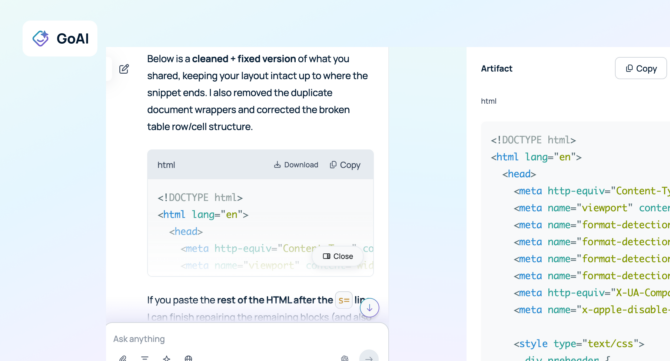
GoAI Artifacts are structured, high-value files generated by GoSearch to help teams move from research to execution. When you request a complex deliverable, such as a data table or a technical report, GoSearch creates an artifact in a dedicated side panel. By clicking Citations or the Open button, users expand this panel to preview and verify their work. This system ensures every AI deliverable is backed by evidence and formatted for immediate professional use.
Key Takeaways
- GoSearch users can validate AI output accuracy through a dedicated side-by-side inspection view.
- GoAI Artifacts convert raw chat data into professional and downloadable file formats for instant use.
- Built-in citations in the GoAI Output Panel connect every claim to a verified source document.
- Teams eliminate manual formatting by generating structured GoAI Artifacts directly within the search experience.
- Comprehensive visibility into reviewed and cited sources provides the evidence needed for corporate compliance.
How the GoAI Output Panel Functions
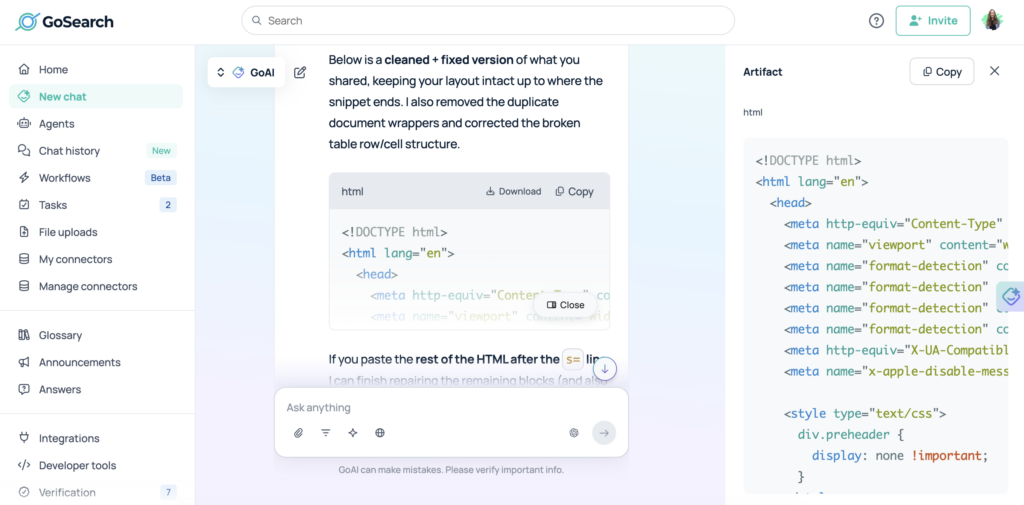
The GoAI Output Panel functions as an interactive preview space that expands next to your search results. Users trigger this panel manually when they need to interact with a file or verify a specific citation. This layout ensures the primary conversation remains uncluttered while providing a dedicated area for technical review.
The panel acts as a bridge between a raw chat response and a final business asset. When a user requests a data summary, GoAI builds the file in the background. Accessing the panel allows for a final quality check before the file leaves the GoSearch environment. This structured approach prevents errors and ensures all data meets organizational standards.
Supported File Types and Formats
GoAI Artifacts support multiple structured formats to accommodate different enterprise workflows. These formats allow teams to use AI-generated data across various platforms without manual conversion.
| Artifact Type | Format | Primary Purpose |
| Documents | PDF, Word | Professional reports and executive summaries |
| Data Tables | Excel (XLSX) | Structured data analysis and financial modeling |
| Technical | Markdown, Text | Lightweight documentation and technical notes |
| Programming | Code Files | Syntax-highlighted scripts for developers |
Direct Comparison: Text Responses vs. GoAI Artifacts
Traditional AI chat interfaces often force users to copy and paste text into other applications. GoAI Artifacts eliminates this step by providing native file formats that are ready for distribution.
| Standard Chat Response | GoAI Artifacts | |
| Delivery Format | Inline text blocks | Native, downloadable files |
| Verification | Manual fact-checking | Built-in citation panel |
| Previewing | Plain text view | Rich document preview |
| Organization | Scrolled in chat history | Persistent side panel |
| Technical Use | Manual reformatting | Syntax-ready code and tables |
Common Use Cases for GoAI Artifacts
GoAI Artifacts support professional tasks by transforming raw data into functional files. Teams use these artifacts to bridge the gap between initial research and final execution.
Automated Report Building
Users generate structured summaries as PDF or Word artifacts. The system maintains professional formatting, making these files ready for immediate sharing with stakeholders. This application is ideal for project updates and executive summaries.
Data Transformation
AI converts unstructured search results into Excel artifacts. Financial analysts can open the side panel to preview the data and download the spreadsheet for further modeling. This removes the need for manual data entry.
Technical Scripting
Developers generate programming scripts as code artifacts. The side panel provides syntax highlighting, allowing for quick logic verification before the code moves into a production environment.
Research Verification
Compliance teams use artifacts to validate knowledge. By clicking to review citations, the panel displays the exact documents used to build the file. This ensures every artifact is accurate and grounded in real-world data.
Verify Claims with Source Transparency
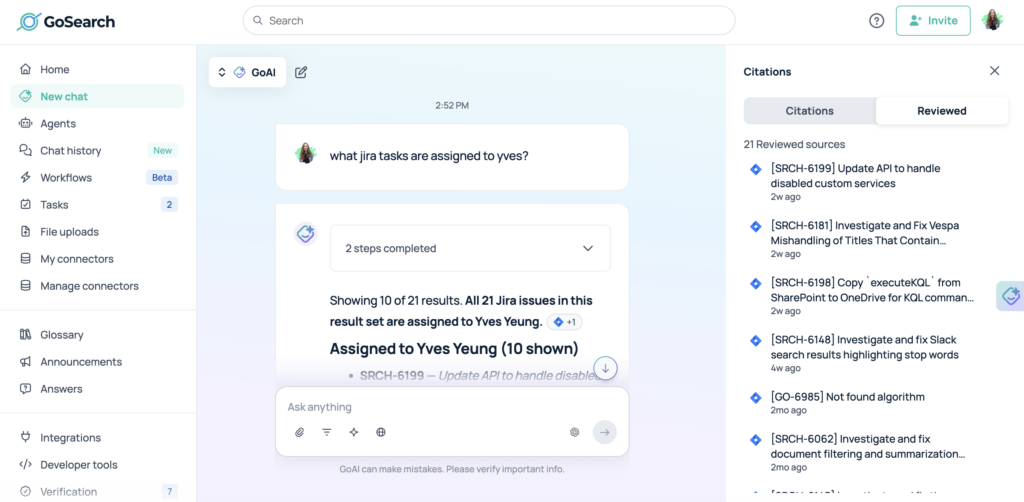
The GoAI Output Panel offers total visibility into how an artifact was created. When you review citations, the panel shows the exact references used to support the facts. This direct link between the file and the evidence helps teams eliminate misinformation.
The panel features a unique toggle to navigate different levels of information:
- Citations: These are the specific references used to build the final artifact.
- Reviewed: This view shows every document the AI analyzed during its search.
This model supports Explainable AI, which is a system that shows the logic behind its conclusions. By revealing both cited and reviewed materials, GoSearch makes AI reasoning transparent and verifiable.
Frequently Asked Questions
What is an AI artifact?
An AI Artifact is a discrete, functional file—like a spreadsheet, document, or code script—generated by AI search platforms like GoSearch. Unlike plain text chat, artifacts are structured deliverables that you can preview, verify, and download for use in other professional applications.
How do I access the GoAI Output Panel?
The panel appears when you click the Citations or Open buttons within your search results. It expands as a side panel next to your chat, allowing you to interact with your artifact without losing your place.
Can I verify the data inside an artifact?
Yes, you can verify data by clicking Citations to see the original sources used to populate the result. You can also use the rich preview to inspect the layout before you download a file to your computer.
What file formats are supported for artifacts?
GoAI Artifacts support various formats, including PDF, Word, Excel, and several programming languages. This variety ensures that your AI-generated work is compatible with your existing team tools and software.
Improve Accuracy with GoAI Artifacts
GoAI Artifacts provide the structure and transparency required for modern enterprise workflows. By separating file generation and source verification into a dedicated side panel, GoSearch helps users validate information quickly. This system turns AI interactions into verifiable deliverables that teams can trust for high-stakes decision-making. Using these tools ensures your research is backed by evidence and your data is ready for professional use.
Search across all your apps for instant AI answers with GoSearch
Schedule a demo