As AI tools become more deeply embedded in the workplace, choosing the right solution to power knowledge discovery, automation, and collaboration is critical. Slack AI and GoSearch both promise to help teams surface information faster, but the depth of their capabilities and the control they offer are vastly different.
If you’re evaluating Slack AI for enterprise search, it’s important to look beyond the chat interface and ask: Does this tool actually give me access to all my company’s knowledge? Can it support real AI workflows?
In this blog, we’ll break down the key differences between GoSearch and Slack AI, and explain why GoSearch is the better choice for organizations that need powerful, flexible, and secure AI across their stack.
What Is GoSearch?
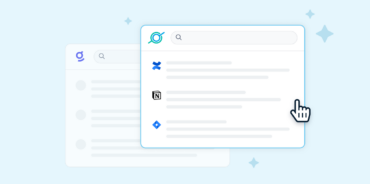
GoSearch is an enterprise-grade AI search and chat platform that connects to over 100 business tools—Google Drive, Confluence, Jira, Salesforce, Notion, GitHub, and more—so you can search and act across all your company’s knowledge from one place. GoSearch goes beyond basic retrieval by pairing search with LLM-powered chat, custom AI agents, and context-aware workflows to help users find answers, automate tasks, and take action across their stack.
Unlike limited point solutions, GoSearch is designed to work across your ecosystem, accessible from any webpage, browser extension, Slack, or standalone app.
What Is Slack AI?
Slack AI is Slack’s built-in artificial intelligence layer that helps users search past conversations, generate summaries of threads, and receive quick answers to questions based on information within Slack and connected applications. It’s built into the Slack platform and leverages conversations and files shared within channels and DMs, or within connected tools to power its results.
While Slack AI adds value for users who live entirely within Slack, it has significant limitations when it comes to accessing knowledge across your broader tech stack or performing more advanced AI workflows.
5 Reasons to Choose GoSearch Over Slack AI
| Slack AI | GoSearch | |
| Data Connectors & Indexing Controls | Limited indexing; small number of external apps; minimal control over what’s indexed. | 100+ enterprise connectors across personal and workspace with granular indexing controls by source, workspace, and permissions. |
| Adaptive LLM Selection | Single “one-size-fits-all” model; limited for advanced use cases. | Multiple flagship & reasoning models from top providers; choose the right AI per task. |
| Contextual Follow-Ups | Single-shot prompts; no conversational memory. | Persistent context for multi-step reasoning and refinement. |
| Agentic AI Everywhere | Works only inside Slack. | Works in Slack, Teams and beyond — browser extension, standalone chat, workflows — with custom agent capabilities. |
| Security, Compliance & Control | Security tied to Slack’s platform; limited customization for permissions; no centralized usage visibility. | SOC 2 compliant; granular access controls; full audit logs and admin analytics for governance. |
1. 100+ Data Connectors with Indexing Controls
Enterprise search should pull from all company knowledge, not just a handful of apps.
Slack AI can index and search a small number of external applications, but its reach is limited. While it can summarize threads and answer questions based on conversations and some connected tools, it doesn’t offer the breadth or control of GoSearch.That means large parts of your company’s knowledge are simply out of reach.
GoSearch connects to 100+ enterprise tools and gives you granular control over what’s indexed and how. You can fine-tune indexing by source, workspace, and permission level, ensuring secure, relevant search across your entire organization. Whether your data lives in Notion pages, Salesforce records, or GitHub repos, GoSearch brings it all together in one place.
Don’t settle for a siloed AI. GoSearch unifies your company’s knowledge with enterprise-grade indexing and federation controls.
2. Adaptive LLM Selection Tuned to Your Task
Different prompts deserve different models. GoSearch lets you choose.
Slack AI uses a single underlying model to power all of its capabilities, providing a “one-size-fits-all” approach. While this may be sufficient for light summarization or chat-based Q&A, it lacks the flexibility and performance tuning required by more advanced use cases.
GoSearch gives you access to flagship and reasoning models from all major LLM providers including OpenAI, Anthropic, and more. In every chat, you can toggle the model based on your use case: whether you need fast answers, nuanced reasoning, or structured output.
With GoSearch, you don’t just get AI. You get the right AI for the job.
3. Contextual Follow-Ups in AI Chat
Queries aren’t one and done. Your AI should remember.
In Slack AI, most interactions are single-shot prompts. There’s no persistent context, no conversational memory, and limited ability to follow up on or refine previous queries. This forces users to constantly rephrase or restate context in each message.
GoSearch supports contextual follow-ups that allow for natural back-and-forth refinement: true conversational AI. You can dig deeper into results, clarify misunderstandings, or add constraints without losing context. Whether you’re analyzing a dataset, troubleshooting an issue, or generating content, GoSearch supports multi-step reasoning and iteration.
4. Agentic AI Everywhere — Even in Slack
Search, chat, and take action, wherever you work.
Slack AI is limited to Slack itself. GoSearch, on the other hand, brings its AI capabilities into Slack and beyond. With GoSearch’s Slack app, you can access enterprise search, chat with GoAI, or trigger your own custom agents, all without leaving your conversations.
Even better, GoSearch is workflow-aware. Use it as a browser extension, in Slack, or as a standalone chat, always with full context of where you are and what you’re doing. From summarizing dashboards to generating tickets or drafting briefs, GoSearch acts as an intelligent teammate across your entire work environment.
5. Enterprise-Grade Security & Governance
Security, compliance and control
Slack AI’s security is bound to Slack’s platform and permissions, which may work for basic collaboration but offers limited flexibility for complex enterprise environments. It lacks the granular control to fine-tune access by role, workspace, or data source, and provides little visibility into how AI is used across the organization.
GoSearch, on the other hand, is built for enterprise-grade compliance with SOC 2 certification, full permission mapping to your identity provider, and granular access controls down to the document level. Every query and action is logged in an admin console, giving IT and compliance teams complete auditability, usage analytics, and role-based governance — ensuring AI is both powerful and accountable. GoSearch also has sensitive (PII) information detection built-in for an added layer of security.
GoSearch: Top enterprise search alternative to Slack
If your AI strategy starts and ends inside Slack, you’re missing out on the vast majority of your company’s knowledge and the full potential of LLMs. Slack AI is a helpful productivity layer within conversations, but for true enterprise search, contextual AI, and workflow automation, GoSearch is the clear choice.
With broader connectivity, adaptive model selection, real conversational memory, and powerful agentic capabilities, GoSearch is an intelligent layer across your entire stack.
Ready to see the difference? Get a demo to experience the full potential of AI at work.
Search across all your apps for instant AI answers with GoSearch
Schedule a demo